EasyManua.ls Logo

Furuno VR-3000 - User Manual

Furuno VR-3000
59 pages
Print Icon
To Next Page IconTo Next Page
Loading...
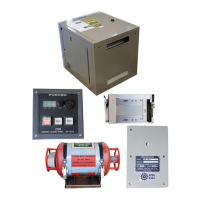
VOYAGE DATA RECORDER
SIMPLIFED VOYAGE DATA RECORDER
VR-3000
VR-3000S
OPERATOR'S MANUAL
www.furuno.com
MODEL

Other manuals for Furuno VR-3000

Questions and Answers

  • T
    Tina MitchellAug 2, 2025
    What to do if ERROR LED lighting in red in Furuno Data Loggers?
    • B
      bridget67Aug 2, 2025
      If the ERROR LED is red on your Furuno Data Loggers, this indicates a system malfunction. First, try restarting the system. If the problem persists, it's recommended to check the integrity of the DRU connection, and then call for service.
  • Y
    Yvonne WalkerAug 7, 2025
    How to troubleshoot AC and/or DC LED not lit on Furuno VR-3000 Data Loggers?
    • M
      msuarezAug 7, 2025
      If the AC and/or DC LED is not lit on your Furuno Data Loggers, it means there is no power supply. Please check the breaker switches on the ship’s mains switchboard.
  • R
    Robert CurtisAug 12, 2025
    Why BATTERY BACKUP LED not lit on Furuno VR-3000 Data Loggers?
    • J
      Jennifer RuizAug 12, 2025
      If the BATTERY BACKUP LED is not lit on your Furuno Data Loggers, it indicates there is no power from the battery. It is recommended to call for service.
  • D
    durhamamberAug 17, 2025
    What to do if ERROR LED lighting in red in Furuno Measuring Instruments?
    • L
      Lisa DavisAug 17, 2025
      If the ERROR LED is illuminated in red on your Furuno Measuring Instruments, it indicates a system malfunction. First, try restarting the system. If the problem persists, it is recommended to call for service. You should also check the integrity of the DRU connection.
  • D
    dguerraAug 21, 2025
    Why AC and/or DC LED not lit on Furuno Measuring Instruments?
    • B
      Bob NealAug 22, 2025
      If the AC and/or DC LED is not lit on your Furuno Measuring Instruments, it's likely due to a lack of power supply. Check the breaker switches on the ship’s mains switchboard to ensure they are properly set.
  • M
    Michael Stanton DVMAug 27, 2025
    What to do if BATTERY BACKUP LED not lit on Furuno Measuring Instruments?
    • J
      joshua77Aug 27, 2025
      If the BATTERY BACKUP LED is not lit on your Furuno Measuring Instruments, it suggests there's no power coming from the battery. In this case, it is recommended to call for service.

Summary

SAFETY INSTRUCTIONS

Critical Safety Warnings

Essential warnings for preventing electrical shock and severe injury.

Operational Cautions

Important cautions regarding battery handling and equipment operation.

POWERING THE DATA COLLECTING UNIT

Power On Procedure

Step-by-step guide to turn on the Data Collecting Unit.

INCIDENT RESPONSE PROCEDURE

Using the SAVE Button

Instructions for using the SAVE button during an incident.

OPERATIONAL GUIDELINES

System Overview

General overview of the VR-3000/VR-3000S Voyage Data Recorder system.

Operating Procedures

Detailed procedures for the normal operation of the VDR system.

Remote Alarm Panel Operation

Instructions for operating and interacting with the Remote Alarm Panel.

Removing HDD During Incident

Procedure for safely removing the Hard Disk Drive after an incident.

MAINTENANCE PROCEDURES

Battery Replacement Procedure

Step-by-step guide and precautions for replacing backup batteries.

Backup HDD Replacement

Instructions for replacing the backup Hard Disk Drive.

TROUBLESHOOTING GUIDE

General Troubleshooting Table

Table listing common symptoms, causes, and possible solutions.

System Error Code Reference

A comprehensive list of error codes and their corresponding actions.

INTERFACE STANDARDS AND CIRCUITS

APPENDIX: PLAYBACK OF RECORDED DATA

TECHNICAL SPECIFICATIONS

Data Collecting Unit (DCU) Specs

Detailed specifications for the VR-3010 Data Collecting Unit.

Data Recording Unit (DRU) Specs

Detailed specifications for the VR-5020 Data Recording Unit.

Furuno VR-3000 Specifications

General IconGeneral
BrandFuruno
ModelVR-3000
CategoryData Loggers
LanguageEnglish

Related product manuals