-3.5-
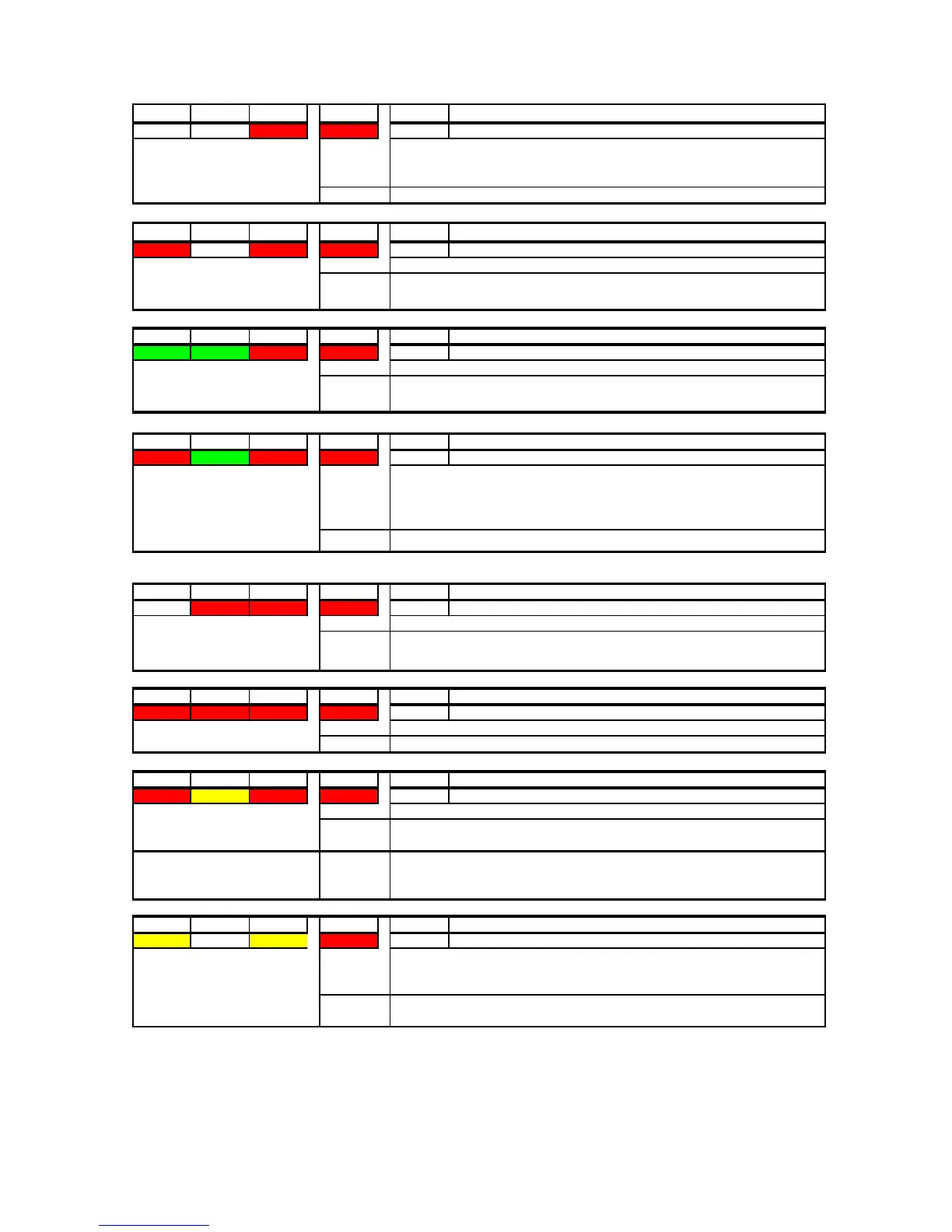
SYS 1 SYS 2 SYS 3 DCU OK Code Name
OFF OFF RED RED 130
PRC_STATUS_DATAIO_FAILURE_INDICATION
SYS 1 SYS 2 SYS 3 DCU OK Code Name
RED OFF RED RED
138
PRC_STATUS_CONFIG_FAILURE_INDICATION
SYS 1 SYS 2 SYS 3 DCU OK Code Name
GREEN GREEN RED RED 150
PRC_STATUS_CONFIG_INVALID_SIZE
SYS 1 SYS 2 SYS 3 DCU OK Code Name
RED GREEN RED RED
154
PRC_STATUS_CONFIG_INVALID_START_TAG
SYS 1 SYS 2 SYS 3 DCU OK Code Name
OFF RED RED RED
162
PRC_STATUS_CONFIG_MISSING_IN_FLASH
SYS 1 SYS 2 SYS 3 DCU OK Code Name
RED RED RED RED 170
PRC_STATUS_FATAL_FAILURE_INDICATION
SYS 1 SYS 2 SYS 3 DCU OK Code Name
RED
RED RED 186
PRC_STATUS_GRABBER_IMAGE_TOO_BIG
SYS 1 SYS 2 SYS 3 DCU OK Code Name
ELLOW RED 206 PRC_RECORDING_STOPPED_INDICATION
Action:
Clear CONFIG_area and restart VR-5000. This will install a ’default’
minimum - Configuration. If the error still occurs, try to see if the DRU is
set up correctly (partitions/partition-size)
Description:
ng on
BATTERY only, for more than 2 hours or the index has been cleared and
system has not been rebooted.
Action:
Reconnect AC or DC. And the system will start recording after 30 sec.
Description:
This indicates that grabbed video-image from radar is bigger than
Action:
Check quality of grabbed image, colormask(video-channels) and re-adjust
framegrabber-settings.
Description:
FATAL SYSTEM ERROR
ction:
Request maintenance
Description:
This LED-indication is displayed when the CONFIG_area in the DRU is
Action:
Clear CONFIG_area and restart VR-5000. This will install a ’default’
minimum - Configuration.
Description:
This LED-indication is displayed when the CONFIG_area in the DRU is
clean. This should only happen during installation/service. This will also
be displayed after first boot after clearing CONFIG-area. It will flash every
15 Secs with SYS1/SYS2/SYS3 off an
Action:
Restart VR-5000.
Description:
This LED-indication is displayed when the CONFIG_area in the DRU has
Action:
Clear CONFIG_area and restart VR-5000. This will install a ’default’
minimum - Configuration.
Description:
This indicates an unexpected error, trying to read CONFIG
Action:
Check that installed firmware-version is correct for connected DRU. If this
is a new DRU, CONFIG-area needs to be 'Cleared'
Description:
This error indicates a problem with ANALOG/DIGITAL interface-board
inside DPU. Selftest-program run during boot should indicate which
board.
ction:
Replace faulty board.



 To Next Page