EasyManua.ls Logo

Fusion MS-AM504 - User Manual

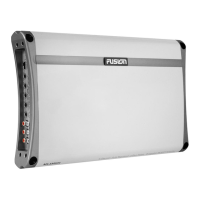
Fusion MS-AM504
16 pages
Print Icon
To Next Page IconTo Next Page
Loading...
User/Installation Manual
FUSIONENTERTAINMENT.COM
MS-AM504
MARINE AMPLIFIER

Other manuals for Fusion MS-AM504

Questions and Answers

  • M
    michael38Jul 31, 2025
    How to troubleshoot Power LED not ‘ON’ on Fusion Amplifier?
    • P
      Philip StephensAug 1, 2025
      If the Power LED on your Fusion Amplifier is not turning on, there could be a couple of reasons: * A blown or missing fuse: Replace it with the correct type and rated fuse. * Improper connections: Ensure the ground wire, power wire, and remote wires are correctly connected to the appropriate terminals.
  • M
    Maria MorganAug 6, 2025
    How to troubleshoot a Fusion Amplifiers with Power LED not ‘ON’?
    • S
      Sean BrownAug 6, 2025
      If the Power LED on your Fusion Amplifier is not turning on, it could be due to a blown or missing fuse at the battery. Replace the fuse with the correct type and rated fuse. Another potential cause is improper connections. Make sure that the ground wire, power wire, and remote wires are connected to the correct terminal.
  • R
    randall90Aug 10, 2025
    What to do if the Fusion Amplifier power LED is not on?
    • J
      jimguzmanAug 10, 2025
      If the power LED on your Fusion Amplifier isn't lit, the issue might stem from a blown or missing fuse, or incorrect wiring. First, replace the fuse with the correct type and rating. Next, ensure the ground, power, and remote wires are securely connected to their designated terminals.
  • R
    Robin GarciaAug 15, 2025
    Why is the status LED on my Fusion Amplifier on?
    • M
      Michael GentryAug 15, 2025
      A lit status LED on your Fusion Amplifier indicates a problem. Here's what might be happening and how to address it: 1. **Blown Fuse:** Replace the fuse with the correct type and rating. 2. **Overheating:** Move the amplifier to a location with better ventilation. 3. **Shorted Speaker Wires:** Check all speaker wires to ensure they aren't shorted to each other or grounded. 4. **Internal Malfunction:** Disconnect all wires except the ground, power, and remote. If the protection light remains on, the unit requires professional servicing.
  • A
    Alexis HarrisAug 20, 2025
    What to do if the Status LED is 'ON' on Fusion MS-AM504 Amplifier?
    • C
      Christopher LopezAug 20, 2025
      If the Status LED on your Fusion Amplifier is 'ON', it could be due to several reasons: 1. A blown fuse: Replace it with the correct type and rated fuse. 2. Overheating: Move the amplifier to a more ventilated area. 3. Shorted speaker wires: Ensure no speaker wires are shorted to each other or to the ground. 4. Internal malfunction: Disconnect all wires except ground, power, and remote. If the protection light remains on, return the amplifier for service.
  • H
    Harold WagnerAug 26, 2025
    What to do if the Status LED is ON on my Fusion Amplifiers?
    • P
      Paula Mendez PhDAug 26, 2025
      If the Status LED on your Fusion Amplifier is ON, several issues could be the cause. First, a fuse may have blown, and you should replace it with the correct type and rated fuse. Second, the amplifier might be overheating, so try moving it to a more ventilated area. Third, there may be shorted speaker wires; ensure that no speaker wires are shorted to any other wire or to ground. Finally, an internal malfunction could be the problem. To check, disconnect all wires except ground, power, and remote, and turn the amplifier on. If the protection light remains on, return it for service.

Summary

Feature Overview

2-Ohm Stable Stereo

Provides options for connecting extra speakers in parallel, 2 per channel at 2-Ohms.

Marine Grade Connections

Nickel plated RCA connectors and stainless components improve signal flow for optimum output.

Class-AB Design

500 Watt 2-Ohm stable design ensures clean and powerful amplification.

Conformal Coated Circuitry

Provides added protection from salt air and moisture for product life.

Marine Grade Chassis

Stainless steel end and bottom plates offer a stunning finish with environmental protection.

RCA Line Out

A pass-through RCA output enables linking multiple amplifiers for enhanced system performance.

Control Descriptions

Power And Status LEDs

Shows if the amplifier is powered up and if faults are present.

Crossover Selector

Sets the appropriate mode of operation (OFF, LP, HP).

Low Pass Filter

Filters mid to high frequencies for subwoofers, set at 100Hz or below.

High Pass Filter

Filters low bass frequencies for speakers smaller than 6”, set at 65Hz or above.

Bass Boost Control

Variable control to increase bass boost at 45Hz from 0 to +18dB.

Subsonic Filter

Filters sub-bass frequencies below the set point at 18dB/octave.

Level Control

Adjusts input signal level to match the head unit for correct gain setting.

RCA Input Channels

Connects to the LOW LEVEL output connection from the head unit.

RCA Output

Connects to a secondary amplifier; a summed output from RCA inputs.

Ground Connection

Connects directly to a suitable ground point via a 4-gauge power cable.

Remote Connection

Connects to a switched +12V source for turning the amplifier on/off.

Power +12 V Connection

Connects to the battery positive terminal via a 4-gauge power cable and inline fuse.

Fuses

Specifies the correct type and rating of fuses, MS-AM504 has 2x 25A.

Speaker Output

Refers to channel installation diagrams for correct speaker connection.

Installation and Connection

Mounting Guidelines

Provides guidance on selecting a location for mounting the amplifier, ensuring airflow and protection.

Installation Options

Recommends professional installation or careful DIY following the manual.

Power Wiring

Details wiring directly to the battery with appropriate cable size and grommets.

Ground Connection

Explains how to connect the ground cable using the same gauge as the power cable.

Speaker Load Requirements

Advises on minimum impedance requirements (2 ohms stereo, 4 ohms bridged mono).

Remote Turn-on Connection

Details connecting the terminal to a switched +12V source for amplifier power on/off.

Inputs & Gain Setup

Low Level Inputs

Proper routing of RCA cables to minimize noise interference.

Level Control Adjustment

Procedure for setting input sensitivity to match the head unit.

Two Channel Installation

Power Cable Calculator

Three Channel Installation

Trouble Shooting

Power LED Not ON

Lists causes like blown fuse or improper connections and their solutions.

Status LED ON

Lists causes like overheating or shorted speaker wires and their solutions.

Four Channel Installation

Specifications

Limited 1 Year Marine Consumer Warranty

Warranty Exclusions

Conditions under which the warranty is void, including misuse and unauthorized modifications.

Warranty Claim Procedure

Step-by-step process for returning the product for warranty service.

Australian Consumers Warranty

Warranty Exclusions for Australian Consumers

Lists conditions under which the warranty is void for Australian consumers.

Other Warranty Exclusions

Details additional exclusions and consumer responsibilities for Australian consumers.

Fusion MS-AM504 Specifications

General IconGeneral
BrandFusion
ModelMS-AM504
CategoryAmplifier
LanguageEnglish

Related product manuals