Need help?
Do you have a question about the FUTABA R6203SB and is the answer not in the manual?
Guidelines for dual antenna placement at 90 degrees and exposing the 30mm tip for optimal signal reception.
Advice on power source voltage, Fail Safe function, and ESC/servo operation at lower voltages.
Step-by-step instructions to switch receiver operation mode between Normal and High Speed.
Table detailing LED status (Solid, Blink, Off) and corresponding receiver states for mode confirmation.
Steps to press and hold the Link/Mode switch for over two seconds to initiate transmitter linking.
Procedure to press and hold the Link/Mode switch for 1-2 seconds to set the Fail Safe position.
Details how S.BUS uses data communication for control signals to multiple servos on a single line.
Illustrates S.BUS connections with hubs, conventional servos, and battery terminals.
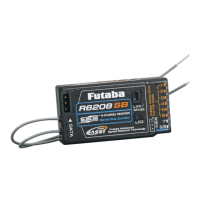
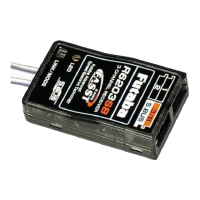
The Futaba R6203SB is a FASST-2.4GHz compatible receiver designed for remote control systems. It features an S.BUS system output port and three conventional system channel outputs, allowing it to be used with both S.BUS compatible servos and gyros, as well as conventional system servos.
The R6203SB receiver automatically recognizes the signal mode (FASST-2.4GHz 7ch mode or 8ch/10ch/Multi-ch mode) during the linking procedure. Users can also select between "high-speed mode" and "normal mode" for operation.
For conventional system output (Ch1-3) in "High Speed mode," it's crucial to note that this mode primarily accepts digital servos or most types of peripherals. Connecting analog servos to these outputs in high-speed mode can cause malfunction. Users are advised to check peripherals for any malfunction across the full stick lever throw and, if issues arise, to switch to "Normal mode."
The receiver supports FASST-2.4GHz 7ch or 8ch/10ch/Multi-ch systems.
The receiver ships in "Normal mode." To change the mode:
S.BUS is a data communication system that transmits control signals from a receiver to S.BUS compatible devices (servos, gyros, etc.). Instead of individual wires for each channel, S.BUS uses a single signal line to send commands like "move channel 3 servo to 15 degrees." S.BUS devices execute only commands for their own set channel, allowing multiple servos to be connected to the same signal line.
The R6203SB has an S.BUS output port. Conventional servos can also be used alongside S.BUS devices.
The Futaba R6203SB complies with part 15 of the FCC Rules. Operation is subject to two conditions: (1) the device may not cause harmful interference, and (2) the device must accept any interference received, including interference that may cause undesired operation. Responsible party: Futaba Service Center, 3002 N Apollo Drive Suite 1, Champaign, IL 61822 U.S.A. TEL: (217)398-8970 or E-mail: support@futaba-rc.com (Support).

 To Next Page
 General