4
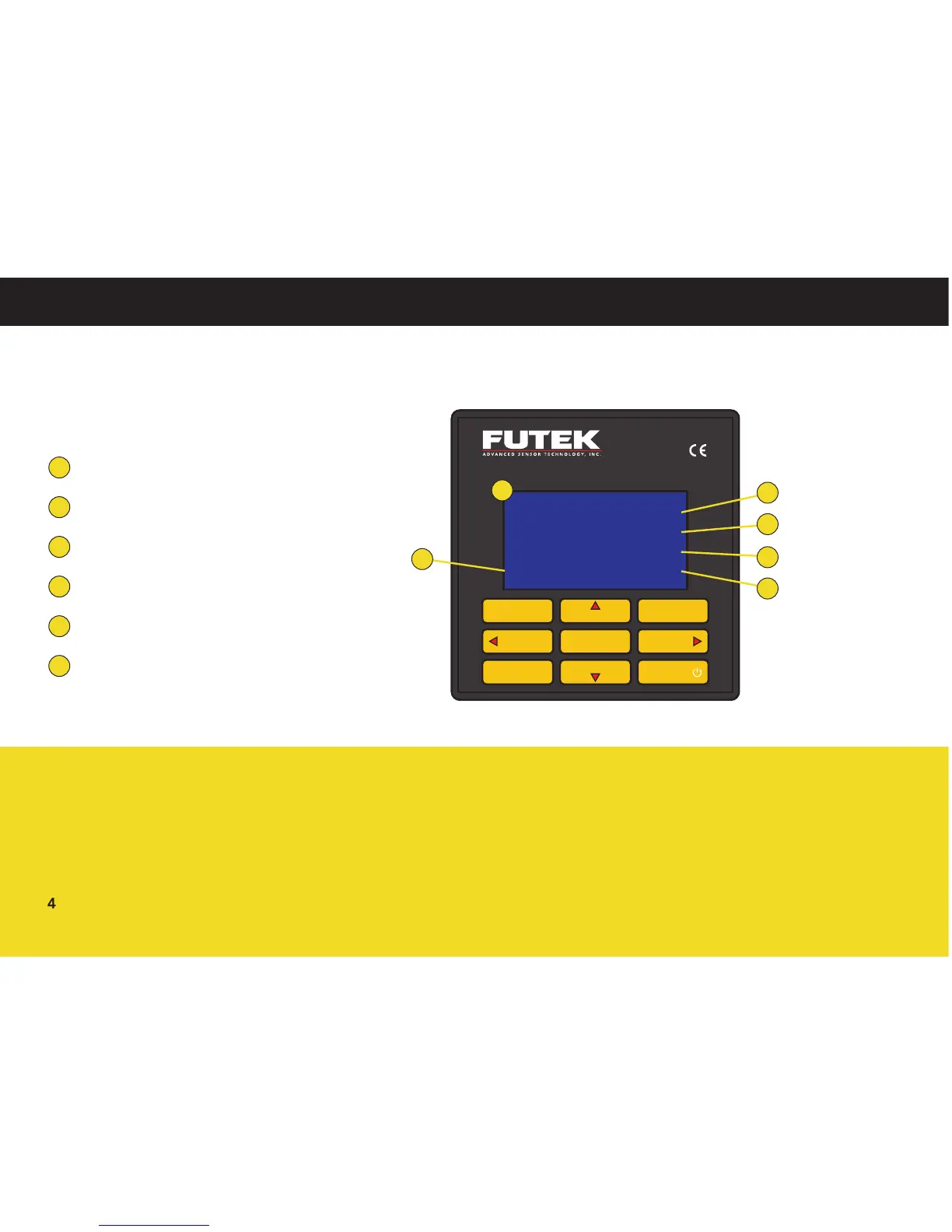
Display Features
16×4 Character LCD
Active Channel Number
Peak Value
Tracking Value
Valley Value
Sampling Rate
1
2
3
4
5
6
IPM650
Channel
Enter
Reset Menu
Track/Hold
Tare/Gross
Unit
Power
Exit
Shunt
Display
Back
1
+2.00001 Peak
+2.00000 mV/V
+1.99999 Valley
01 Gross 5 SPS
4
5
6
3
2
The Units button can change between
similar units.
Hold will flash on the LCD when active.
Shunt will be displayed on the LCD
when active.
The Tare function can be used to zero
out a sensor’s no load state, or to
account for a fixture.
TIPS FOR DISPLAY AND KEY FUNCTIONS



 To Next Page