4
2 INSTALLATION
2.1 BASE:
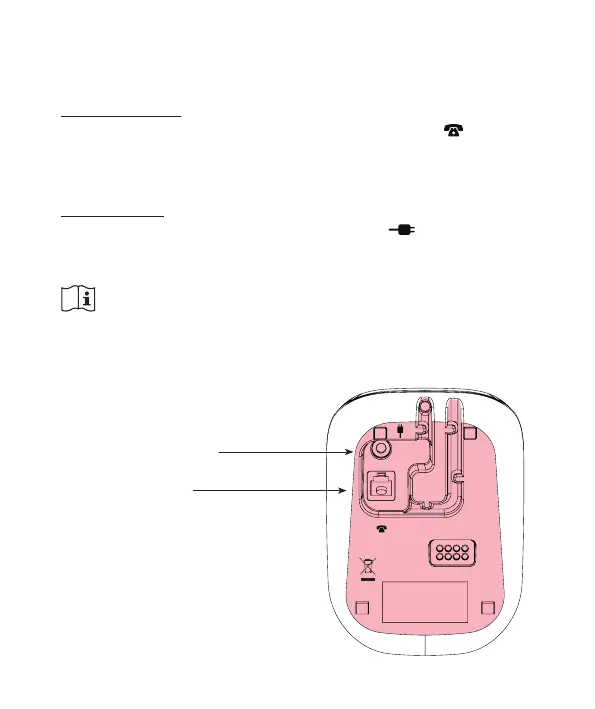
Telephone input:
Insert the small plug of the phone cord cable into the connection
underneath the base (depress the plug until you hear a click).
Insert the phone plug into a telephone wall socket.
Power supply:
Connect the supplied power adaptor with the input at the rear of
the base and insert the adaptor into a 230V wall socket.
ONLY USE THE SUPPLIED ADAPTOR. CONNECTING A
DIFFERENT ADAPTOR WILL LEAD TO DANGEROUS SITUA-
TIONS OR CAUSE DAMAGE TO THE ELECTRONICS OF THE
TELEPHONE.
Power adaptor input
Phone cord input



 To Next Page