5
2. User Interface: AeroSphère Small & Large
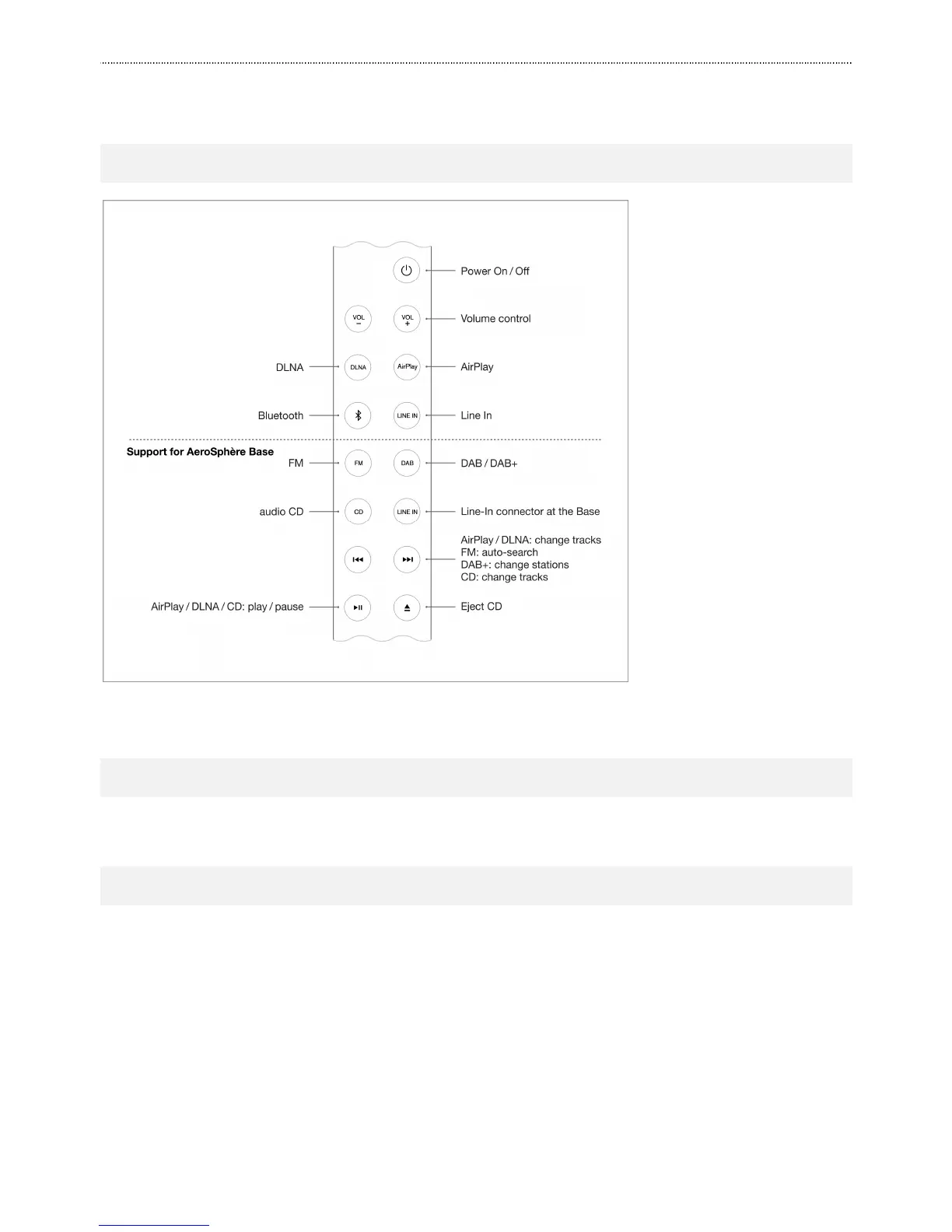
2.1. REMOTE CONTROL
Figure 1: AeroSphère Small & Large remote control.
2.2. AEROSPHÈRE APP
Go to section User Interface: AeroSphère App this guide.
2.3. SOUND CONTROLS
Volume
• Remote control: use the volume buttons “VOL-“ and “VOL+”.
• AeroSphère app: use the volume bar on the bottom.
Bass and treble
In the AeroSphère App, tap the music note icon on the lower right side of the screen, and then use the bass and
treble bar.
Optimal bass settings
The chapter “Sound Settings” shows you how to find the best Bass setting depending on where you place the
AeroSphère speakers in the room.



 To Next Page