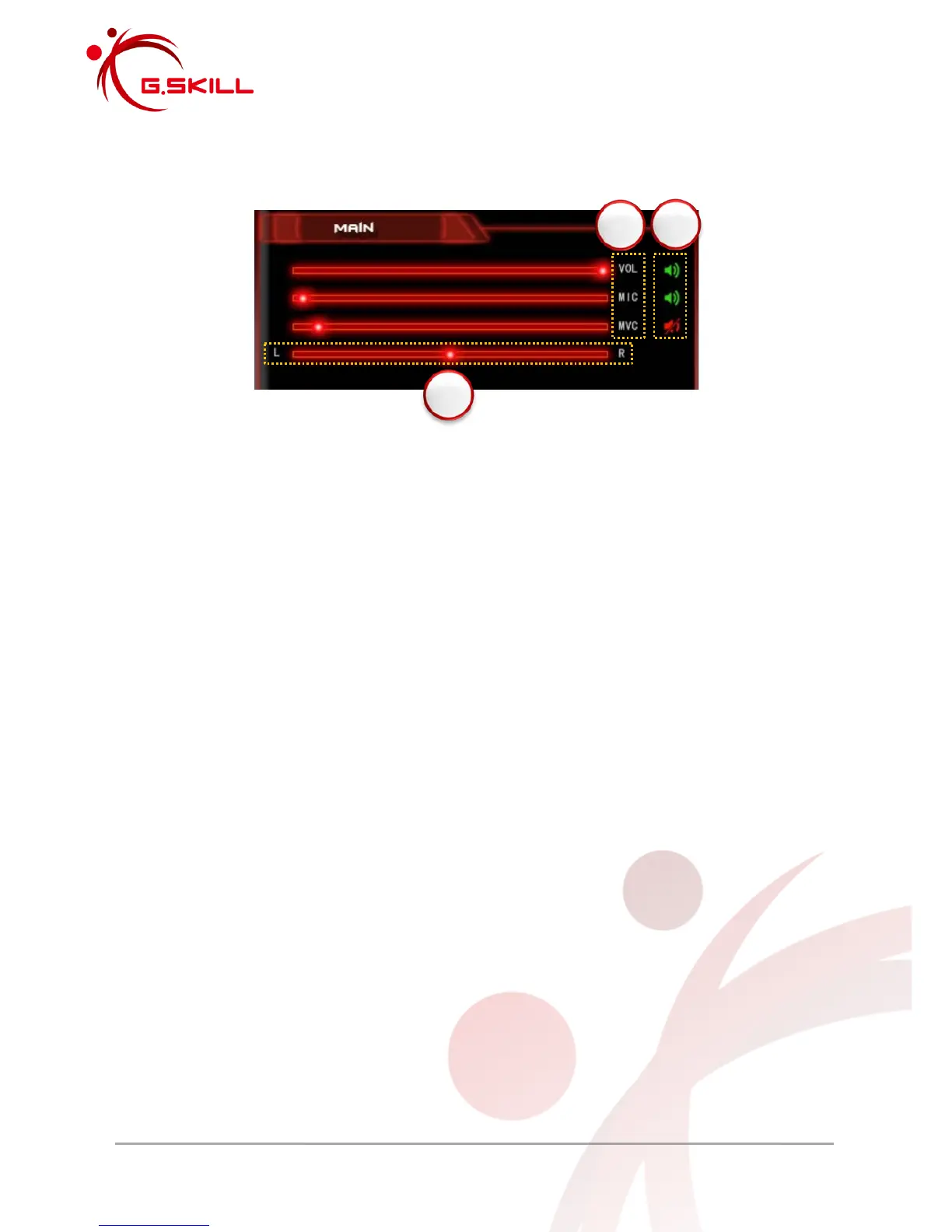
2.2.1 Main Volume Control
1. Volume Control
Main Volume (VOL) – Controls main system volume.
This is how loud your audio will sound on your headset.
Mic-In Volume (MIC) – Controls microphone input volume.
This is how loud the listener on the other end will hear you.
Monitor Volume Control (MVC) – Controls monitor volume.
This is how loud you can hear yourself over the microphone, through the headset.
2. Mute/Unmute
Red speaker icon – Volume is muted. Click to toggle.
Green speaker icon – Volume is unmuted. Click to toggle.
3. Balance
Left/Right Balance Control – Adjust to the middle [50] for balanced audio between left and
right side.



 To Next Page