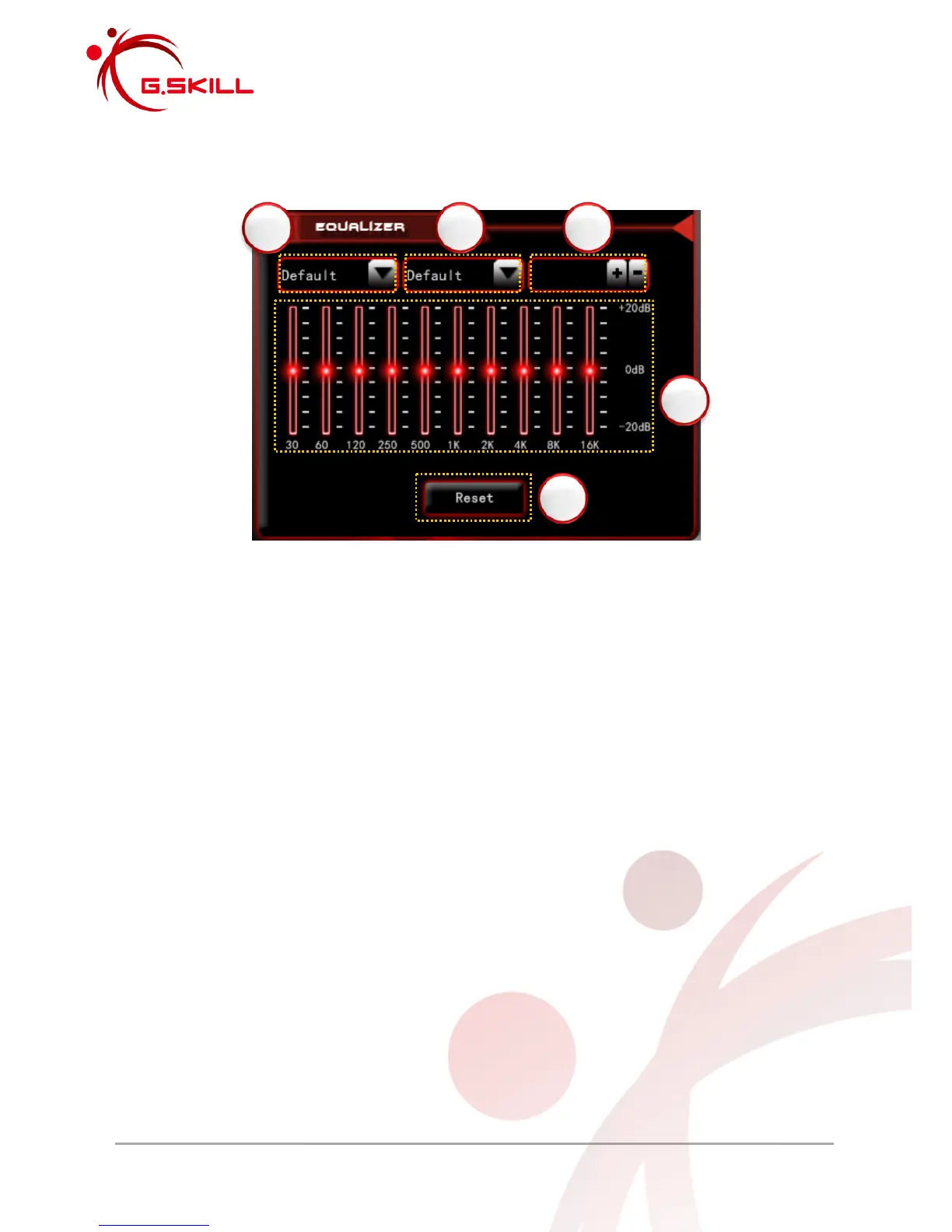
2.2.2 Equalizer
1. Environment Effects
Click for a dropdown list of environment effects.
2. Equalizer (EQ) Presets
Click for a list of EQ Presets. Custom EQ profiles are added to the bottom of the list.
3. Custom EQ Profiles
To create a custom EQ profile:
a. Type in custom EQ profile name into text box
b. Click “+” to add custom EQ profile into EQ preset list
To delete a custom EQ profile:
a. Select custom EQ profile from EQ preset list
b. Click “-“ to delete custom EQ profile from EQ preset list
4. EQ Band Controller
Adjust slider to customize equalizer settings.
5. Reset
Click to restore default settings to environment effects and equalizer settings.



 To Next Page