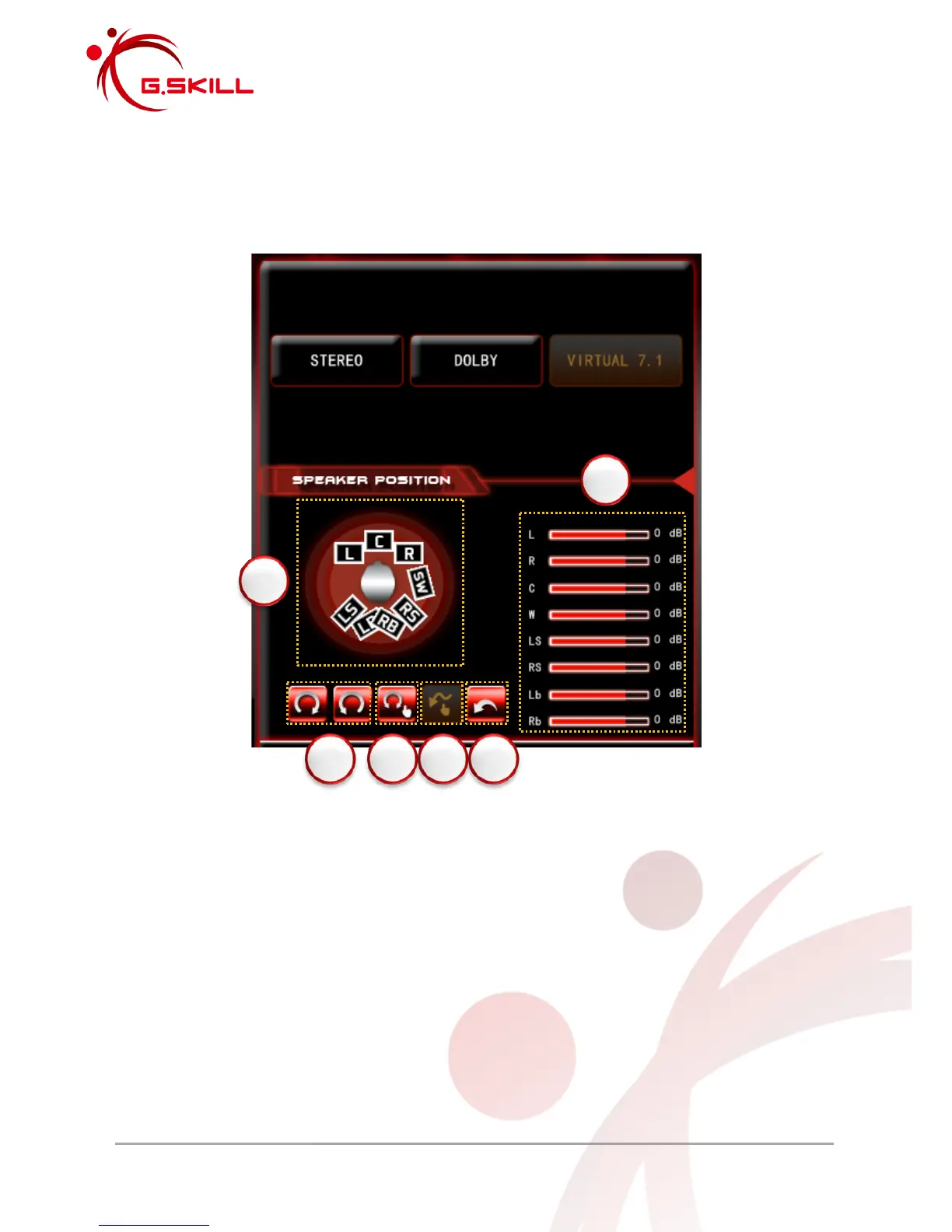
2.2.4.3 Virtual 7.1 Surround
When selected, the G.SKILL RIPJAWS SV710 Gaming Headset will enable Virtual 7.1
Surround Sound. Under Virtual 7.1, speaker position and distance can be adjusted.
1. Displays speaker position and distance relative to your head.
Speaker Labels:
L = Left Front Speaker
R = Right Front Speaker
C = Center Speaker
SW = Subwoofer
LS = Left Side Speaker
RS = Right Side Speaker
LB = Left Back/Rear Speaker
RB = Right Back/Rear Speaker
2. Click and hold to rotate the speaker positions clockwise or counterclockwise.
3. Click this icon and then click one of the speakers above and drag to simultaneously
rotate the speakers. This option only rotates the center, front, side, and rear speakers;
and does not rotate the subwoofer.



 To Next Page