-16-
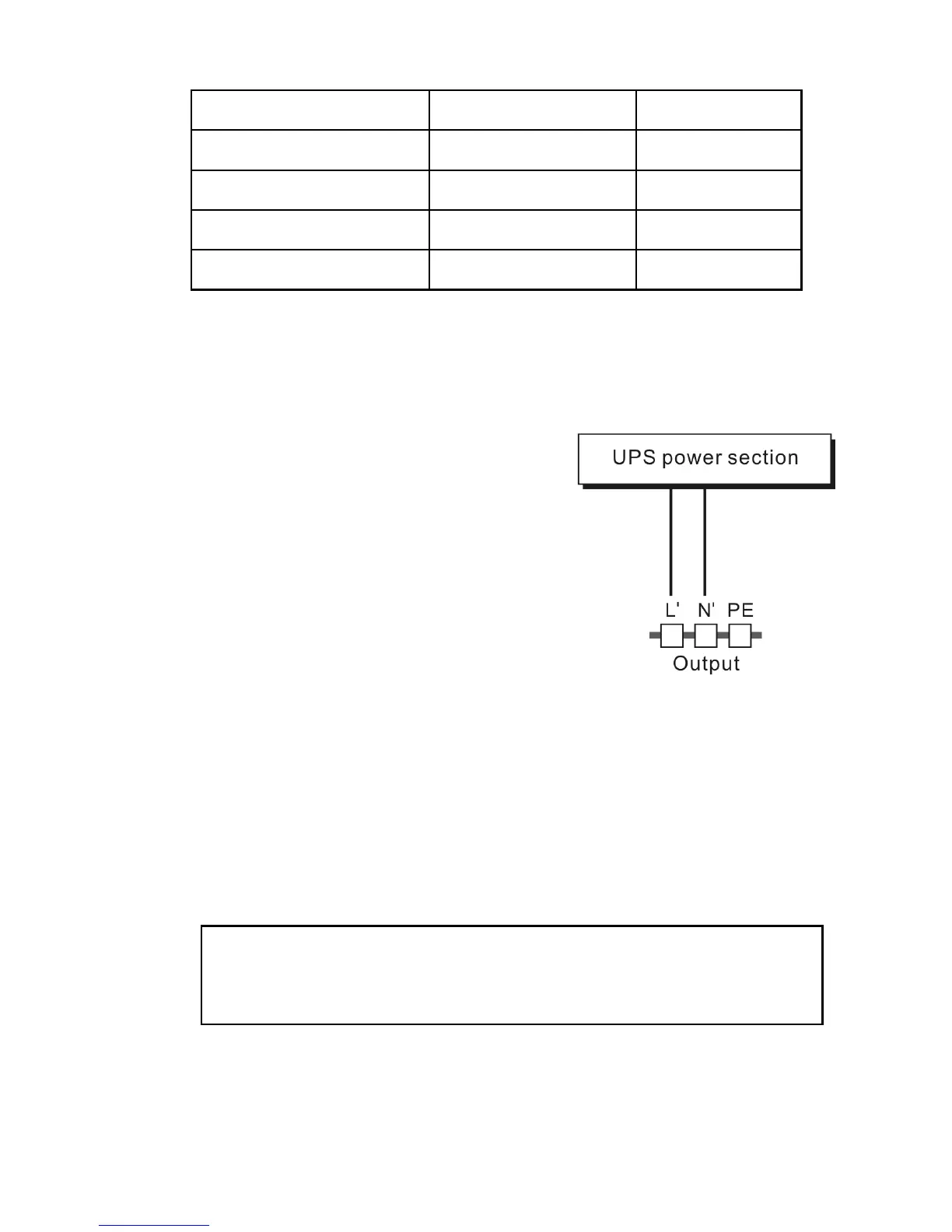
Model No. Output Socket (pcs) Terminal Block
ZP120LCD
1K/1KS
4 Nil
ZP120LCD
2K
6 Nil
ZP120LCD
2KS
4 Available
ZP120LCD
3K/3KS
4 Available
Besides output sockets, ZP120LCD 2KS and ZP120LCD 3K/3KS
has the terminal block available for output as well. The wiring
configuration is shown as the following procedure:
a) Remove the small cover of the
terminal block
b) Use AWG14 or 2.1mm
2
wires for
wiring configuration
c) Upon completion of the wiring
configuration, please check
whether the wires are securely
affixed.
d) Put the small cover back to the
rear panel.
(3) Computer Connection:
Connect your computer to the outlet sockets of the UPS system
following the above diagram.
Caution!
Do not connect equipment which would overload the UPS
system (e.g. laser printers)


 To Next Page