40
2019/9/18V1.1+V1.0
9. Bluetooth module manual and APP(iOS) installation
instruction
Needed devices for installation
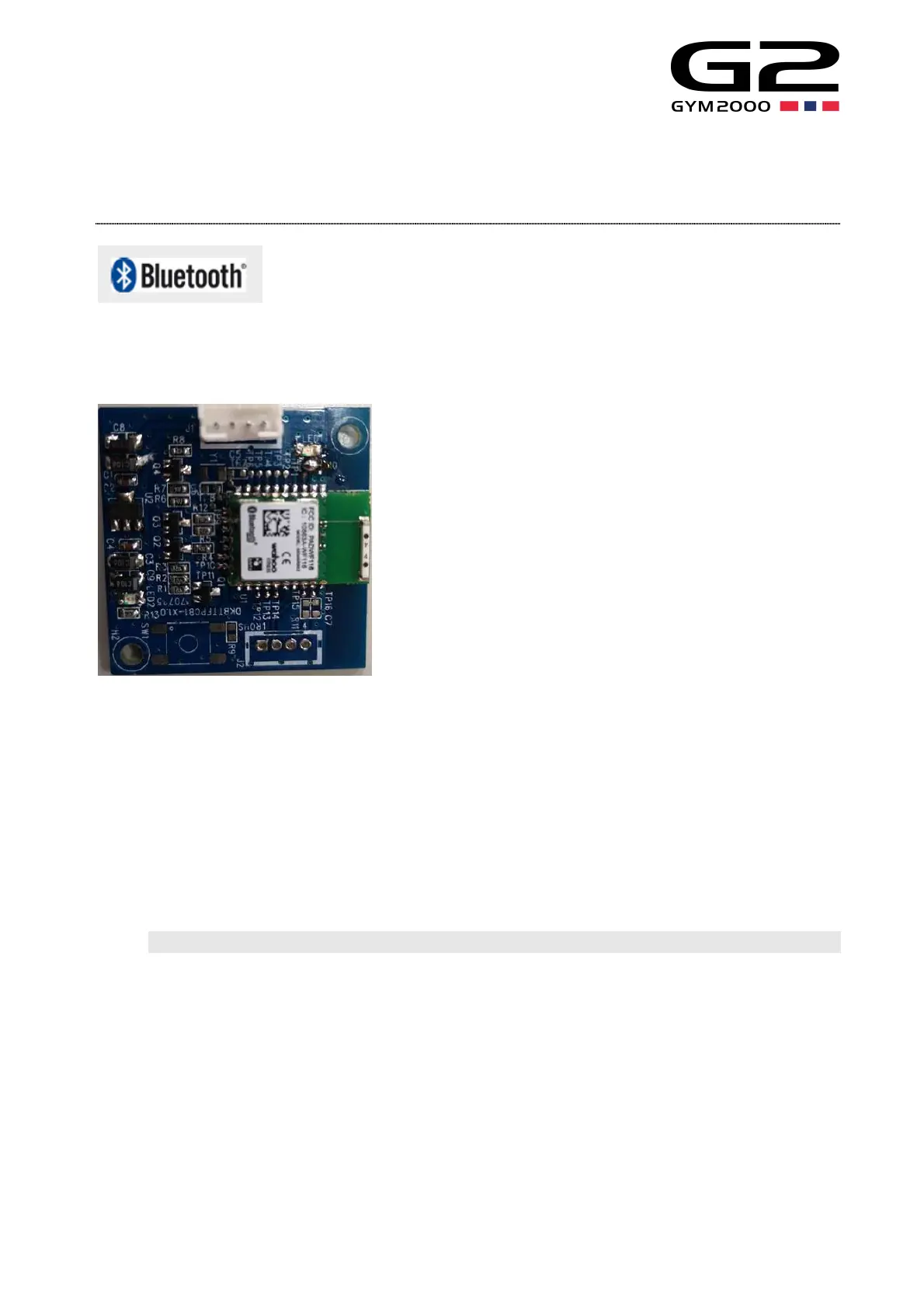
1. Install the WAHOO GEM Bluetooth 4.0 module computer console set as the picture below.
2. WAHOO GEM Bluetooth 4.0 module support the mobile APP of the Apple iOS 11 or higher version and Android 6.0 or higher version.
After supporting the software contract of FE-C, FTMS PROTOCOL, the wire connection function is valid.
※WAHOO GEM Bluetooth 4.0 module, can be used for ” RUN FIT” which is the relevant APP normally and mainly. And other APP
such as ZWIFT/VIRTUAL RUNNER /KINOMAP, please check the APP manufacturer operation instruction whether it is supportive, and
please take the APP download page or official website notice as the formal one.
For iPhone RUN FIT APP wire connection example
1. APP mode download
Connect IPhone to iTunes Store OR Google play Store, and then input the name of APP ” RUN FIT” into the search column. After
getting the exact search result, the page will appear the “install” key, press this key to start the download and installation. The APP ”
RUN FIT” will show in your home page after installation.


 To Next Page