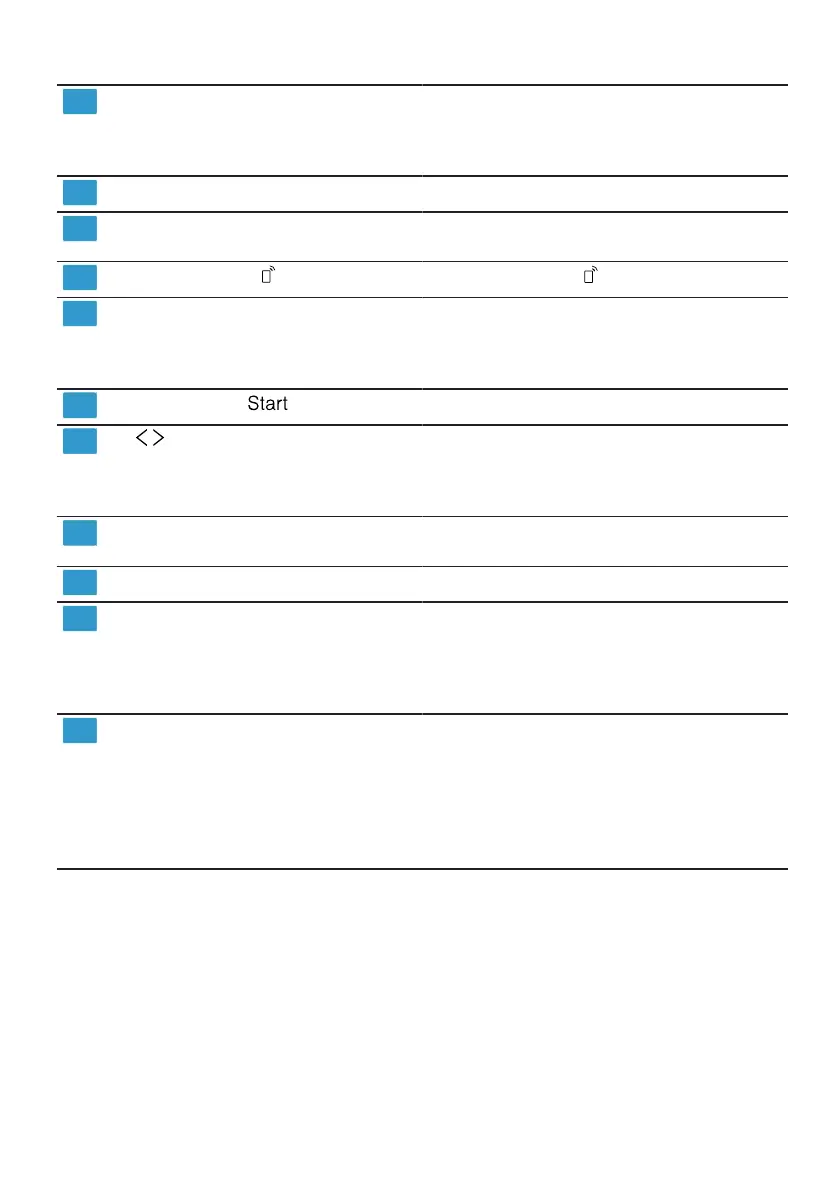
en Familiarising yourself with your appliance
18
Display Remote Start
1
If you have activated the function and
are controlling the appliance via the
HomeConnect app, the display lights
up on the appliance.
WLAN display
Home Connect →Page43
Timer programming Setting timer programming
→Page39
Remote Start
→"Remote Start ", Page44
Programme buttons and addi-
tional functions
Programmes
→"Programmes", Page19
Additional functions
→"Additional functions", Page22
Start button
Starting the programme →Page39
buttons You can use these buttons to scroll
between the basic settings.
→"Changing basic settings",
Page43
Setting buttons
Changing the basic settings→"Chan-
ging basic settings", Page43
Door handle
1
Open the appliance door. →Page38
Display
1
The display shows information about
programmes, basic settings or addi-
tional functions. You can change the
basic settings via the display and the
setting buttons.
Display The display shows information about
programmes, basic settings or addi-
tional functions. You can change the
basic settings via the display and the
setting buttons.
→"Changing basic settings",
Page43
1
Depending on the appliance specifications




 To Next Page