11
3.1 Overview
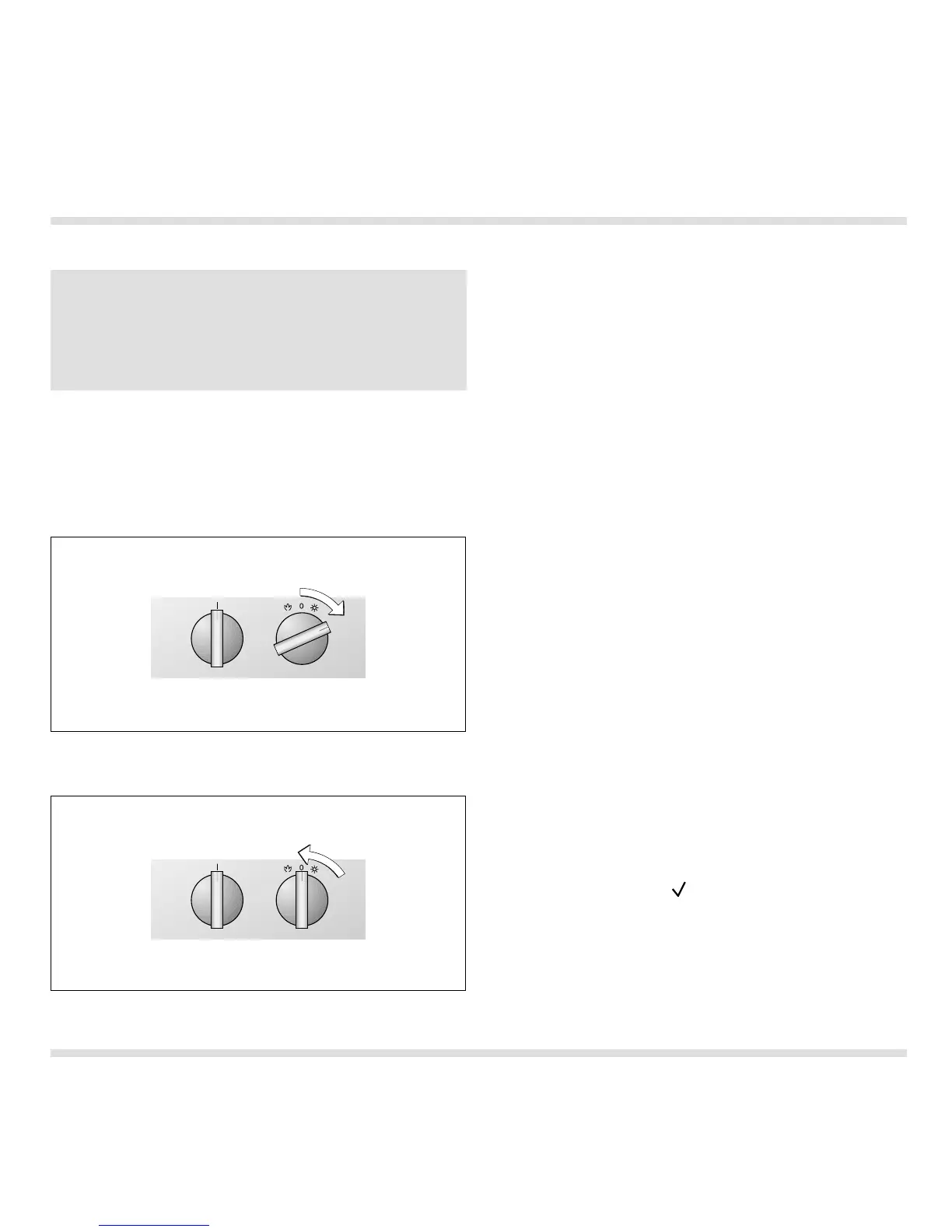
Switching on
Switching off
"Temperature" knob:
The temperature can be set within the range from
50-300 °C in 5 ° steps.
"Mode" knob:
You can choose from 12 programs:
– Hot air
– Grilling with hot air
– Grill
– Economy grill
– Hot air with bottom heat
– Bottom heat
– Top and bottom heat
– Top heat
– Pizza function (with special accessory pizza stone
PS 026/027 and heating element HZ 026)
– Roaster function (with special accessory roaster
BT 026 and heating element HZ 026)
– Fermenting
– Auto pyrolysis (self-cleaning)
Switching on (Fig. 22)
– Turn the "Temperature" control knob by one
latching position to the right. The lighting goes on
and the symbol assigned to the set mode lights up
in the display.
– Turn the "Modes" control knob until the
temperature you require is displayed.
– Turn the "Temperature" knob to the temperature
you require. The set temperature is shown on the
display for a few seconds.
– While the oven is in operation, you can display
the current oven temperature for a few seconds
by pressing the key (Confirmation).
Switching off (Fig. 23)
– To switch off, turn the "Temperature" control knob
to the 0 position. The lighting goes off.
3. Operation
Inserting the baking tray
– Insert the baking tray at the same height on both
sides.
– Make sure that the notch on the baking tray is at
the rear or that the handle is at the front.
Fig. 22
Fig. 23




 To Next Page