Programming a duration
The appliance is operated for a specific period of
time. The range that can be set is between one
minute (00:01) and 23 hours and 59 minutes (23:59).
Proceed as follows:
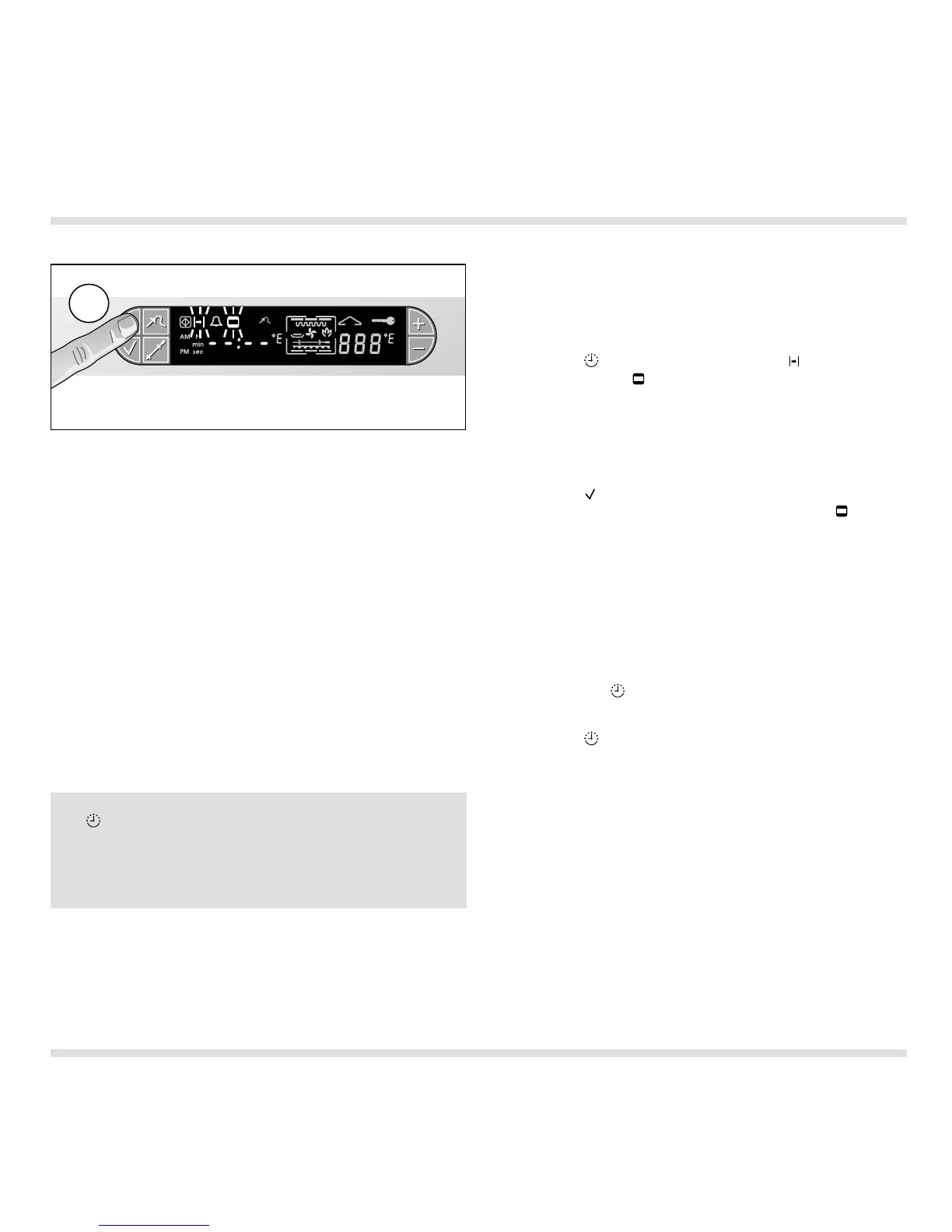
– Press the (Timer) key once. The (Duration)
symbol and the (Cooking time) symbol flash on
the display. Dashes appear on the display (i.e. no
value programmed) (Fig. 27).
– Press the + or the – key to set the required
duration.
– Press the (Confirm) key to confirm the set
value. An audible signal is sounded. The
(Cooking time) symbol lights up on the display.
Note:
– A signal is sounded after the programmed
duration has elapsed. At the same time, the oven
switches off automatically.
– Press any key to switch off the signal.
– The programmed duration can only be queried by
pressing the (Timer) key.
Clearing incorrectly programmed values:
– Press the (Timer) key once.
– Press the + and – keys at the same time.
An audible signal is sounded.
15
The end time is display automatically if you press
the (Timer) key twice.
Every other time you program a duration, the value
programmed last is proposed to you when you
press the + key.
Fig. 27
1x




 To Next Page