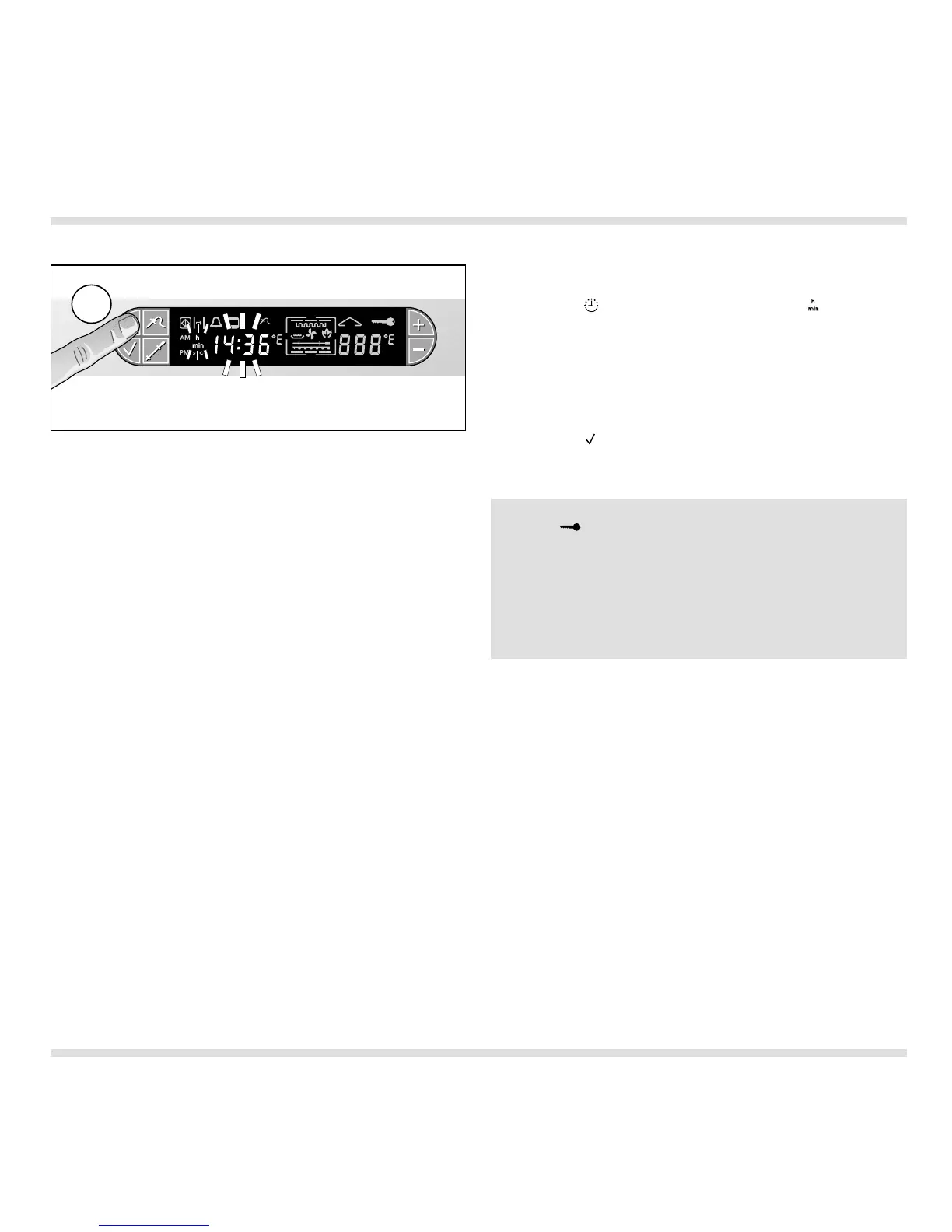
Setting the time of day
Proceed as follows:
– Press the (Timer) key 3 times. The (Time
unit) symbol flashes on the display.
The time display shows the currently set time
of day (Fig. 24).
– You can select the required time by pressing
the + or – key.
– Press the (Confirmation) key to confirm the
entered value. An audible signal is sounded.
13
Note: After first installation or a power failure, the
symbol (Door lock) flashes in the display.
Please do not open the oven door! Then, 08:00 and
the time unit symbol flash in the display. You can
set the current time by pressing the + and – keys.
When you turn one of the control knobs or press a
key, the displayed time of day is set as the current
time of day.
Fig. 24
3x




 To Next Page