3E2362WeighScaleW310v2UserManual
Page15
Communications
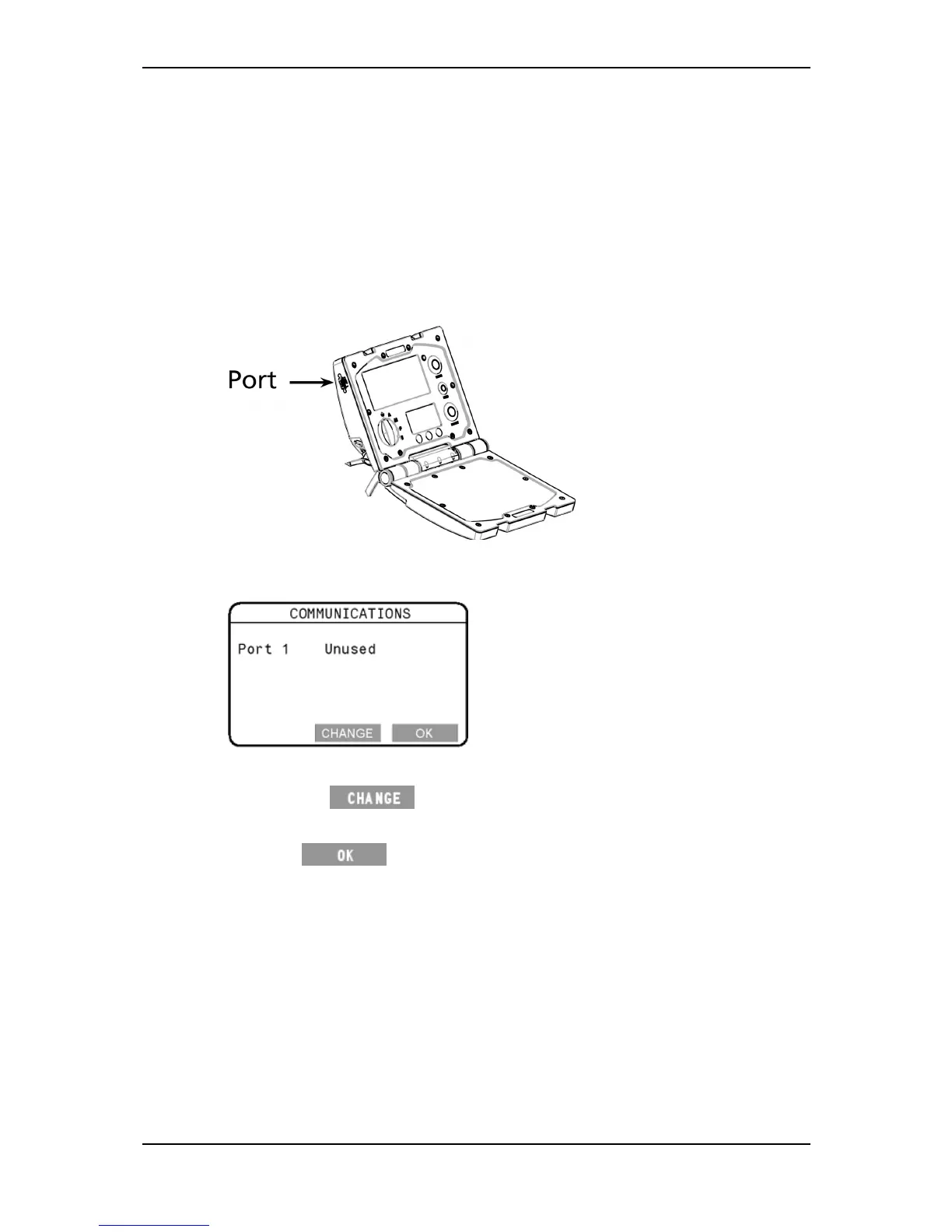
YoucanconnectaprintertotheWeighScale.Optionally,ifyouhaveselected
theNZ/AUcountryoption,youcanconnecttheWeighScaletoadevicethatcan
respondtoWeighScaleprotocols.
Connectionsaremadetotheportlocatedontheupperlefthandsideedgeof
theWeighScale.
Ifyouattachadevicetotheport,youmustconfiguretheporttosuit.Youdo
thisfromtheCommunicationsscreen.
TodisplaytheCommunicationsscreen,select
3.COMMUNICATIONSfromthesetupmenu.
Tochangetheportsetting,followthesesteps.
1. Pressthe
buttonrepeatedlyuntiltherequiredoptionis
selected.
2. Press
tosavethesettingandreturntothesetupmenu.
Optionsare:
Unused
Theportisunused.Thisisthedefaultoption.
Printer
TheportisconnectedtoaWeighScaleprinter.This
optionprintsweightsandstatisticsduringasession.
Ruddweigh
(Thisoptionwillonlyappearwhenyourcountry
selectionis
NZ/AU.SeeSelectcountry(p16).)
Theportisconnectedtoadevicethatcanrespondto
WeighScaleprotocols.Whenthisoptionisenabled,the
porttransmitsweightinformationcontinuously.



 To Next Page