3E2362WeighScaleW310v2UserManual
Page25
THEWEIGHINGSESSION
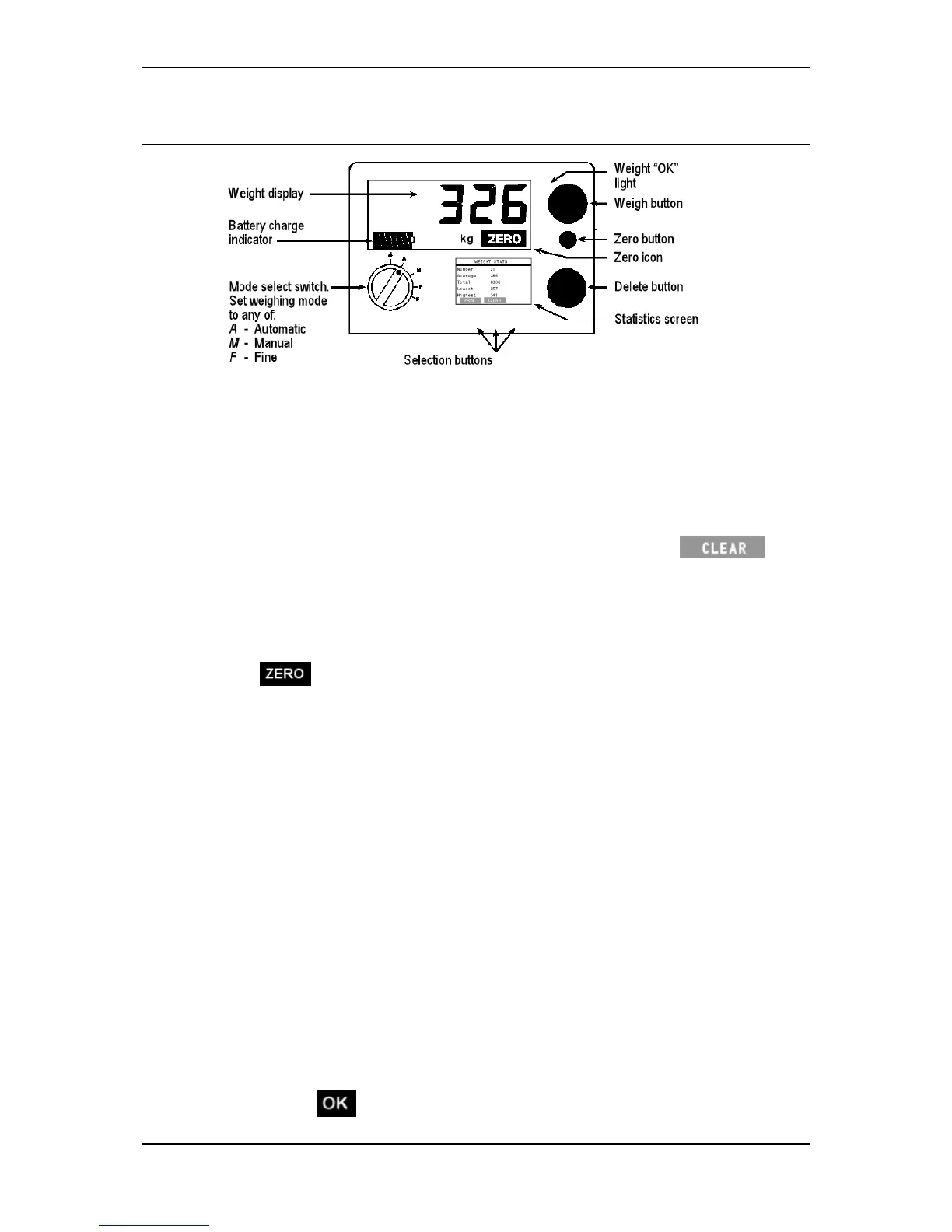
Weighinganimals‐automaticormanualmodes
Atalltimesduringtheweighingsession,ensurethattheundersideofthe
platformiskeptfreeofdirtandstones.
1. Selecttheweighingmodethatyouwanttousebyturningthemodeselect
switchtoA(Automatic),orM(Manual).
2. Ifyouwanttoresetthestatisticsdisplaytozero,pressthe
button.
FormoreinformationrefertoClearingthestatistics(p24).
3. TheWeighScaleattemptstocompensatefortheweightofany
accumulationofmudordungleftontheplatform.Ifitissuccessful,the
icondisplays.Iftheicondoesnotdisplay,presstheblueZero
button.
4. Loadtheanimalontotheplatform.Ensuretheanimalisentirelysupported
bytheplatform—nohoovesontheground—andthatnoobjectis
restrainingorrestingontheanimal.
5. TheWeighScalecapturestheweightinawaythatdependsontheweighing
modeselected.
AutomaticModeAftertheanimalhasbecomecalm,theWeighScale
automaticallycapturestheweight.Thetimetakentocapturetheweight
dependsonthemovementoftheanimal.
ManualModePressthegreenweighbutton.Aftertheanimalhas
becomecalm,theWeighScalecapturestheweight.Thetimetakento
capturetheweightvariesdependingonthemovementoftheanimal.
6. OncetheWeighScalelocksontotheweight,thefollowingeventsoccur.
TheWeighScalebeeps.
Theweightmeasurementdisplaysintheupperscreen.
Theredlightglows.
The icondisplaysintheupperscreen.



 To Next Page