FC66002179 – Rev.00
24
Installation on the support and fan coil unit
The Micronet controller can be installed on either side of the fan coil unit using a support or thanks to an on-board
installation kit (code FYKMB) composed of:
• Remote air temperature sensor (cable length 1.5 m)
• Support for installation on the fan coil unit
Replace the SA air temperature sensor incorporated in the MICRONET controller with the air
temperature sensor provided in the on-board installation kit (black wire); connect to the SA
terminals.
Function dipswitch 8 should be positioned on OFF
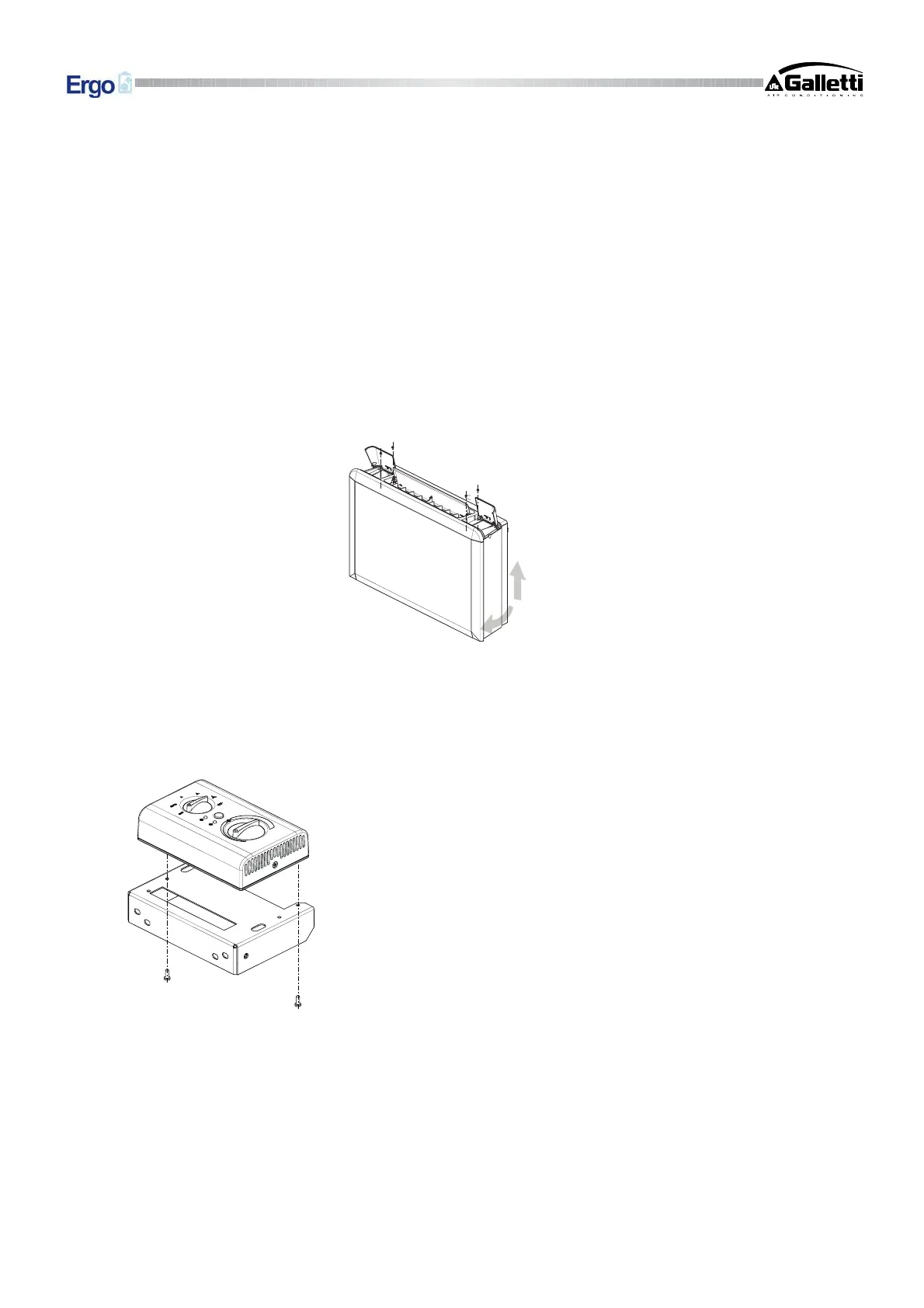
1. Take off the fan coil unit cabinet after removing the four screws concealed by the flap covers at either
end of the grille (fig.8).
2. Thread the sensor wires through one of the two slots in the support and attach the controller to the
support using the two screws provided (Fig.9). (Figure 9 shows how the controller and support should
be assembled if the controller is installed on the right side of the fan coil unit: if the controller is
installed on the left side of the fan coil unit, the support will have to be turned by 180°).
Fig.9
Important
: check that all of the terminals necessary for the electrical connections provided for in the selected
configuration (valve, external auxiliary contacts etc ) are accessible after the support has been mounted in
place (refer to relevant wiring diagram).
3. Make the electrical connections according to the diagrams provided in this manual.
4. Once the electrical connections have been made, before completing installation of the Micronet
controller it is recommended to carry out the self-diagnosis procedure to check whether all outputs are
functioning correctly (fan at the different speeds, valves and heating element where present): refer to
the section below.
Fig.8
1
2


 To Next Page