MAINTENANCE
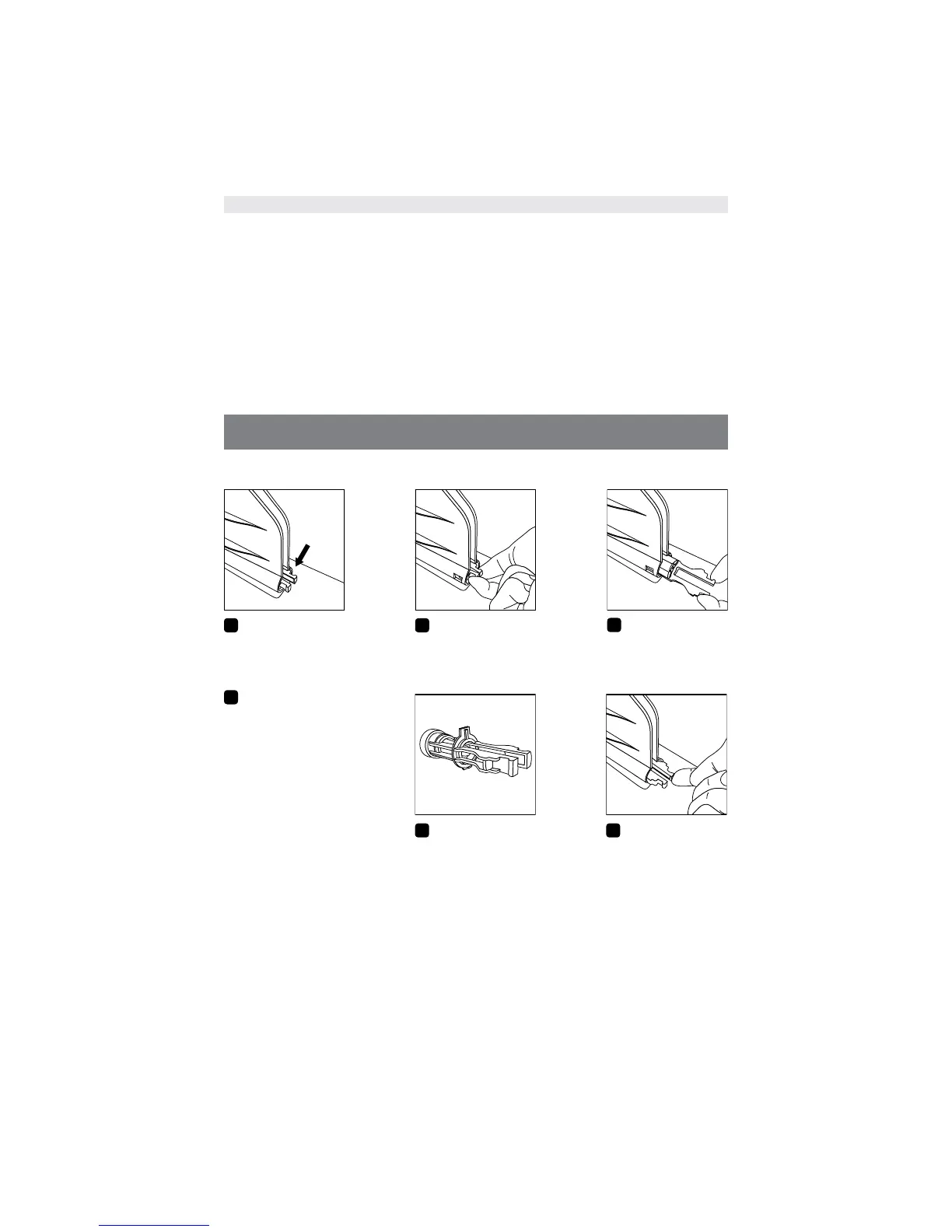
The reservoir filter should be inspected, cleaned, and/or replaced as necessary.
1
Identify the filter within
the ice reservoir.
2
Using two fingers, grasp
and squeeze the two
protruding prongs.
3
Slide the filter out.
4
Rinse debris from the
filter and be sure there
are no obvious signs of
damage.
If you have questions
or would like to order
a new filter, in the
U.S. call Game Ready
Customer Service at
1.888.426.3732
(+1.510.868.2100);
from outside of the
U.S. please contact
your local distributor.
5
To replace the filter, or install
a new filter, first ensure that
the filter is oriented properly
with the plastic tab facing
up. If the filter is not oriented
properly, the protruding tab
will prevent the filter from
sliding back into place.
6
You will feel and
hear the filter snap
back into place.
CARRY BAG
The Carry Bag should be cleaned using a soft cloth or brush and a mild detergent. Febreze
®
or the equivalent can be used on the Bag if desired. If the Carry Bag has a biological material
on the surface, Steri-Fab
®
may be used to decontaminate those surfaces.
Be sure to test any product on a small portion of the Bag to ensure that it will not cause
damage.
Note: To operate the GRPro 2.1 System, you do not need to remove it from the Carry Bag.
Simply unzip the Bag’s main compartment and end panel. Fill the reservoir with ice and
water. Attach the Connector Hose and the AC Adapter to the end panel of the Control Unit
and plug the AC Adapter into a grounded electrical outlet.
EN-10


 To Next Page