Chapter 3: Installation--Power Up Test
3 - 4
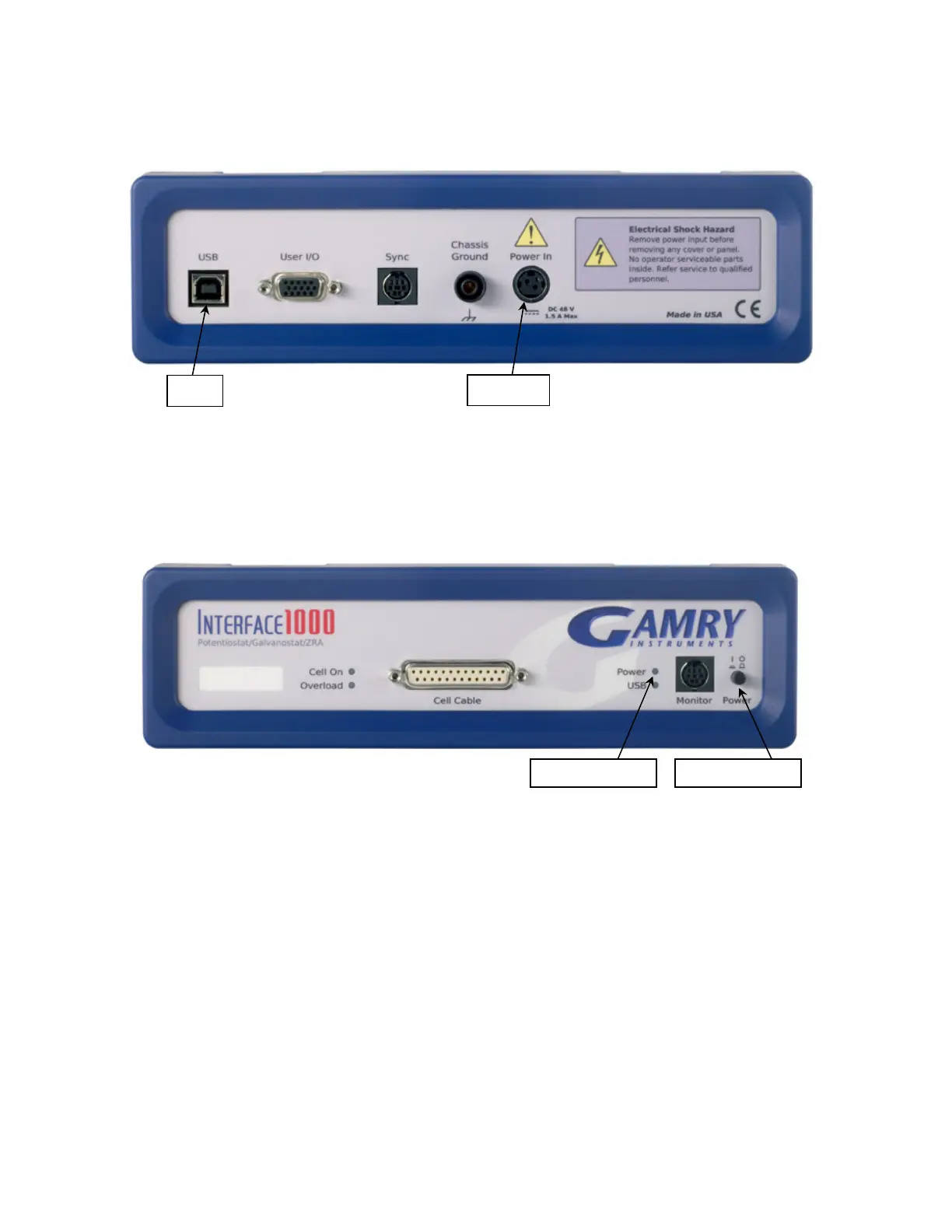
Figure 3 - 2
Rear Panel of the Interface 1000
Power Up Test
Before you make any other connections to your Interface 1000, check that the Interface 1000 is at least
nominally functional.
After connecting DC power to the Interface 1000, turn on the Power switch on the front panel of the Interface
1000 (see Figure 3 - 1).
Watch the Power LED as the Interface 1000 powers up. It flashes slowly four or five times (depending on the
amount of software loading), then glows a steady blue. This process could take as long as 15 seconds. The
Interface 1000 fan runs at low speed once the Power light stops flashing. If you do not see four or five blinks
and then a steady blue color, see Appendix D for a table of blink codes.
The status of the other LED indicators is not important at this time.


 To Next Page