Chapter 3: Installation--Cell Cable Installation
3 - 6
Gamry’s Interface Power Hub is an especially convenient tool for organizing a system containing up to eight
Interface family instruments. It includes a 10-port USB hub and 48 V power-distribution in a rack designed to
hold the instruments. Unlike most instruments with multiple potentiostats in one box, you can easily remove
the Interface instruments in an Interface Power Hub for temporary use elsewhere in your laboratory.
Contact our main office or your local Gamry Instruments representative if you need assistance configuring a
system containing an Interface 1000 and different Gamry potentiostats.
Heat can be a problem in a multiple-potentiostat system. This subject is discussed in detail in Appendix E of
this manual.
Cell Cable Installation
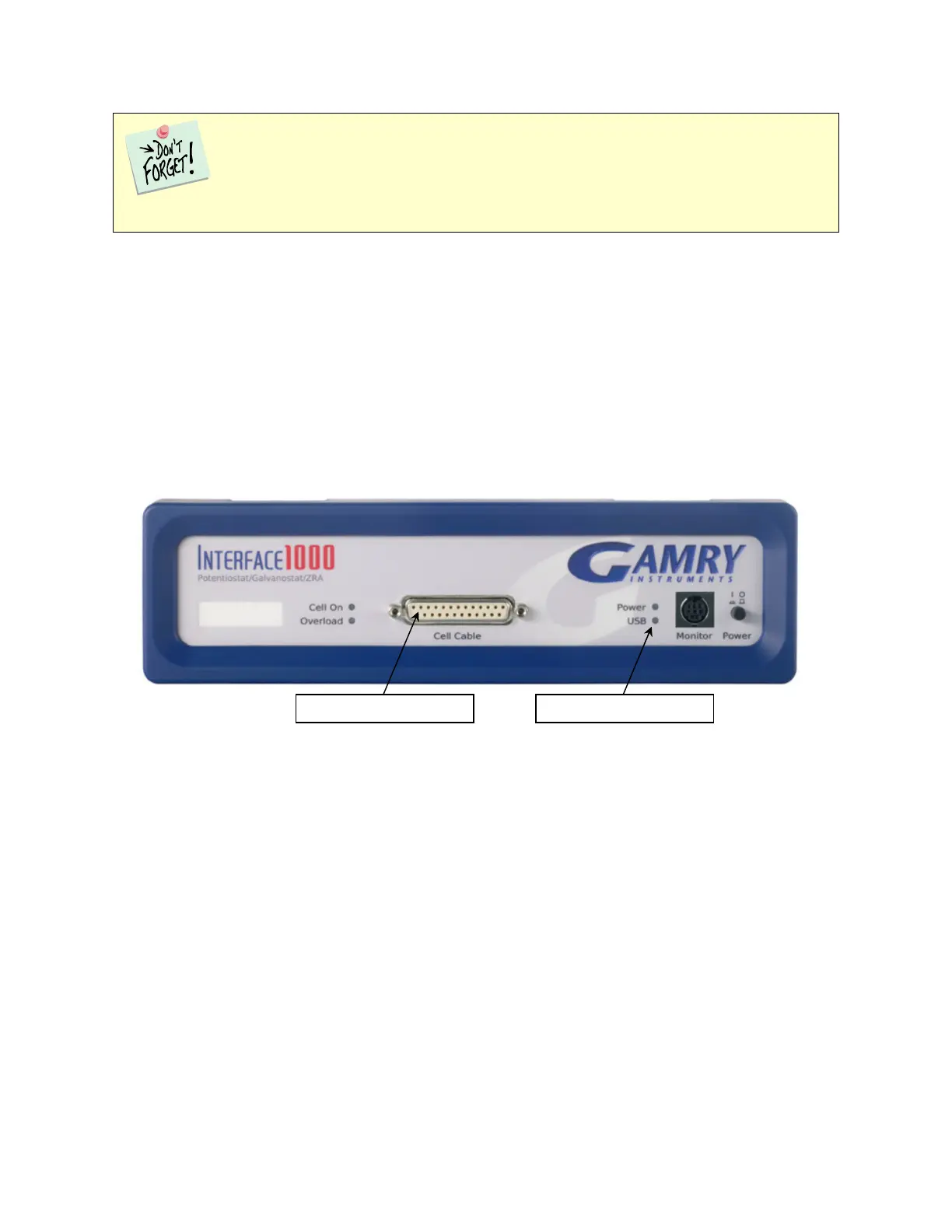
The Cell Cable connector is a 25-pin female D-connector on the front of the Interface 1000.
All Gamry standard cell cables have a 25-pin D-connector on one end and a number of leads terminated with
banana plugs on the other. The D-connector end of the cable is connected to the Cell Cable port on the front
of the Interface 1000. Always use the knurled screws on this cable to hold the cable in place.
A wide variety of cell cables are available for the Interface 1000. These include shielded cables in various
lengths and special cables for use in EIS systems where very low impedances must be measured. The Interface
1000 can automatically detect which Gamry Instruments cable is connected, and the Gamry Framework
software can then adjust the system performance for the characteristics of that cable.
Front Panel USB LED
The front panel USB LED provides a simple test of two aspects of normal Interface 1000 USB operation. It has
four normal states:
We do not recommend using bus-powered hubs to expand your USB network: an externally
powered USB hub is required. Suitable hubs are available at most computer retailers.


 To Next Page