Chapter 4 -- Installation--Physical Location
4 - 2
Physical Location
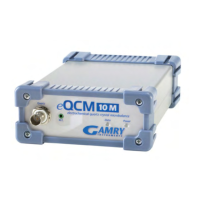
You normally locate your eQCM 10M on a flat workbench surface. You will want to have access to the rear of
the instrument because some cable connections are made from the rear. The eQCM 10M is generally operated
in a horizontal position (see Figure 4-1). Operation in other positions is possible as long as you insure that air
movement around the chassis is not restricted.
Caution
Do not block the airflow around the chassis. While the circuitry should suffer no damage
due to excessive heat, the enclosure may become uncomfortably hot to the touch if no air
flows around the chassis. Running the instrument without adequate cooling could
shorten the time to failure of some of the circuitry.
If you do place your eQCM 10M within an enclosed space, make sure that the internal temperature within that
space does not exceed the 45°C ambient temperature limit of the eQCM 10M. Be particularly careful if a
computer or other heat dissipating equipment is mounted in the same enclosure.
The eQCM 10M has not been designed for outdoor use.
Computer Requirements
Before you connect an eQCM 10M to a computer you must make sure that your computer meets these simple
requirements.
• A computer based on one of the Pentium family of Intel microprocessors or a 100% compatible
processor from another vendor.
• One of the following Operating Systems: Windows XP SP3, Windows Vista, or Windows 7.
• A USB port that supports Full Speed (12 Mbits/second) or High Speed (480 Mbits/second) USB
transfers. It must be compatible with Revision 1.1 or Revision 2.0 of the USB specification.
Plug & Play System Configuration
The eQCM 10M is completely compatible with the Windows Plug & Play configuration system. Like most Plug
& Play hardware, it is best if you install the software for the eQCM 10M before you install the hardware.
A Setup program will normally startup automatically when you place the Gamry Instrument’s Software CD into
the CD drive on your computer. Consult Gamry’s software installation manual if you need assistance accessing
the Setup program or choosing options in its menus.


 To Next Page