33
SYSTEM SETUP
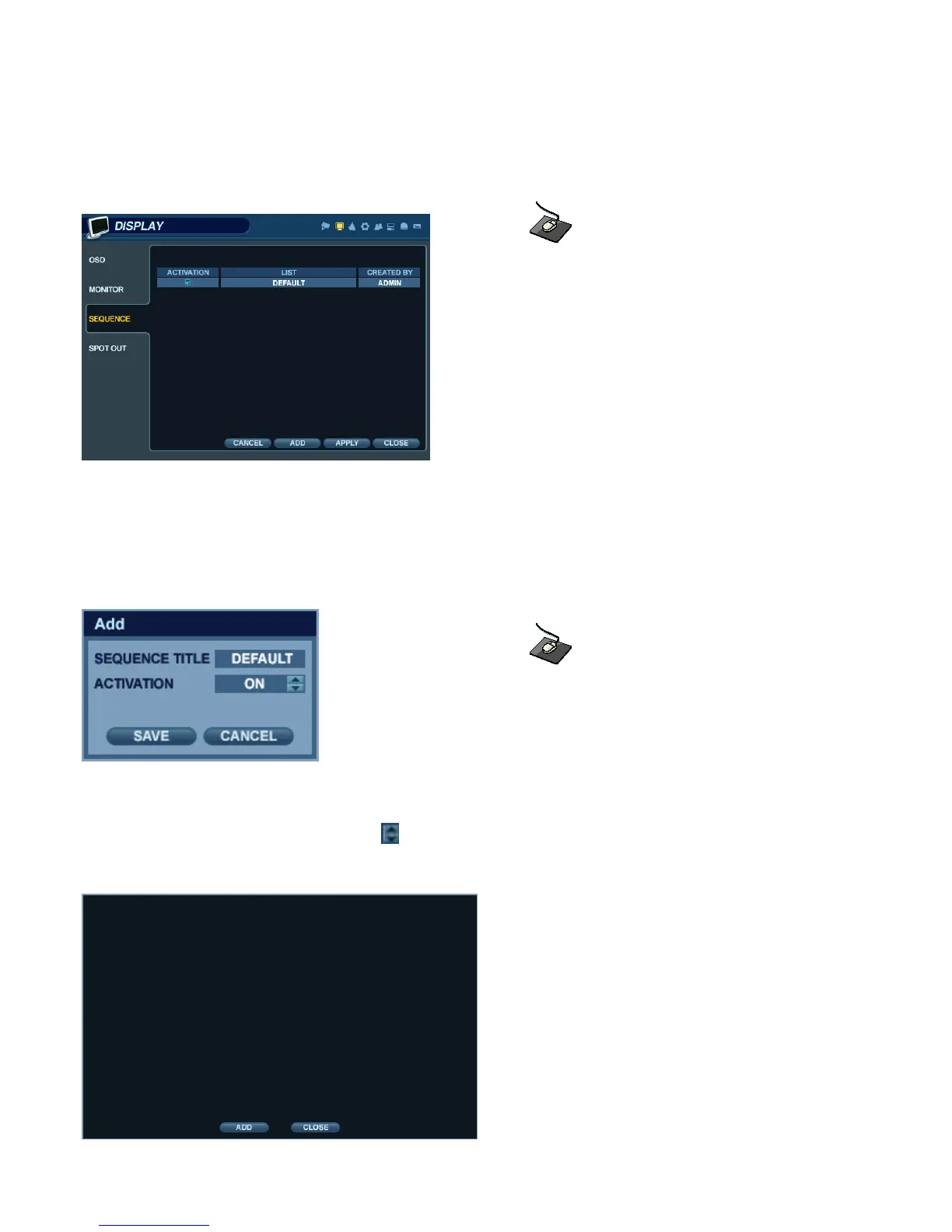
DISPLAY - SEQUENCE
Click the ‘SEQUENCE’ menu.
- When the ‘SEQ’ button is pressed, the default sequence will cycle through all 16 channels, one by one, in full screen.
- Sequence setup allows the user to define a custom sequence pattern, using either full screen or mixed multi-screen
views, which can be comprised of any number of channels in any order.
- To add a new sequence, highlight ‘ADD’ and press ‘ENTER’.
Click the ‘ADD’ button to add a new sequence.
- Sequence Title is highlighted. Press ‘ENTER’ to bring up the virtual keyboard, and key in a name for the new sequence.
Click on the ‘ACTIVATION’ field, and click the button to turn the sequence activation ON.
Select ‘SAVE’. Then, the menu pictured will appear.


 To Next Page