34
SYSTEM SETUP
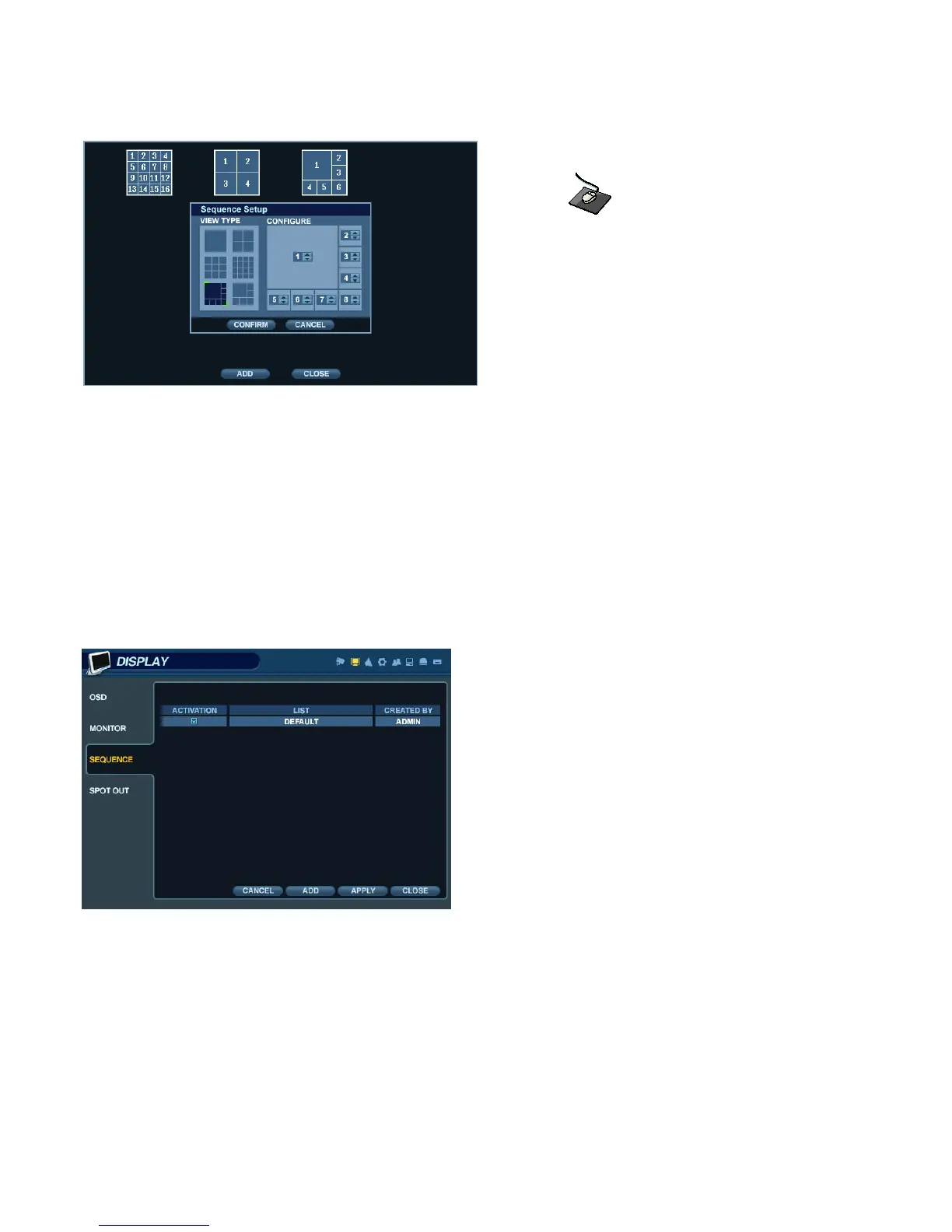
Click ‘ADD’. The “Sequence Setup” submenu appears.
- Determine the Screen Division mode under the “VIEW TYPE” section.
- Assign the desired channel under the “CONFIGURE” section.
- When all sequence settings have been entered correctly, click ‘CONFIRM’.
- To add an additional mode, click ‘ADD’ continuously. After finishing the setup, click ‘CLOSE’.
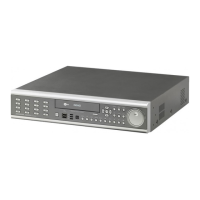
- To modify the current pattern, double click it. The ‘Sequence Setup” window will appear again.
- The new sequence has now been saved, and can be started by pressing the ‘SEQ’ button while in Live View mode.


 To Next Page