47
SYSTEM SETUP
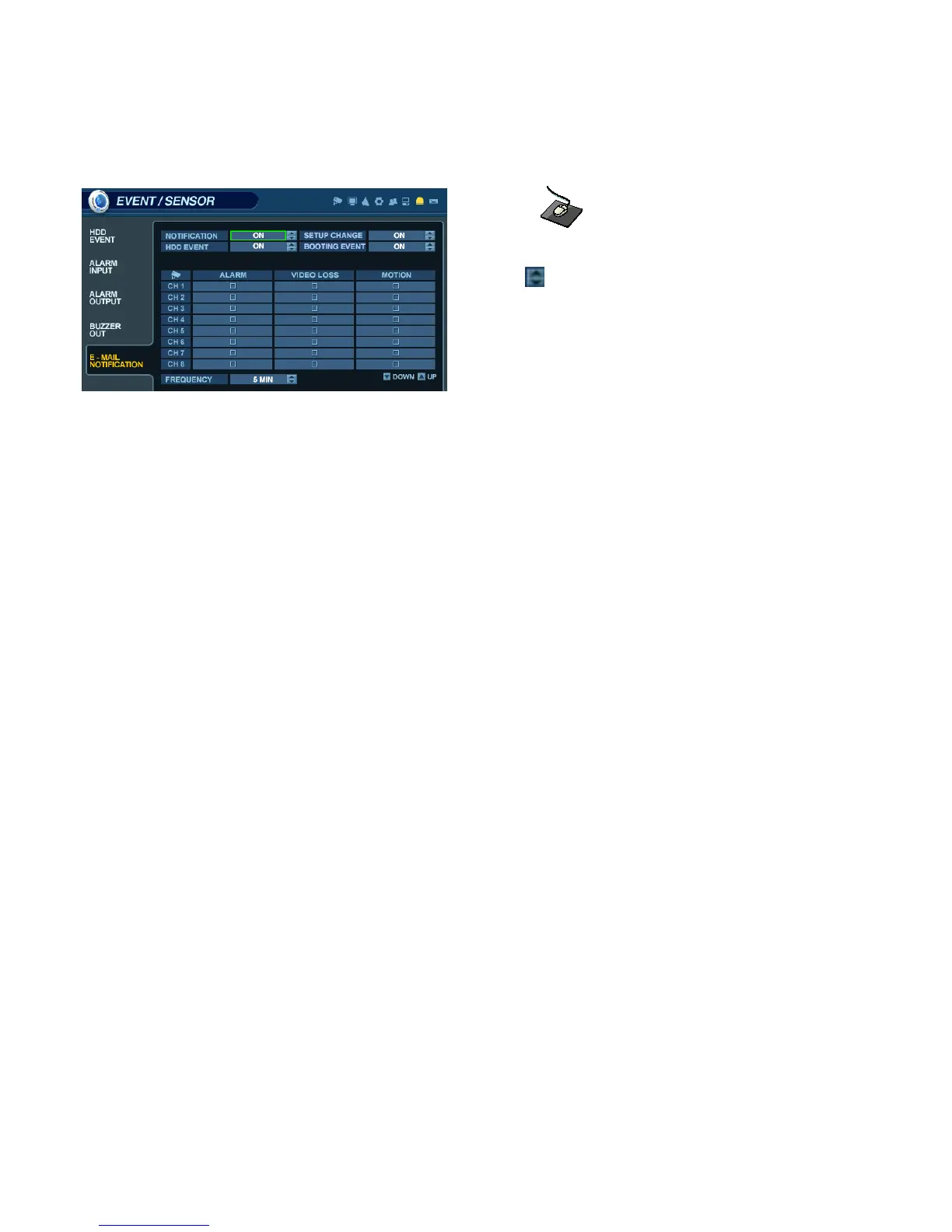
EVENT / SENSOR - E-MAIL NOTIFICATION
Click on the EMAIL NOTIFICATION menu, and click on a field.
Use the button to modify the value.
This menu will determine the behavior and actions that will send an e-mail notification to a remote user.
Behavior settings
NOTIFICATION : E-mail notification can be enabled or disabled.
SETUP CHANGE: Determines whether a change to the system configuration would cause an e-mail to be sent.
HDD EVENT : Determine whether a hard drive event would cause an e-mail to be sent.
BOOTING EVENT: Determines whether a booting event would cause an e-mail to be sent.
Action settings
ALARM : Determine whether alarm inputs will cause an e-mail to be sent.
VIDEO LOSS : Determine whether video loss on any of the selected channels will cause an e-mail to be sent.
MOTION : Determine whether motion detection on any of the selected channels will cause an e-mail to be sent.
FREQUENCY : Minimum period of time between sending e-mail notifications (max. 60 minutes).
NOTE: E-mail Notification settings must also be configured within the ‘MAIL’ and ‘USER MANAGEMENT’ menus.



 To Next Page