66 67
IIDTool
GAP Diagnostic 2019-07-15 All Rights Reserved
User Manual : Version 33, Firmware V3.0
2.9.6 Obtain an additional licence
Purpose
Allow the owner of the IIDTool to access the advanced functions on a vehicle other than his own (some
restrictions apply, see section 1.4.2).
Prerequisites
• OwnanIIDToolorIIDToolBT
• Havingconsultedorbeawareofapplicablerestrictionstotheuseofadditionallicences(section
1.5)
• HavingprocuredanadditionallicencefromtheGAP-Diagnosticwebsite.
https://www.gap-diagnostic.com/shop/extra-vin-license-for-iidtool-and-eascontrol/
Note : Itispossibletoperforma“pre-activation”;whentheIIDToolisinthepresenceofthevehicle
for which the additional licence was acquired, it can be unlocked by going to Menu-
>
IIDToolCong-
>
Unlock Code.
Steps for adding a licence or pre-unlocking the tool: II and App with mobile device not connec-
ted to the internet.
1- Connect the IIDTool on the OBDII connector
2- Discover the unlock code by returning through all stages of activation with the chosen interface
(section 2.9.2 or section 2.9.3).
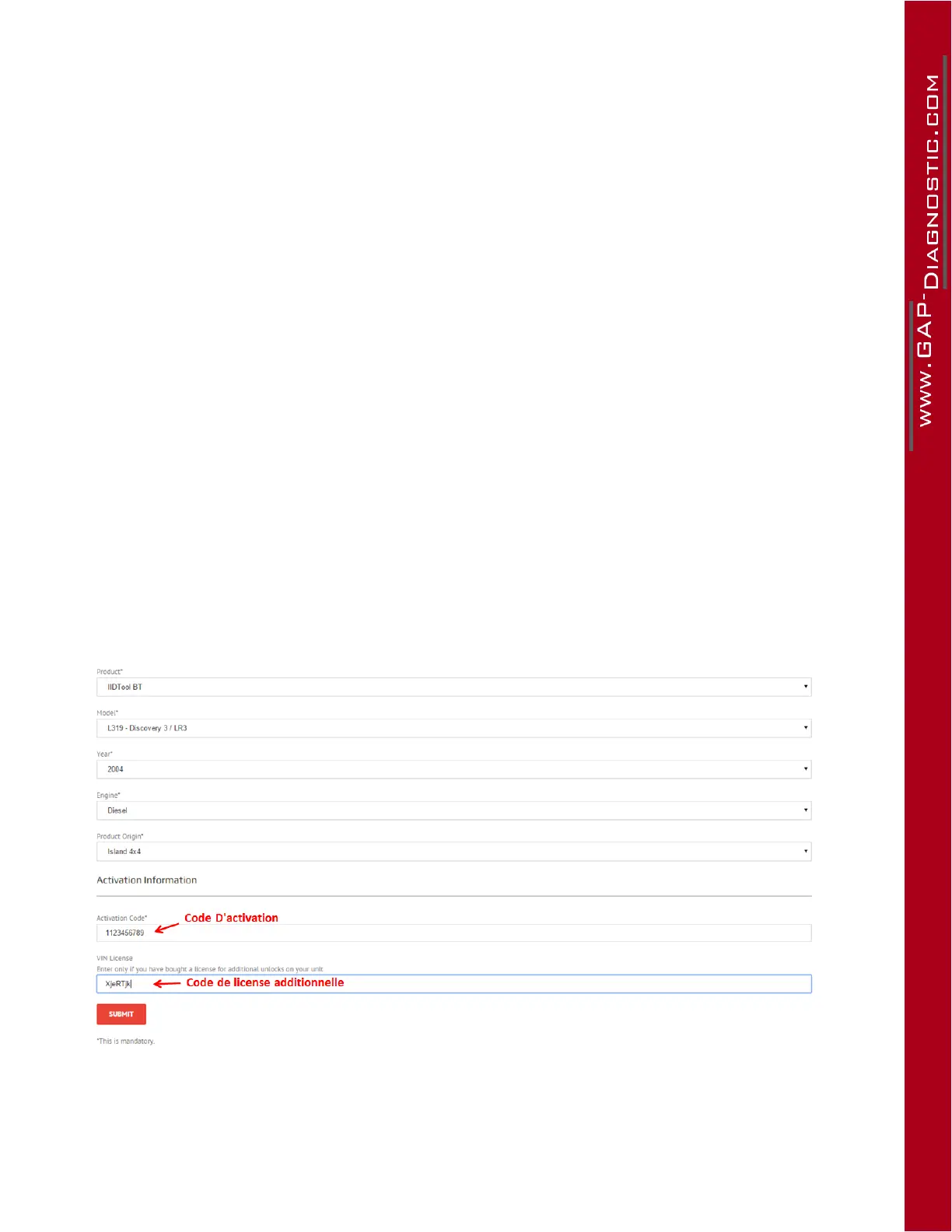
Particularity : In the activation form on the manufacturer’s website, enter the Activation code and the
additional licence number (shown in the following image) and then submit.
Figure 36. Additionallicenceeldonthewebsite
Theusernowhasaccesstoadvancedprogrammingfunctions,toupdatesandsave/restorefunctions
foranothervehicle.Automaticbackupsofairsuspensionsettings(ifapplicable)andtheCarCon-
guration File (CCF) will be performed once connected to the vehicle on which the new unlock will be



 To Next Page