8. Tap Exit in the upper right-hand corner to close the Edit Mode.
9. On the Home screen, tap the name of your MyLifter unit.
This opens the Device Control screen, which lets you raise and lower items
using your smart device.
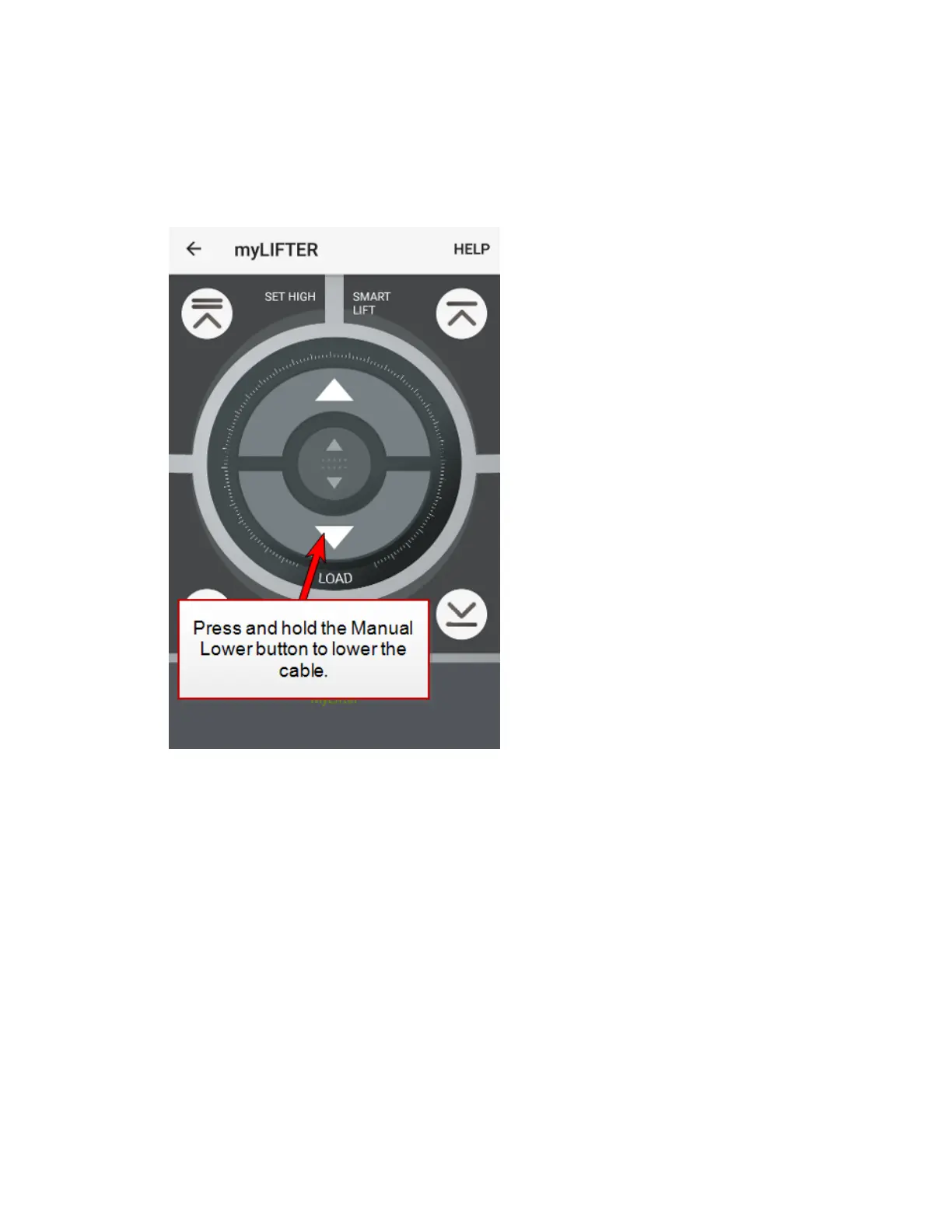
10. On the Device Control screen, press and hold the Manual Lower button to
lower the cable.
11. Run the cable under the pulley in the hook.
12. Attach the end of the cable to the carabiner on the eyelet screw.


 To Next Page