Using the MyLifter App
Use the MyLifter app to easily lift and lower items in your garage. The MyLifter app is
paired with your MyLifter unit using a Bluetooth connection. Be sure to enable your
mobile device’s Bluetooth capabilities before attempting to pair with your lifter.
In this section you will learn how to:
l Pair your MyLifter app with your MyLifter units
l Edit and rename the MyLifter units
l Manually operate your lifters
l Set your Smart High and Smart Low points
l Create Locked and Flex groups
Pair Your MyLifter With The App
The MyLifter App is available from Google Play or the App Store.
1. Download the MyLifter app from the App Store or Google Play.
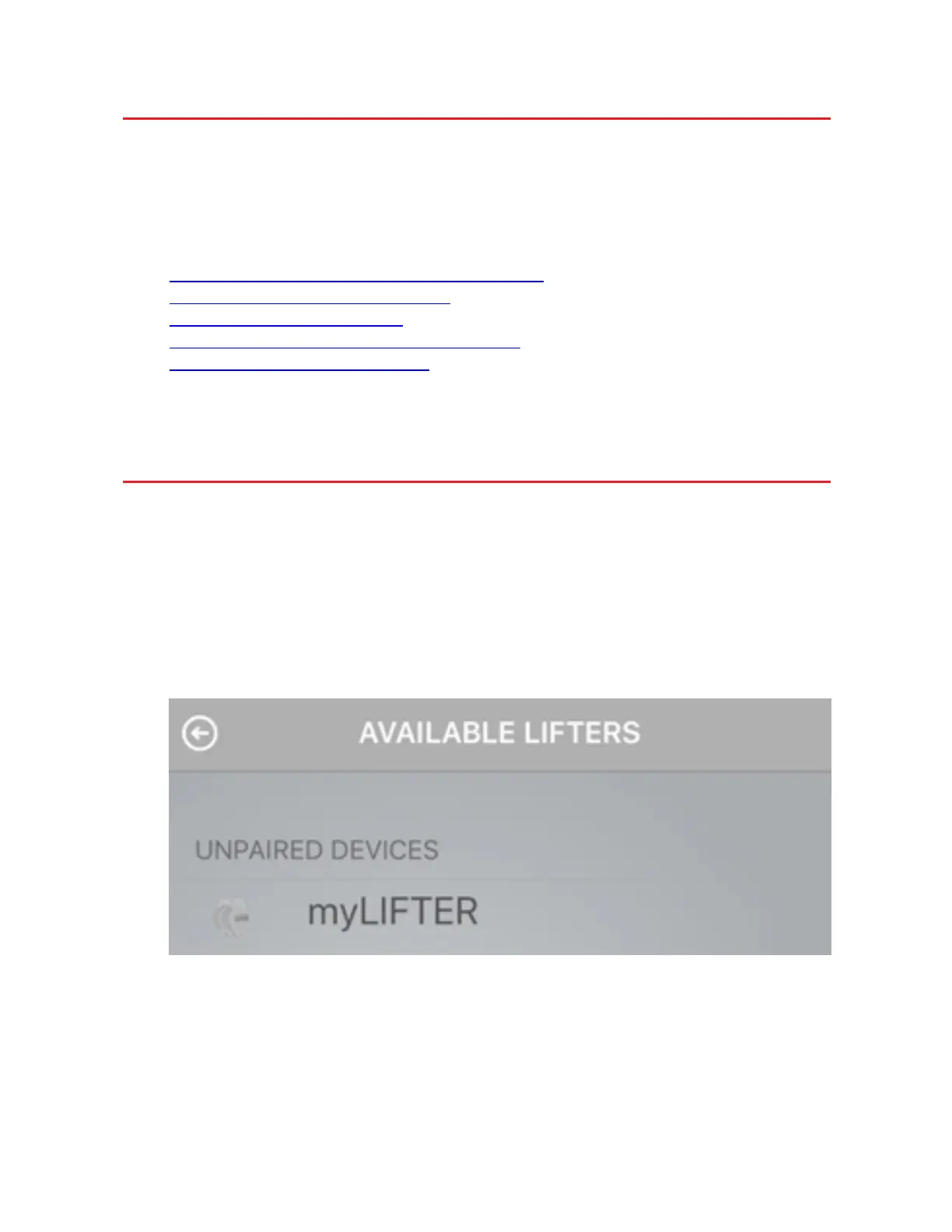
2. Open the app and tap Add Devices in the bottom right corner to open the Avail-
able Lifters screen.
This screen displays a list of all lifters within range of your Bluetooth com-
munications.
If you do not see any available lifters, make sure you have plugged in the power
cable to the nearest outlet.
On the MyLifter units, you should see a slow blinking yellow Status light.


 To Next Page