i.
ii.
iii.
iv.
Go to your phone's settings and select Bluetooth.
Find your GARD PRO connection and select ''Forget this device''.
Restart your phone.
Launch the GloryFit app and follow the binding instructions.
Switch to the home screen by pressing the power button once, then
pressing and holding it again for 3 seconds. Press ''Power Off’’.
Charge the GARD PRO if necessary.
Press and hold the power button (Power Key) for 3 seconds.
The GARD PRO will vibrate to indicate it is turned on.
b. Switch off the GARD PRO Ultra 2+:
a. Switch on the GARD PRO Ultra 2+:
c. If the connection between your GARD PRO and your phone is
broken, follow these steps:
ULTRA 2+
PAGE 03
3. INSTRUCTIONS FOR QUICK USE
i.
ii.
iii.
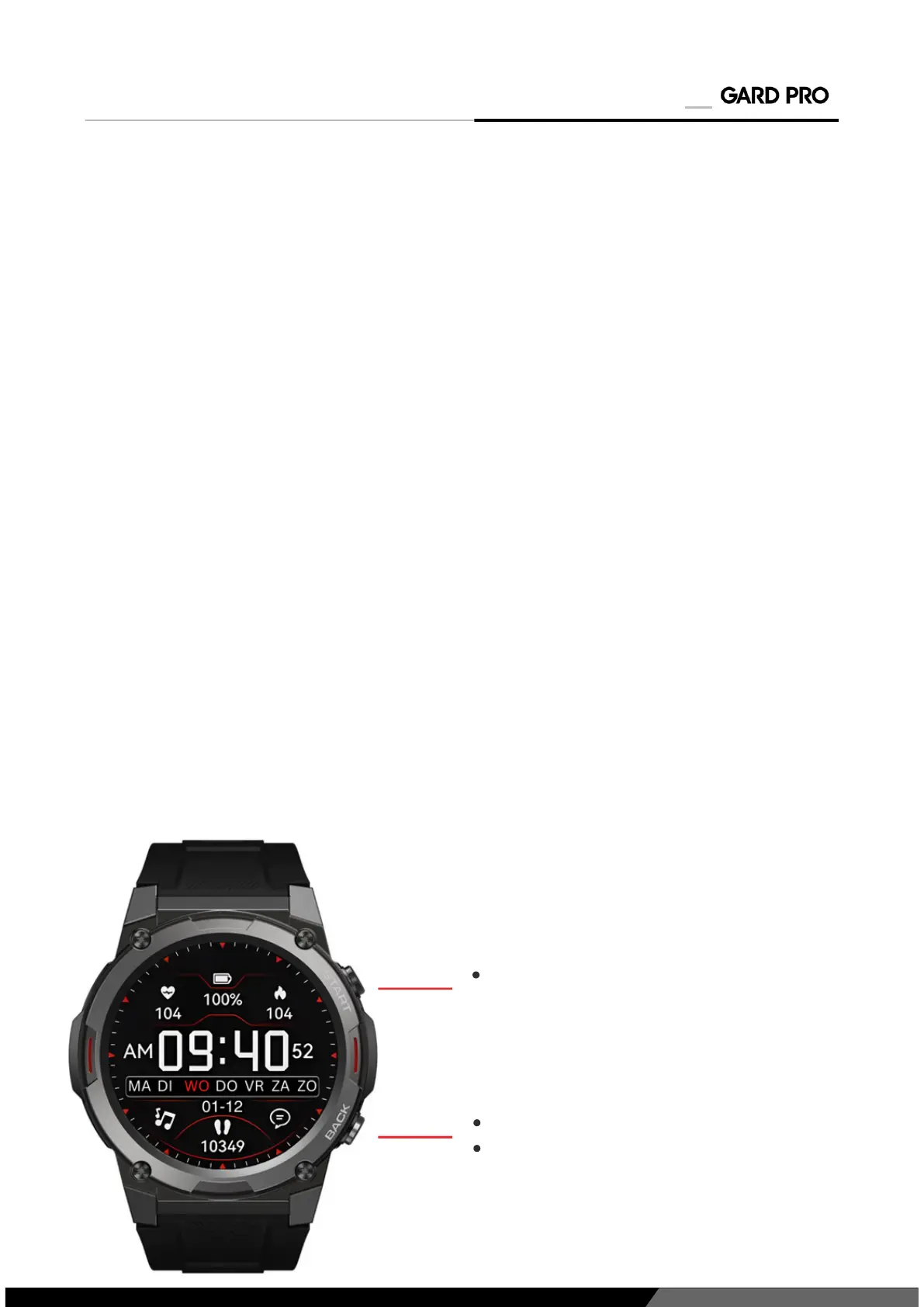
Quick key to go to the main
menu
Power button
To return to home screen
d. Synchronized contacts:
While setting up the Gard Pro Ultra, you will be asked to provide access
to use your contacts. You must allow this.
Open the GloryFit app.
Open ''Device.''
Then press ''Bluetooth Call.''
Follow the instructions at ''Sync Contacts''
i.
ii.
iii.
iv.


 To Next Page