22
GB
5.2 Special Functions
If Program Off is selected as program memory location for a
channel, the respective channel is blocked and the watering
programs of the channel are no longer executed. The programs
of the channel are retained.
You can end the programming mode at any time by pressing the
Channel key.
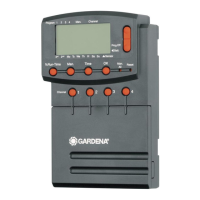
1. Press the Channel key.
SELECT CHANNEL
and the channel flash.
2. Select the channel using the ▲-▼ keys (e.g. channel 2) and
confirm by pressing the OK key.
Channel
appears on the display (e.g.
2
) and
Select Program
and the program memory location flash.
3. Select the program memory location Off using the ▲-▼ keys
and confirm by pressing the OK key.
Select CHANNEL
flashes in the display.
4. Press the Channel key.
CHANNEL OFF
and the channel (e.g. channel
2
) is shown in
the display.
If several channels are blocked,
Channels off
is displayed.
If the run time % is not equal to 100, the display alternates
every 3 seconds between
Channel off
and
Run Time %
.
Manual Watering (Man Key)
The manual watering duration can be set between 0 to 59 min.
Channels which are already open are displayed in frames.
1. Press the Man. key.
SELECT CHANNEL
and the channel flash.
2. Select the channel desired using the ▲-▼ keys (e.g. channel 4)
and confirm by pressing the OK key.
Run Time Man.
and minutes flash in the display.
3. Select the manual watering duration (
00:30
minutes are
preset) using the ▲-▼ keys (e.g. 00:15
) and confirm by
pressing the OK key.
Manual watering starts and the frame around the active
channel flashes.
If the watering duration is not confirmed within 10 seconds by
pressing the OK key, the watering begins with the watering
duration selected.
Blocking a channel:
1.
2.
3.
4.
Manual watering:
1.
2.
3.



 To Next Page