23
GB
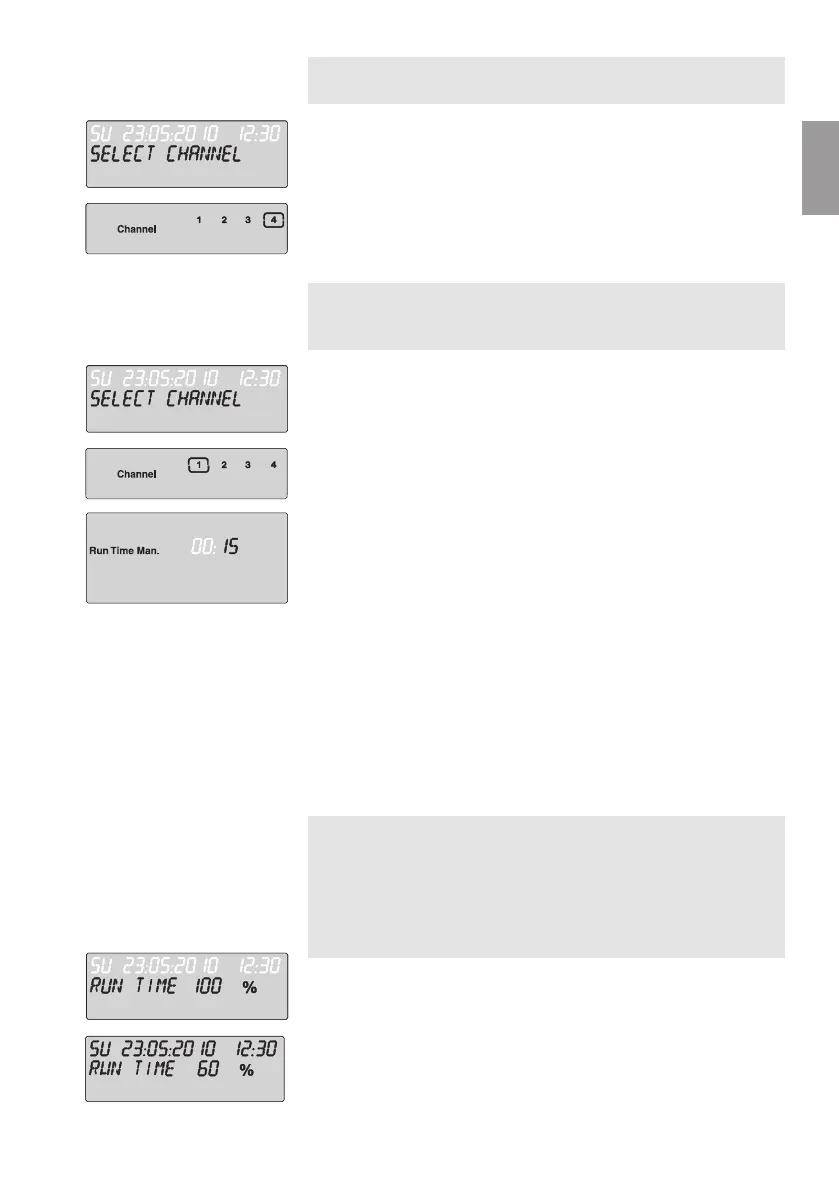
You can exit active watering (programmed or started manually)
prematurely without changing the programs.
1. Press the Man. key.
SELECT CHANNEL
and the channel flash.
2. Select the active channel desired (in the frame e.g. channel 4)
using the ▲-▼ keys and confirm by pressing the OK key.
Watering is ended and the main level is displayed.
If all the channels are to be enabled manually, the channels are
opened manually one after the other with the manual watering
duration.
1. Press and hold down the OK key.
2. Also press and hold down the Man. key for 3 seconds.
Run Time Man.,
MANUAL ALL
and minutes flash in the display.
3. Select the manual watering duration (
00:30
minutes are preset)
using the ▲-▼ keys (e.g.
00:15
) and confirm by pressing the
OK key.
Manual watering starts with channel 1,
MANUAL ALL
and the
frame around the active channel flashes.
If the watering duration is not confirmed within 10 seconds by
pressing the OK key, the watering begins with the watering
duration displayed.
You can exit watering all the channels prematurely by pressing
the OK key + Man. key for 3 seconds.
Percentage Watering Duration
(% Run-Time Key)
You can end the programming mode at any time by pressing the
Run-Time key.
The programmed watering durations of all the watering programs
can be changed centrally in 10 % increments from 10 % to 200 %,
without having to change the individual programs (e.g. if you wish
to water your garden less in the autumn than in the summer).
ATTENTION ! If the run-time % figures are above 100 %,
programs may overlap as a result (see
“Setting the watering
programs”).
1. Press the % Run-Time key.
Run TimE %
and the percentage watering duration flash.
2. Select the figure for the percentage watering duration using
the ▲-▼ keys (e.g.
Run Time 60 %
) and confirm by pressing
the OK key.
The percentage watering duration has been transferred and
the main level is displayed.
Ending active watering
prematurely:
1.
2.
Water all channels
manually:
1.
3.
% run-time-function:
1.
2.


 To Next Page