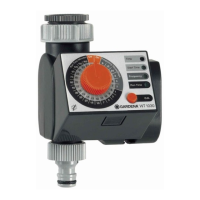
8
GB
In addition to time-based watering, it is also possible to include
the soil moisture or rain in the watering program.
If the soil is moist enough, the program will be stopped, or a pro-
gram will be prevented from starting. Manual operation via man.
On/Off is unaffected by this.
1. Place soil moisture sensor in the watered area
– or –
place rain sensor (with extension cable if necessary)
outside the watered area.
2. Insert the sensor in the sensor connection
7
of the Water
Computer.
5. Operating Your Water Timer
The time of day and the watering starting time are set to the near-
est hour. One of the following 6 watering cycles can be selected:
8 hours (8h), 12 hours (12h), 24 hours (24h), 2 days (2D), 3 days
(3D) or 7 days (7D). The watering time can be set between 1 and
180 minutes.
Connect soil moisture
or rain sensor (optional):
Programming the
Water Timer:
7


 To Next Page
 Loading...