EasyManua.ls Logo

Gardner Denver GDD30F - User Manual

Gardner Denver GDD30F
15 pages
Print Icon
To Next Page IconTo Next Page
Loading...
Cod. 710.0138.72.00 Rev.10 02.2022 © Copyright 2022 Gardner Denver - All rights reserved 1 - 10
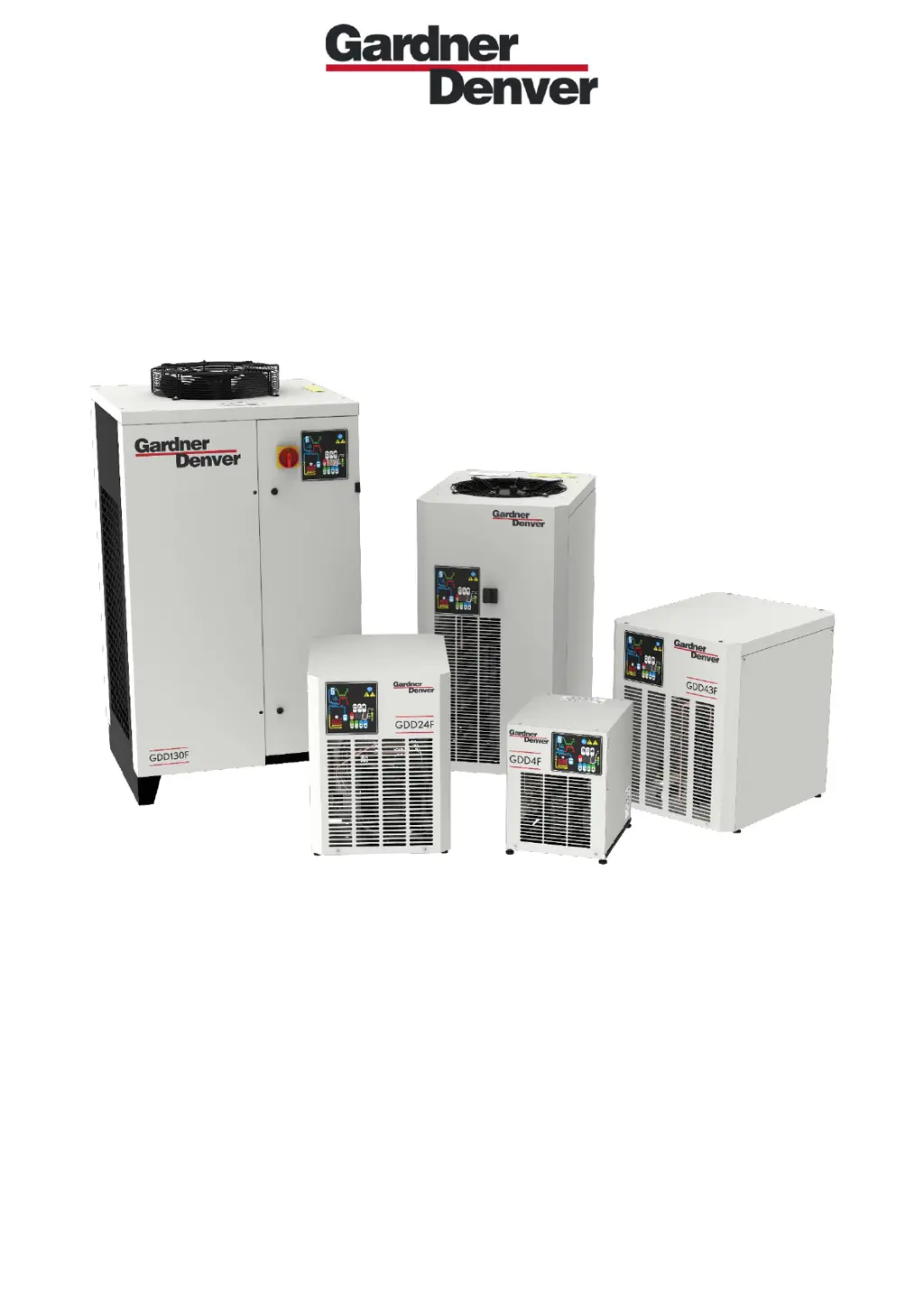
DIRECT EXPANSION COMPRESSED AIR DRYERS
Operators Manual
GDD4F
GDD7F
GDD9F
GDD12F
GDD18F
GDD24F
GDD30F
GDD37F
GDD43F
GDD50F
GDD60F
GDD80F
GDD100F
GDD130F
GDD160F

Questions and Answers

  • K
    Karen McknightAug 22, 2025
    Why is the pressure in my Gardner Denver GDD30F Dehumidifier line low?
    • J
      James HernandezAug 22, 2025
      Low pressure in your Gardner Denver Dehumidifier line can be caused by several factors. Check for ice formation in the evaporator and inspect/replace the probe if needed. Ensure the compressed air inlet/outlet is connected properly to prevent clogs. Also, check if air flows continuously through the condensate drainage, which may indicate a jammed drainage solenoid valve that needs cleaning or replacement. You may also want to check the condition of any filter.
  • C
    Crystal FlemingNov 6, 2025
    What to do if there is water in my Gardner Denver GDD30F?
    • A
      Andrew WrightNov 6, 2025
      If you find water in your Gardner Denver Dehumidifier, there could be several reasons. First, ensure there is power in the line; if not, restore it. For GDD130-160F models, check that the phases are connected correctly. Inspect the cabling and the electronic control board, replacing them if problems persist. Also, confirm the dryer is on by pressing the ON/OFF switch for one second and wait two minutes after switching it on, in case it is in stand-by. Other possible causes include improperly connected compressed air inlet/outlet, flow rate/temperature of entering air exceeding nominal values, high ambient temperature, a dirty condenser (clean it), a malfunctioning condensate drain (clean the filter mesh or check/replace the no loss condensate drain), or an improperly positioned/faulty temp...

Summary

General Information

Functional Description

Explains how the refrigerated air dryer removes moisture from compressed air.

Safe Use of the Dryer

Outlines essential safety precautions for operating the compressed air dryer.

Installation

Acceptance and Handling

Procedures for receiving, inspecting, and handling the air dryer upon delivery.

Storage and Installation Location

Guidelines for storing and selecting an appropriate location for dryer installation.

Unpacking

Steps for safely removing the air dryer from its packaging.

Installation

Details on connecting the dryer to compressed air lines and electrical power.

Start Up

Control Panel

Overview of the dryer's digital control panel, including keys and display.

Keys Function

Explanation of the functions of each button on the control panel.

Condensate Discharge Parameters Programming

Instructions for programming condensate discharge timing parameters.

Display Indications

Interpretation of messages and indicators displayed on the control panel.

Remote Signaling Alarm

How to set up and use the remote alarm signal feature.

Before Start Up

Essential checks to perform before the initial startup of the dryer.

Start Up

Step-by-step guide for safely starting the air dryer.

Maintenance, Troubleshooting and Decommissioning

Maintenance

Procedures and schedules for routine maintenance of the air dryer.

Troubleshooting

Guidance on identifying and resolving common issues with the air dryer.

Decommissioning

Instructions for safely shutting down and dismantling the air dryer.

Gardner Denver GDD30F Specifications

General IconGeneral
BrandGardner Denver
ModelGDD30F
CategoryDehumidifier
LanguageEnglish

Related product manuals