5
Viewing the Map Page
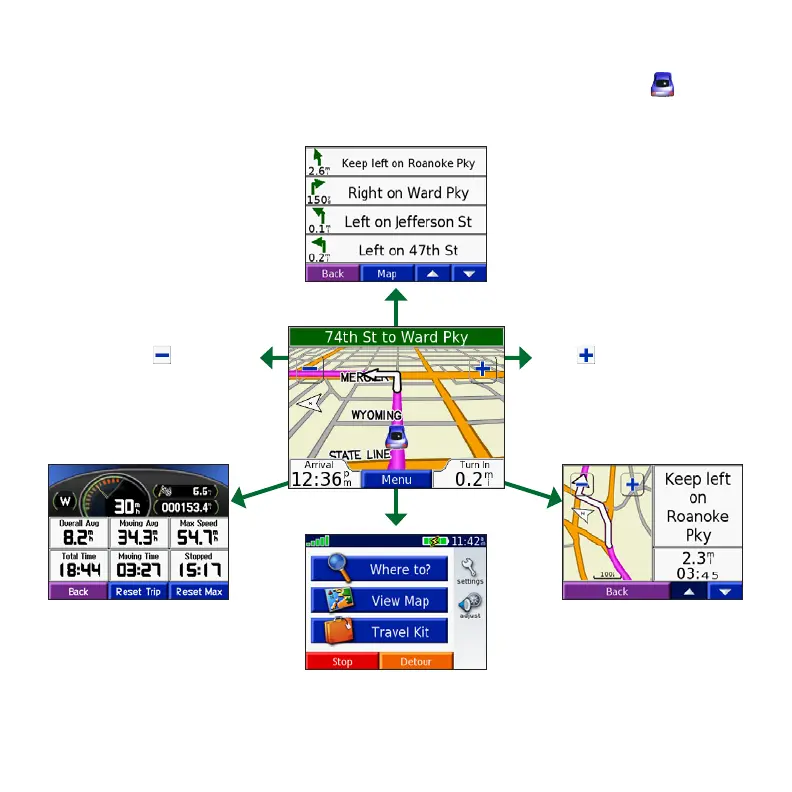
From the Menu page, touch View map to open the Map page. The position icon shows
your current location. Touch buttons on the Map page to see additional information.
Touch to zoom in.
Touch the directions bar to
open the Current Route page.
Touch Turn In to open
the Next Turn page.
Touch Menu to open
the Menu page.
Touch Arrival or Speed to open
the Trip Information page.
Touch to zoom out.


 To Next Page