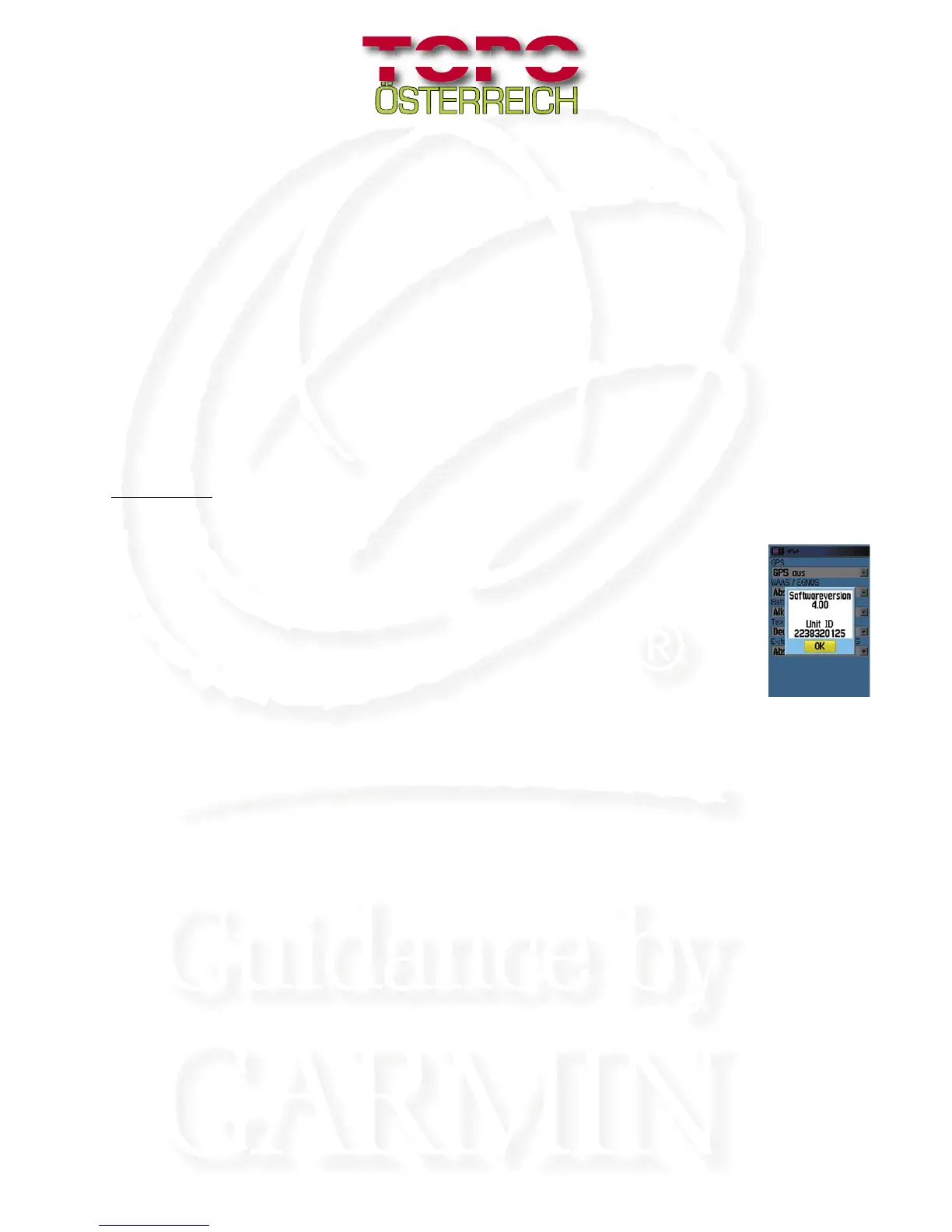
Depending on the type of the GPS, the 10-digit ID (Unit-ID) could be found under (for example):
„Setup - System – Systeminfo/Software-Version“
Check the accompanied manual to fi nd out how to readout the UNIT-ID from your GPS-unit.
Note down this number for purposes of future applications. In order to register “Topo Oesterreich,” onto your GPS
system, you must enter this number.
•When the Unit-ID is known, click on “NEXT”. This click will start the installation of your „Topo Oesterreich“
maps onto your PC.
•Keep following the instructions on your computer monitor.
•In order to accept the licensing agreement, move the mouse pointer to the end of the text and click on “YES”
•Keep following the further instructions on your computer monitor.
•After clicking “Finish”, the installation is successfully completed. In order to use your “Topo Oesterreich,” unlock the
software in the Internet.
Registration
You can follow through with the registration of your „Topo Oesterreich“ in the content of the CD-
installation by clicking on “REGISTRATION.” An alternative registration with “Map Source” service
programme (Unlock Wizard) is not allowed for „Topo Oesterreich“ just like with other GARMIN map
products
Manual registration is only directly possible in the Internet
• Go to <http:www.garmin.at/registration>
• Enter in your CD code (e.g.: AAAA-BBBB-CCCC-DDDD)
• Enter in your UNIT-ID (e.g.: 1234567890)
• After successful registration, your activation code will appear on your computer monitor
(e.g.: AAAAA-BBBBB-CCCCC-DDDDD-EEEEE)
• After successful installation, type this code in the Map Source under:
“Tools - Unlock Maps”. An additional registration of the
„Topo Oesterreich“ (like other known GARMIN map products on “www.garmin.com”) is not necessary.
• Please keep your activation code safe and available for future installation purposes











 To Next Page