EasyManua.ls Logo

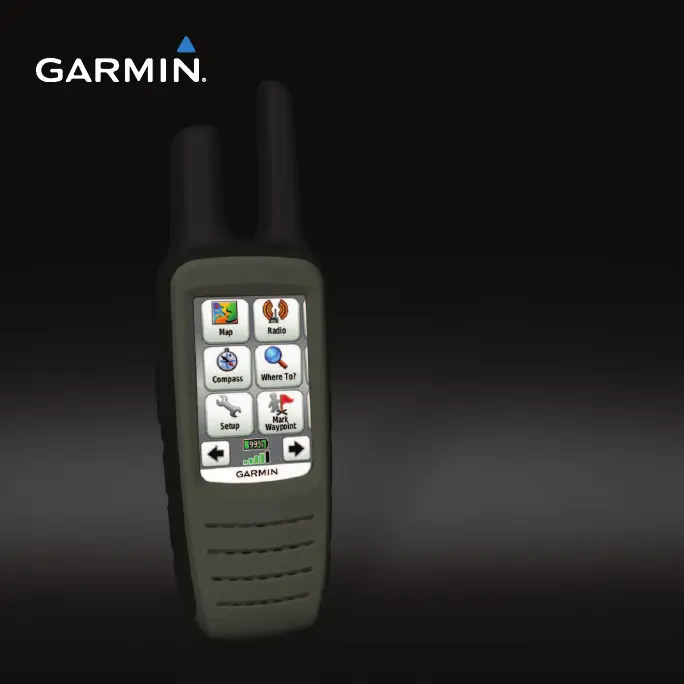
Garmin Rino 600 - User Manual

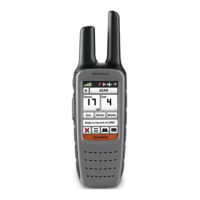
Garmin Rino 600
60 pages
Print Icon
To Next Page IconTo Next Page
Loading...
rino
®
600 series
owner’s manual

Table of Contents

Other manuals for Garmin Rino 600

Questions and Answers

  • S
    Sara NewmanJul 26, 2025
    Why is my Garmin Rino 600 GPS not acquiring satellite signals?
    • N
      Noah PattonJul 26, 2025
      If your Garmin GPS device is not acquiring satellite signals, try the following steps: First, move your device out of parking garages and away from tall buildings and trees. Then, turn on the device and remain stationary for several minutes.
  • C
    Christina RiveraJul 31, 2025
    What to do if my Garmin GPS will not charge?
    • E
      Elizabeth SmithJul 31, 2025
      If your Garmin GPS device is not charging, please check the following: * Ensure the lithium-ion battery is properly installed. * Ensure the ambient temperature is between 32°F and 113°F (from 0 to 45°C). * Turn down the backlight.
  • D
    dyerannAug 5, 2025
    How to reset Garmin GPS when the screen does not respond?
    • A
      abishopAug 5, 2025
      To reset your Garmin GPS device when the screen is unresponsive: 1. Remove the batteries. 2. Reinstall the batteries. Note that this process does not erase any of your data or settings.
  • R
    Rebecca HallAug 10, 2025
    What to do if my Garmin Rino 600 is connected to the computer, but it will not go into mass storage mode?
    • J
      Julia HillAug 10, 2025
      If your Garmin GPS device is connected to the computer but is not entering mass storage mode, it may be due to a corrupted file. To resolve this: 1. Disconnect the device from your computer. 2. Turn off the device. 3. Hold while you connect the device to your computer. 4. Continue holding for 30 seconds or until the device goes into mass storage mode.
  • K
    Kelly Coffey DDSAug 15, 2025
    How to restore factory defaults on Garmin Rino 600 GPS?
    • H
      harrischristineAug 15, 2025
      To reset all customized settings on your Garmin GPS device back to the factory defaults, select Setup > Reset > Restore Defaults to Factory Settings.
  • L
    Laura CarterAug 20, 2025
    Why will my Garmin Rino 600 not use channels above 15?
    • S
      Sharon WareAug 20, 2025
      Channels 1-7 and 15-22 are GMRS channels. These channels are not available on the Garmin GPS device unless the GMRS radio is activated in the radio setup.

Summary

Getting Started with Your Garmin Rino

Device Basics and Battery Management

Learn about device keys, installing and charging batteries, and maximizing battery life.

Initial Setup and Operation

Steps for acquiring satellite signals, registering the device, and basic screen controls.

Radio Features and Communication

Radio Channel Setup and Scanning

How to choose, scan, and set up radio channels for communication.

Contacts, Messaging, and Weather Alerts

Managing contacts, sending notes, peer-to-peer positioning, and SAME weather alerts.

Navigation and Waypoint Management

Creating and Managing Waypoints

Detailed guide on creating, finding, editing, and improving waypoint accuracy.

Track Logging and Navigation

Recording, saving, viewing, and navigating tracks to follow paths.

Destination Navigation and Mapping

Navigating to destinations, using maps, compass, geocaches, and routes.

Device Customization and Settings

Customizing Data Fields and Display

Personalize data fields, home screen, and display settings for user preference.

System, Map, and Track Configuration

Adjust system, map display, track logging, units, and time settings.

Altimeter, Geocache, and Routing Setup

Configure altimeter, geocache, routing preferences, and marine alarms.

Device Information and Maintenance

Software Updates and Specifications

Learn how to update software and view device specifications.

Battery Life, Charging, and Care

Tips for battery life, charging procedures, and maintaining the device.

Data Management and Computer Connection

Transferring files, installing memory cards, and connecting to a computer.

Appendix and Optional Features

Additional Maps and Accessories

Information on optional maps and accessories like fitness sensors.

Data Field Options

Descriptions of various data fields available for display on the device.

Troubleshooting and Regulatory Information

Resolving Common Device Issues

Solutions for frequent problems like device unresponsiveness or charging issues.

FCC Licensing and Radio Regulations

Understanding FCC licensing and regulations for radio operation.

Garmin Rino 600 Specifications

General IconGeneral
BrandGarmin
ModelRino 600
CategoryGPS
LanguageEnglish

Related product manuals