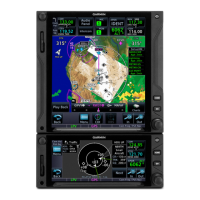
Garmin 650Xi Quick Reference
Physical Inputs
Turn ………….
Push …………
Push & Hold
Volume
Squelch / Nav ID
Tune active COM to 121.5
Home page
Default Nav page
Direct-to
Activate Smart Glide
Lower-right
concentric knob
Turn-Outer .
Turn-Inner ..
Push …………
Major Selection / Chapter
Minor Selection / Zoom / Scroll
Toggle Nav/Com/Locater
ACTV WPT (Active Waypoint)
Swap active/standby frequencies
Tap active frequency -or-
Push & hold lower-right knob
Tap standby frequency -or-
Use lower-right knob
COM Monitoring
1. Tap standby frequency
2. Tap the “MON” soft-key to toggle COM Monitoring
Moving Map Declutter
1. Tap the “Menu” soft-key (left-hand side of the screen)
2. Tap the horizontal line of the slider for the declutter level
3. Tap the “Back” soft-key (lower left-hand side of the screen)

 Need help?





 To Next Page
 General