
 Need help?
Do you have a question about the Garmin 650 and is the answer not in the manual?
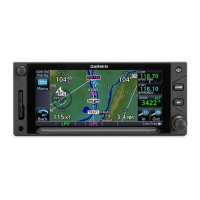
The Garmin GTN 650 GPS is an integrated avionics system designed for aircraft, combining GPS navigation, COM radio, and NAV radio functionalities. This document focuses on its basic operation, specifically the COM radio and DirectTo features.
The GTN 650 serves as a primary navigation and communication tool in an aircraft. It provides pilots with GPS-guided navigation, allowing for direct-to navigation to waypoints, airports, or points on a flight plan. Concurrently, it integrates a COM radio for air-to-ground and air-to-air communication, and a NAV radio for traditional navigation aids (though the NAV radio features are not detailed in this document). The system is designed to be user-friendly, with a touchscreen interface that displays various flight parameters, maps, traffic, terrain, and weather information.
While specific technical specifications like dimensions, weight, power consumption, or display resolution are not provided in this document, the GTN 650 is described as a Garmin GTN 650 (GPS) unit. It was installed in VH-BAC in February 2016, indicating its suitability for general aviation aircraft. The system includes a touchscreen display for interaction and integrates with the aircraft's audio panel for microphone control and audio output. It supports various data inputs such as NEXRAD weather and provides real-time flight information including ground speed (GS), distance (DIS), track (TRK), and desired track (DTK). The COM radio operates on standard aviation frequencies, with both active and standby frequencies displayed.
The GTN 650 powers on with the aircraft's avionics switch. After displaying a "Continue" button, it presents a home screen with various functions like Map, Traffic, Terrain, Weather, and Message (MSG). The "Home" button allows users to return to this main screen at any time.
The COM radio function is a key feature. The main audio panel, located above the GPS, controls the microphone (MIC). When the audio panel's rotary dial points to C1, the GTN 650's COM radio (Com1) is active for transmission. Pressing the Push-To-Talk button on the aircraft control wheel initiates transmission.
The GPS screen displays two communication radio frequencies: the top one is the active frequency, and the bottom one is the standby frequency.
Frequency Management:
The DirectTo function allows pilots to navigate directly to a specific location.
Initiating DirectTo:
Removing a DirectTo Location:
Overriding a DirectTo:
The document does not explicitly detail maintenance features. However, the availability of a simulator app for the Apple iPad is highlighted as a valuable tool for "veranda time" – practicing and learning to use the GPS without being in the aircraft. This suggests that familiarization and training are key aspects of maintaining proficiency with the device. The mention of YouTube videos and a user manual also points to resources for operational understanding, which indirectly contributes to proper usage and care.






 To Next Page
 General