DRAFT
nüvi 705 Series Owner’s Manual 11
Where To
Saving Places You Find
1. After you have found a place you
want to save, touch Save.
2. Touch OK. The place is saved in
Favorites.
Finding Saved Places
1. Touch Where to.
2. Touch Favorites. Your saved
locations are listed.
TIP: Your Last Position is
automatically saved each time you
remove the nüvi from the cradle.
Use this feature to nd your car in a
parking lot.
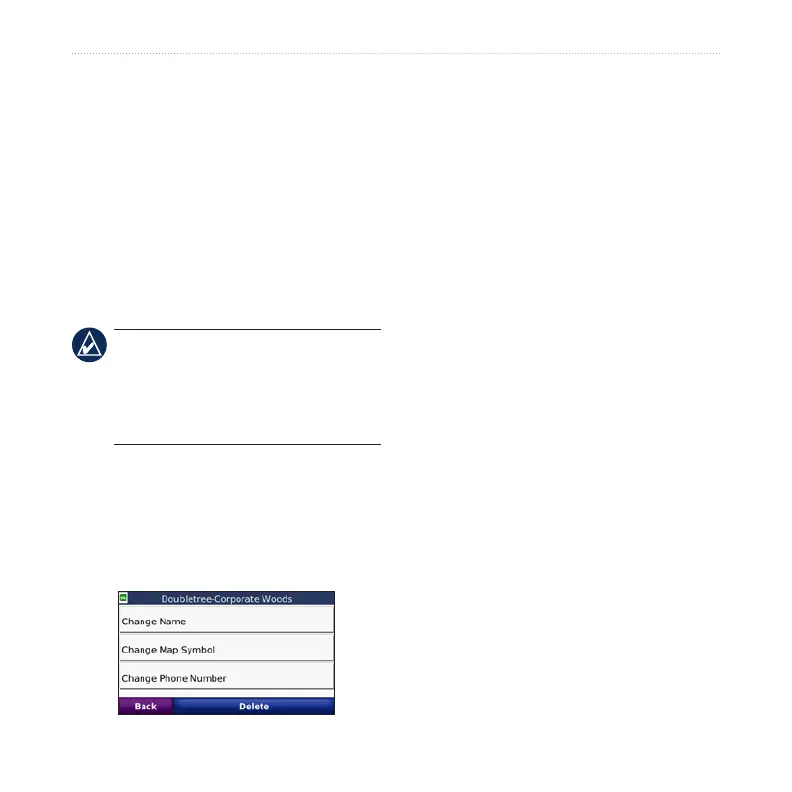
Editing Saved Places
1. Touch Where to > Favorites.
2. Touch the location you want to edit.
3. Touch Edit.
4. Touch a button to edit the location:
Change Name—enter a new
name, and touch Done.
Change Map Symbol—touch a
new symbol.
Change Phone Number—enter a
phone number, and touch Done.
Delete—removes this item from
the Favorites list. Touch Yes.
Creating and Taking
Routes
Touch Where to > Routes. Select the
route you want to take and touch Go.
Creating a Saved Route
Use your nüvi to create and save routes
before your next trip. You can save up to
10 routes.
1. Touch Where to (or Tools) > Routes
> New.
2. Touch Add New Start Point.
3. Find a location as your starting point,
and touch Select.
•
•
•
•



 To Next Page