DRAFT
12 nüvi 705 Series Owner’s Manual
Where To
4. Touch Add New End Point.
5. Find a location as your ending point,
and touch Select.
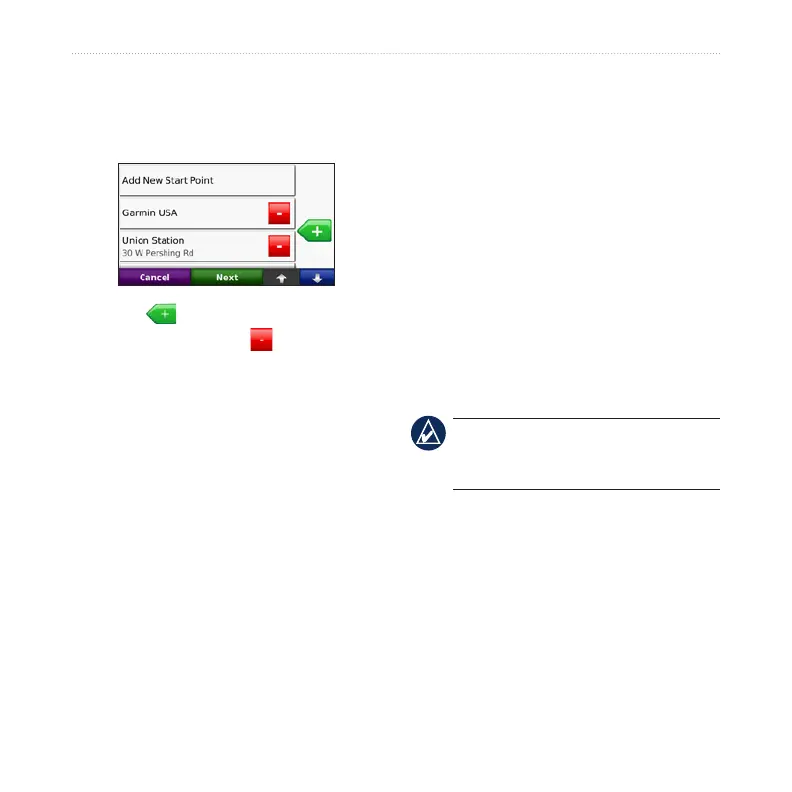
6. Touch to add another location
to your route. Touch to remove a
location.
7. Touch Next to calculate your route
and view it on the map.
8. Touch Save to save the route and
exit.
Editing Routes
1. Touch Where to (or Tools) > Routes.
2. Select the route you want to edit.
3. Touch Edit.
4. Touch an option to edit the route:
Touch Change Name. Enter a
new name, and touch Done.
•
Touch Add/Remove Points to
add new start, via, or end points to
the route.
Touch Manually Reorder Points
to change the order of points
along your route.
Touch Optimally Reorder Points
to automatically order the points.
Touch Recalculate to change the
route preference to calculate by
faster time, shorter distance, or
off road.
Touch Delete to remove this item.
NOTE: Your changes are
automatically saved when you exit any
of the route edit pages.
Finding a Place Using the
Map
Use the Browse Map page to view
different parts of the map. Touch Where
to > Browse Map.
•
•
•
•
•



 To Next Page