DRAFT
32 nüvi 705 Series Owner’s Manual
Using FM Trafc
Using FM Trafc
The trafc receiver is included in some
nüvi 715, 755T, 765, and 775 packages.
Use an FM TMC (Trafc Message
Channel) trafc receiver to receive
trafc information broadcast over the
FM Radio Data System. For information
about FM trafc receivers and coverage
areas, see www.garmin.com/trafc.
NOTE: Garmin is not responsible for
the accuracy of the trafc information.
The FM trafc receiver simply
receives signals from the trafc service
provider and shows that information
on your nüvi.
NOTE: The FM trafc receiver and
nüvi must be in data range of an FM
station transmitting TMC data to
receive trafc information.
NOTE: You can only access the trafc
information if the nüvi is connected to
an FM trafc receiver.
NOTE: If your FM TMC trafc
receiver has an antenna with suction
cups on it, route the antenna on your
windshield vertically using the suction
cups.
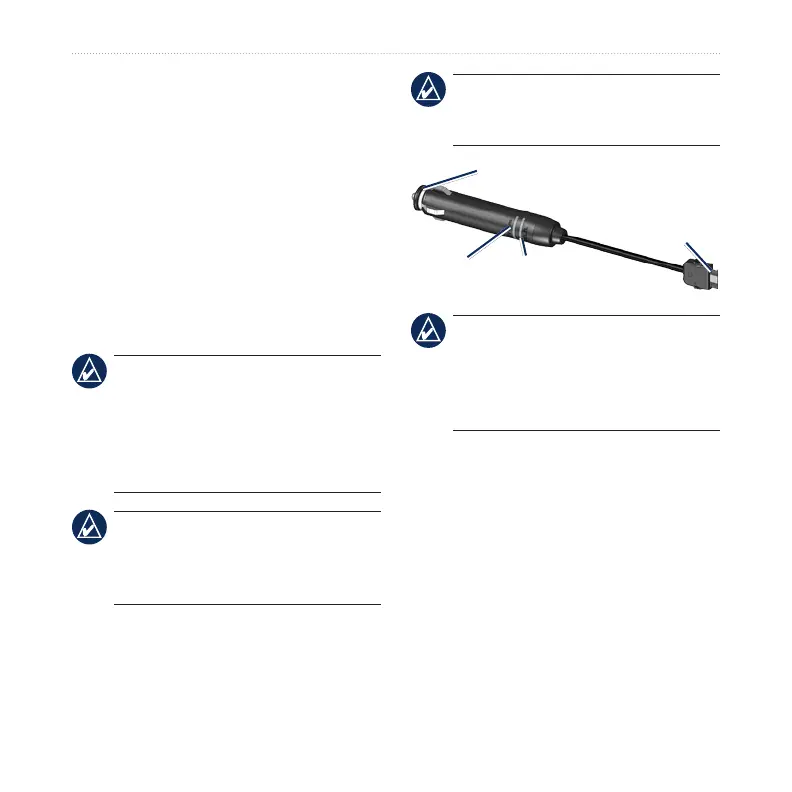
LED Blink Codes
The green Power LED lights when
connected to external power. The Status
LED indicates the signal reception:
Yellow dot-dash ashes: determining
which country you are currently in.
Yellow solid: searching for signal.
Red solid: momentary sync loss.
•
•
•



 To Next Page