Installing the New Battery
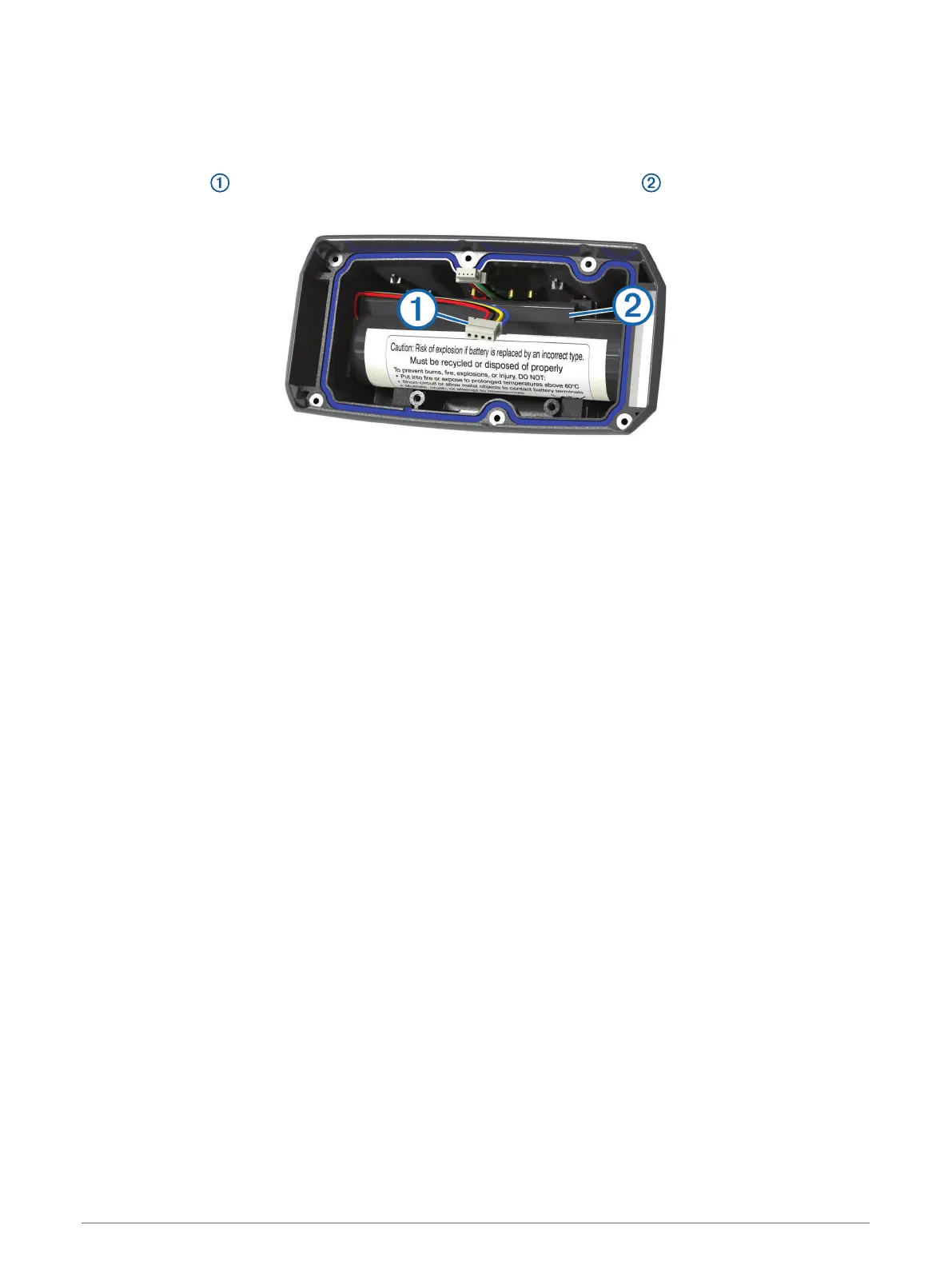
Before you replace the battery, you must remove the old battery (Removing the Old Battery, page 39). You also
must have a small Phillips screwdriver. You may need a small flat screwdriver.
1 Install the new battery using the same orientation as the old battery.
The connector should face the end nearest the power key, and the bump where the wires connect to
the battery should face toward the side with the charging clip contacts.
2 Replace the battery cover.
3 Replace the screws to secure the battery cover.
4 Connect the battery connector and power connector.
You may need to use a flat screwdriver to help secure the connectors.
5 Select the power key to test the connections.
When properly connected, a tone is emitted and the status LED blinks green.
6 Turn off the device.
7 Verify the gasket located inside the bottom cover is fully seated.
8 Replace the back plate.
9 Replace the six screws to secure the back plate.
After you install the new battery, charge the collar completely.
40 Appendix













 To Next Page