EasyManua.ls Logo

Garmin echo 100 series - Getting Started; Registering Your Device; Turning on the Device Automatically; Selecting the Transducer Type

Garmin echo 100 series
20 pages
Print Icon
To Next Page IconTo Next Page
To Previous Page IconTo Previous Page
Loading...
Introduction
/ll
WARNING
.;;.._
________
__.
See
the
Important
Safety
and
Product
Information
guide
in
the
product
box
for
product
warnings
and
other
important
information.
Registering
Your
Device
Help
us
better
support
you
by
completing
our
online
registration
today.
Go
to
http://my
.
garmin.com.
Keep
the
original
sales
receipt,
or
a
photocopy
,
in
a
safe
place
.
Contacting
Garmin
Product
Support
Go
to
www.garmin.com/support
and
click
Contact
Support
for
in-country
support
information
.
In
the
USA
,
call
(913)
397.8200
or
(800)
800
.
1020.
In
the
UK,
call
0808
2380000.
In
Europe
,
call
+44
(0)
870.8501241.
Manual
Conventions
In
this
manual
,
the
term
"select"
is
used
to
describe
these
actions
.
Highlighting
a
menu
item
and
pressing
ENTER.
Pressing
a
key,
such
as
ENTER
or
MENU
.
When
you
are
instructed
to
select
menu
items
,
small
arrows
may
appear
in
the
text.
They
indicate
that
you
should
highlight
a
series
of
items
using......._
and~
.
and
select
ENTER
after
each
item.
For
example
,
for
"select
MENU
>
Pause/
Rewind
Sonar,"
select
MENU
,
and
then
select......._
or~
until
Pause/Rewind
Sonar
is
highlighted,
and
then
select
ENTER.
Introduction
Getting
Started
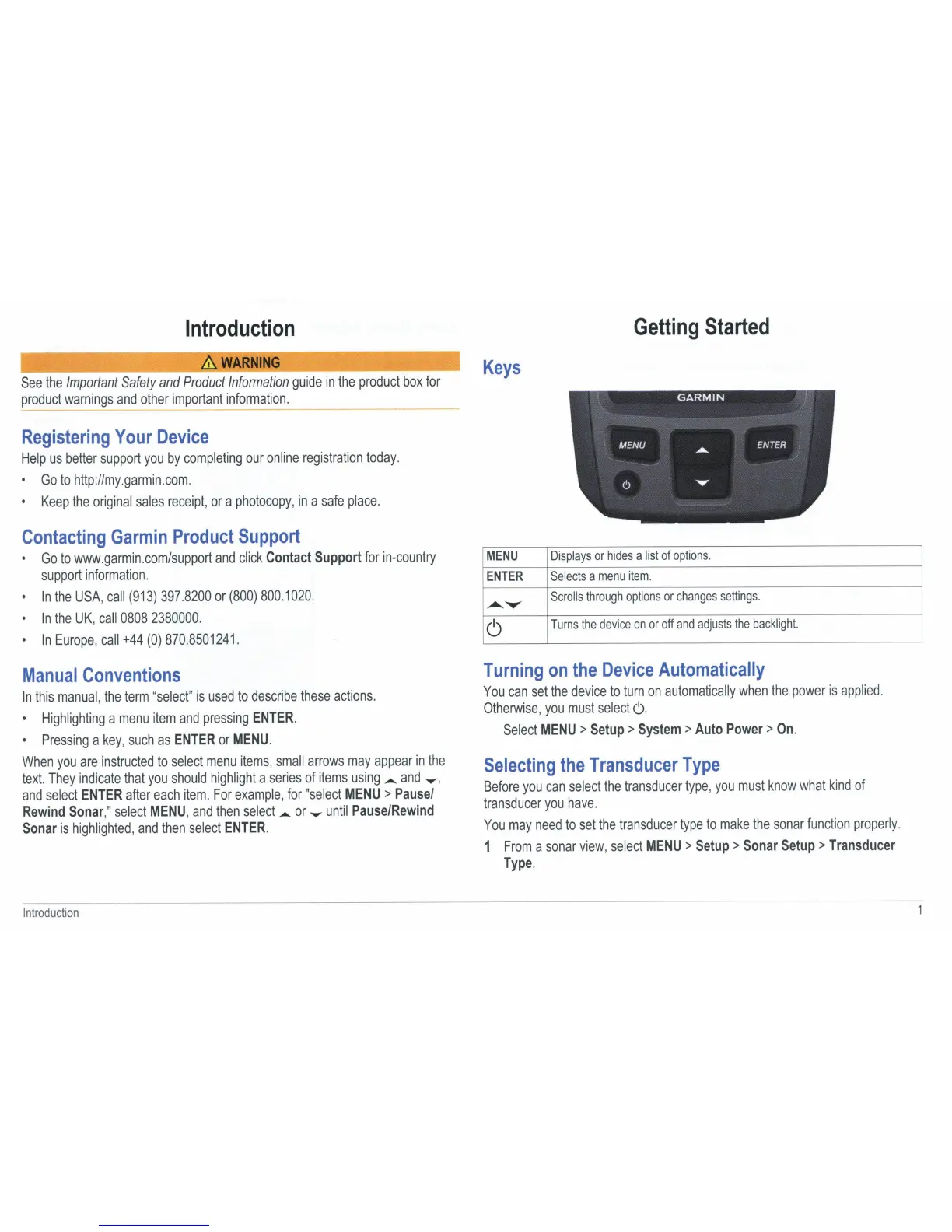
Keys
MENU
Displays
or
hides
a
list
of
options
.
ENTER
Selects
a
menu
item.
..............
Scrolls
through
options
or
changes
settings
.
6
Turns
the
device
on
or
off
and
adjusts
the
backlight.
Turning
on
the
Device
Automatically
You
can
set
the
device
to
turn
on
automatically
when
the
power
is
applied.
Otherwise
,
you
must
select
6.
Select
MENU>
Setup>
System>
Auto
Power>
On.
Selecting
the
Transducer
Type
Before
you
can
select
the
transducer
type
,
you
must
know
what
kind
of
transducer
you
have.
You
may
need
to
set
the
transducer
type
to
make
the
sonar
function
properly
.
1
From
a
sonar
view
,
select
MENU
>
Setup
>
Sonar
Setup>
Transducer
Type.