EasyManua.ls Logo

Garmin echo 100 series - Adjusting the Contrast; Setting the Beeper; Menu Timeout; Using Quick Adjust

Garmin echo 100 series
20 pages
Print Icon
To Next Page IconTo Next Page
To Previous Page IconTo Previous Page
Loading...
2
Select
an
option:
If
you
have
a
200/77
kHz,
dual-beam
transducer,
select
Dual
Beam.
If
you
have
a
200/50
kHz
dual-frequency
transducer,
select
Dual
Frequency.
If
you
have
a
DownVi.i
transducer,
select
DownVu
.
If
you
have
another
type
of
transducer,
select
it
from
the
list.
NOTE:
The
echo
101
device
supports
200kHz
only.
Adjusting
the
Contrast
NOTE:
This
feature
is
not
available
on
all
models.
1
Select
MENU
>
Setup
>
System
>
Contrast.
2
Select
,...
or
...-.
TIP:
Hold,...
or...-
to
make
large
adjustments
quickly.
3
Select
ENTER.
Setting
the
Beeper
You
can
set
when
the
device
makes
sounds.
1
Select
MENU
>
Setup
>
Alarms
>
Beeper.
2
Select
an
option:
To
have
the
device
beep
when
you
select
an
item
and
when
an
alarm
is
triggered,
select
On.
To
have
the
device
beep
only
when
alarms
are
triggered,
select
Alarms
Only.
Menu
Timeout
When
a
menu
is
open
for
20
seconds
and
no
selections
are
made
,
the
menu
closes
and
the
previous
screen
is
displayed
.
2
Using
Quick
Adjust
After
adjusting
a
setting
and
returning
to
a
page,
you
can
quickly
return
to
the
setting
options.
Select
,...
or
...-.
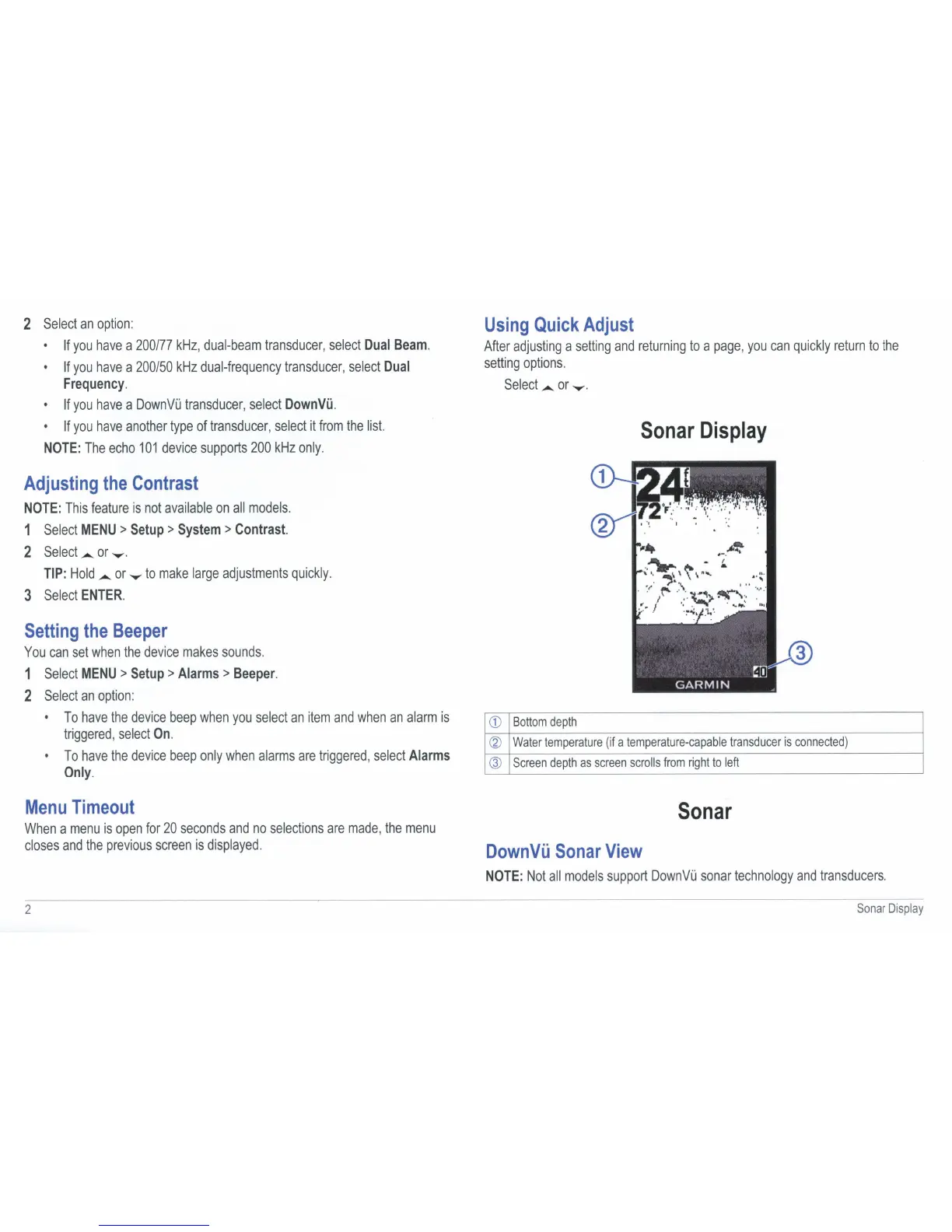
Sonar
Display
CD
Bottom
depth
@
Water
temperature
(if
a
temperature-capable
transducer
is
connected)
@
Screen
depth
as
screen
scrolls
from
right
to
left
Sonar
DownVu
Sonar
View
NOTE:
Not
all
models
support
DownVi.i
sonar
technology
and
transducers.
Sonar
D
isplay