Introduction
WARNING
See the Important Safety and Product Information guide in the
product box for product warnings and other important
information.
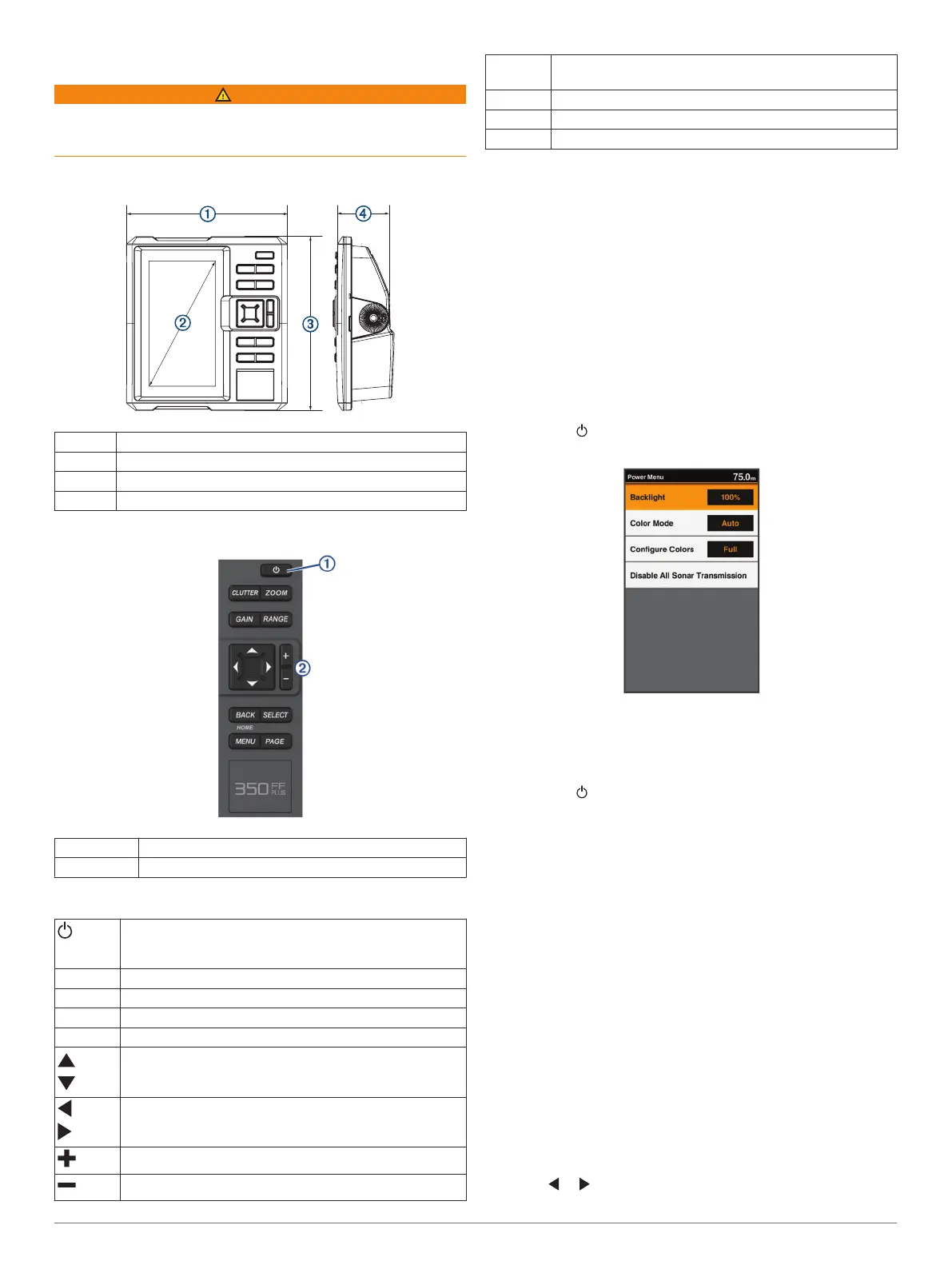
FF 350 Plus Dimensions
À
176 mm (6.94 in.)
Á
178 mm (7 in.)
Â
190 mm (7.5 in.)
Ã
81.8 mm (3.25 in.)
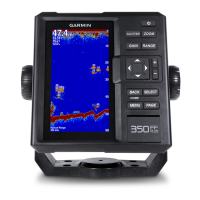
Device Overview
À
Power key
Á
Device keys
Keys
Hold to turn the device on or off.
Select to adjust the backlight, adjust the color mode,
configure colors, and enable and disable sonar.
CLUTTER Select to adjust the appearance of clutter on the screen.
ZOOM Select to adjust the zoom.
GAIN Select to adjust the gain.
RANGE Select to adjust the sonar range.
Select to scroll, highlight options, and move the cursor.
Select to scroll, highlight options, and move the cursor.
Select to pause sonar.
Select to zoom in to a view.
Select to zoom out of a view.
BACK Select to return to the previous screen.
Hold to return to the home screen.
SELECT Select to select options and acknowledge messages.
MENU Select to open the options menu for each page.
PAGE Select to scroll through the main pages.
Contacting Garmin
®
Product Support
Go to my.garmin.com for in-country product support contact
information.
Selecting the Transducer Type
If you are not using the included transducer, you must set the
transducer type to enable the sonar to function optimally. If you
are using the included transducer, you do not need to complete
these steps.
1
Select Settings > My Vessel > Transducer Type.
2
Select the type of transducer you are using.
Adjusting the Backlight
1
Select Settings > System > Display > Backlight.
TIP: Press > Backlight from any screen to open the
backlight settings.
2
Adjust the backlight.
Changing the Color Mode
1
Select Settings > System > Display > Color Mode.
TIP: Press > Color Mode from any screen to access the
color settings.
2
Select an option:
• To use a light background, select Day Colors.
• To use a dark background, select Night Colors.
TIP: You can configure the night color mode. Select
Configure Colors, and select an option.
Setting the Beeper
You can set when the device makes sounds.
1
Select Settings > System > Beeper.
2
Select an option:
• To have the device beep when you select an item and
when an alarm is triggered, select On (Selections and
Alarms).
• To have the device beep only when alarms are triggered,
select Alarms Only.
Panning on the FF 350 Plus
You can move the sonar view to view an area other than your
present location.
1
Select or to start panning.
Introduction 1





 To Next Page