16
Menu Mode
Training Assistant:
Time/Distance Alert
Time/Distance Alert
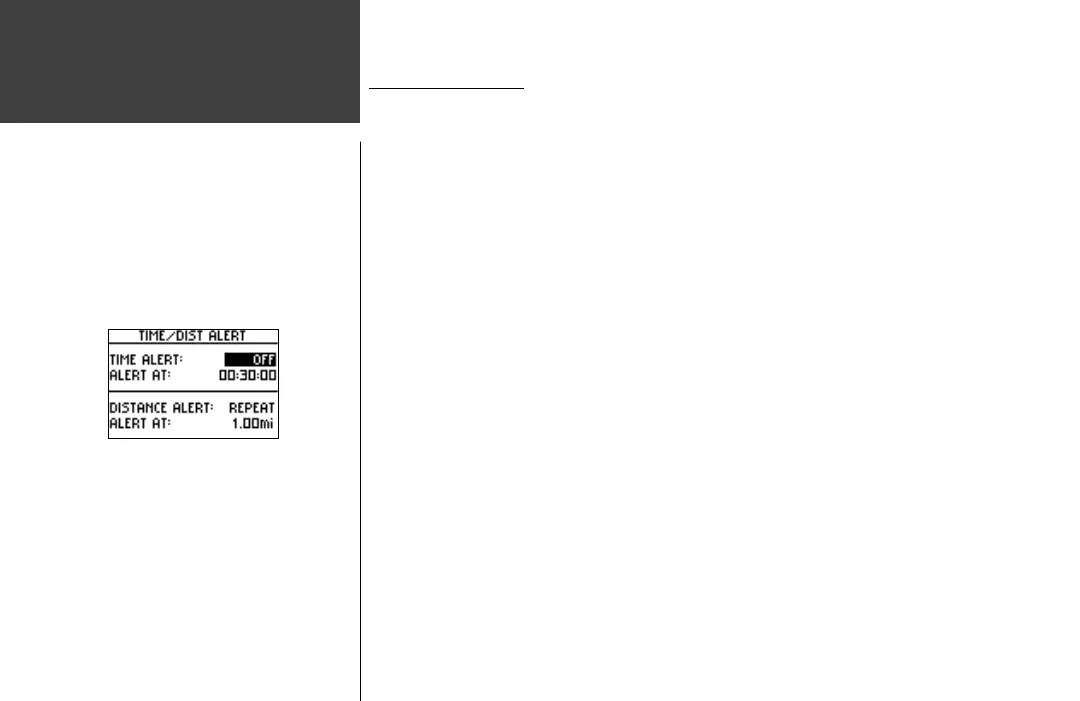
Like the Pace/Speed Alert, you can set an alarm to sound when you reach a certain time
or a certain distance.
To set Time Alert:
1. Highlight ‘TRAINING ASSISTANT’ in the Menu Mode and press ENTER.
2. Highlight ‘TIME/DIST(ANCE) ALERT’ and press ENTER.
3. With ‘TIME ALERT’ highlighted, press ENTER to turn the alert ‘OFF’, alert ‘ONCE’, or
‘REPEAT’ the alert whenever the ‘ALERT AT:’ time is reached again.
4. With ‘TIME ALERT’ on, highlight the ‘ALERT AT:’ fi eld and press ENTER.
5. Select from ‘2 HOURS’, ’1.5 HOURS’, ‘1 HOUR’, ’30 MINUTES’, or ‘CUSTOM’. Press the
DOWN or UP button to highlight your selection and press ENTER to select.
6. Press the MODE button to return to the Training Assistant mode.
To set Distance Alert:
1. Highlight ‘TRAINING ASSISTANT’ in the Menu Mode and press ENTER.
2. Highlight ‘TIME/DIST(ANCE) ALERT’ and press ENTER.
3. Use the DOWN or UP button to highlight the ‘DISTANCE ALERT’ fi eld, press ENTER to
turn the alert ‘OFF’, alert ‘ONCE’, or ‘REPEAT’ the alert whenever the ‘ALERT AT:’ distance is
reached again.
4. With ‘DISTANCE ALERT’ on, highlight the ‘ALERT AT:’ fi eld and press ENTER.
5. Select from ‘1/2 MARATHON’, ’10 MILE’, ’10K’, ’5 MILE’, ’5K’, ’1 MILE’ or ‘CUSTOM’. Press
the DOWN or UP buttons to highlight your selection and press ENTER to select.
6. Press the MODE button to return to the Training Assistant.













 To Next Page