EasyManua.ls Logo

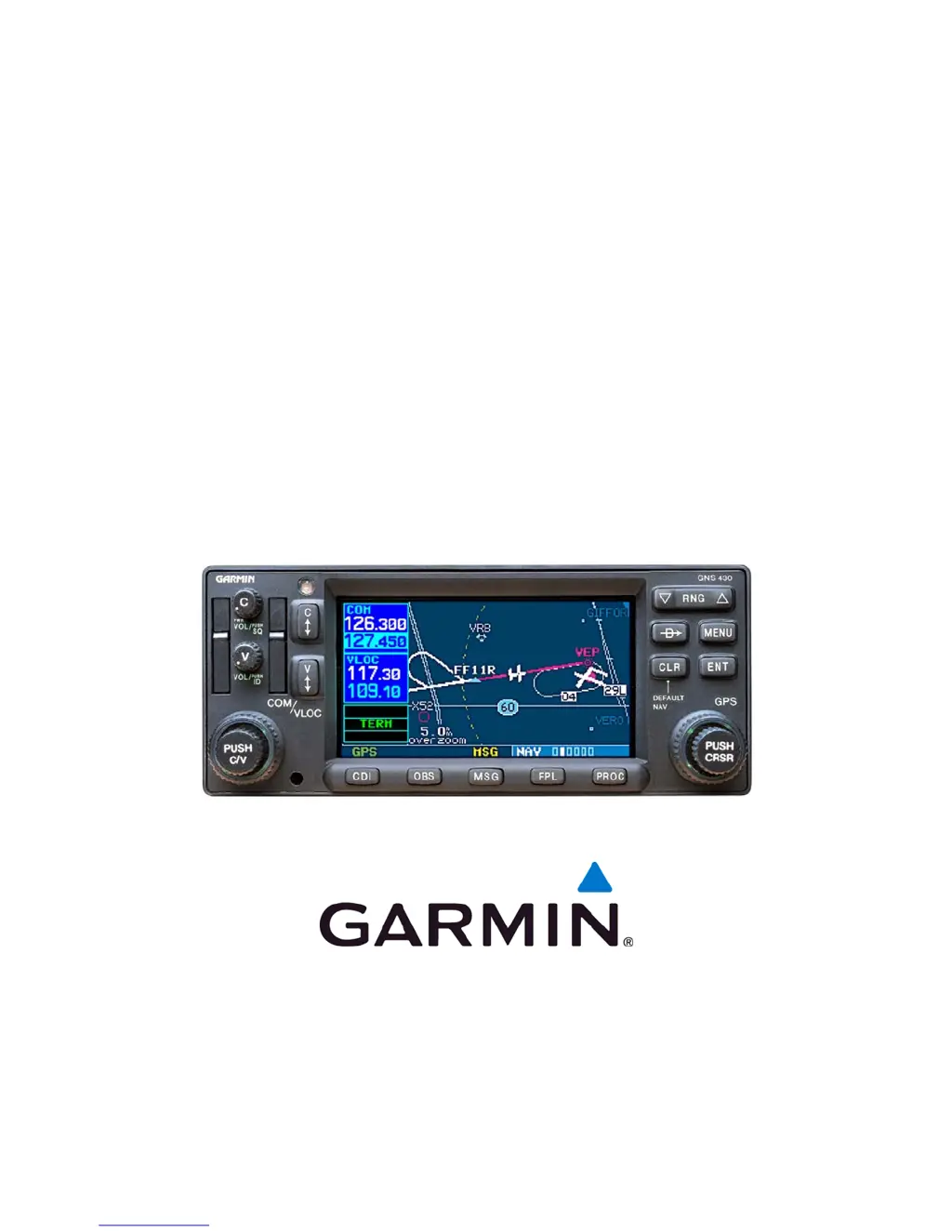
Garmin GPS 400W - User Manual

Garmin GPS 400W
232 pages
Print Icon
To Next Page IconTo Next Page
Loading...
190-00356-02 October 2008 Rev. F
400W SERIES
INSTALLATION MANUAL
GPS 400W, GNC
TM
420W/420AW, and GNS
TM
430W/430AW
GNC and GNS are trademarks of Garmin Ltd. or its subsidiaries and may not be
used without the express permission of Garmin.
Garmin International, Inc.

Table of Contents

Other manuals for Garmin GPS 400W

Questions and Answers

  • T
    Thomas PowersSep 5, 2025
    What does Garmin configuration error - Config service req’d mean?
    • C
      Christopher OwensSep 6, 2025
      If you see a “Configuration error - Config service req’d” message, it indicates that the configuration information has been lost or corrupted. Reconfigure the unit.
  • J
    Jerry PierceAug 25, 2025
    How to fix a Garmin GPS 400W Series unit that does not power on?
    • S
      Samantha NixonAug 25, 2025
      If your Garmin GPS 400W Series unit isn't powering on, the issue might be a lack of power to the main connector P4001. Ensure power is connected to the main 78-pin connector P4001, pins 19 and 20, and ground to P4001, pins 77 and 78. Also, check the circuit breakers and the main avionics switch.
  • J
    Jeff PughAug 25, 2025
    What to do if my Garmin GPS 400W Series unit does not compute a position?
    • W
      williamwatsonAug 26, 2025
      If your Garmin GPS 400W Series unit isn't computing a position, it could be due to not receiving signals. Check the GPS antenna connections and ensure the aircraft is clear of obstructions like hangars, buildings, or trees. Alternatively, the unit may need to complete its cycle, so wait 20 minutes.
  • M
    Mark LucasSep 13, 2025
    Why was my Garmin data transfer cancelled because the data was invalid?
    • K
      Kimberly HernandezSep 14, 2025
      An attempt to transfer a single user waypoint during a unit-to-unit crossfill was cancelled because no waypoint was specified on the Crossfill Page. Select a user waypoint and re-attempt the transfer.
  • D
    duanevanceSep 23, 2025
    What to do if VLOC transfer key stuck on Garmin 400W GPS?
    • T
      Travis SmithSep 23, 2025
      The VLOC flip-flop key is stuck in the enabled (or “pressed”) state. Try pressing the VLOC flip-flop key again to cycle its operation.
  • Z
    zlopezSep 9, 2025
    Why is my Garmin 400W Series unit not receiving heading from the compass system?
    • L
      Leslie FisherSep 10, 2025
      If the 400W Series unit isn't receiving heading from the compass system (ARINC 429 heading input used), the ARINC 429 input port speed may not be correct. Check the ARINC 429 input port speed setting for the port that the device is connected to and verify that the speed is correct for that device. Also, incorrect wiring connections could be the cause; check the wiring.
  • J
    John StevensonSep 1, 2025
    How to resolve Garmin data transfer cancelled (version mismatch) error?
    • L
      Louis NelsonSep 1, 2025
      A “Data transfer cancelled (version mismatch)” error during a unit-to-unit crossfill indicates that the database versions on the two 400W Series units aren't identical. Update the databases so they match.
  • J
    Joshua FrankSep 23, 2025
    What does it mean if WX-500 device has failed on Garmin 400W?
    • K
      korozcoSep 23, 2025
      Check for proper configuration and the wiring.
  • K
    khowardSep 18, 2025
    What to do if Garmin 400W GPS is not receiving traffic data?
    • P
      Phillip JohnsonSep 18, 2025
      No traffic data is being received. Check for proper configuration and wiring.
  • K
    Kelly AlexanderAug 28, 2025
    Why Garmin 400W Series GPS unit does not compute a position?
    • L
      lauraserranoAug 28, 2025
      If your 400W Series unit isn't computing a position, there could be a few reasons: * Not receiving signals: Check the GPS antenna connections and ensure the aircraft is clear of obstructions like hangars, buildings, and trees. * Unit cycling: Wait 20 minutes for the unit to complete its cycle.

Summary

General Description

Equipment Description

Provides an overview of the 400W Series units, including display and data card information.

Technical Specifications

Lists physical and general specifications for the 400W Series units.

GPS Specifications

Details the performance specifications for the GPS receiver.

COM Transceiver Specifications

Outlines the technical specifications for the COM transceiver functions.

VOR Specifications

Details the performance specifications for the VOR receiver.

LOC Specifications

Details the performance specifications for the LOC receiver.

Glideslope Specifications

Details the performance specifications for the Glideslope receiver.

GPS Antenna Requirements

Lists approved antennas and their operational limitations.

Regulatory Compliance

Details TSO authorizations and advisory circular references.

Installation Overview

Minimum System Configuration

Outlines the required items for VFR and IFR installations.

Antenna Considerations

Discusses mounting location considerations for various antennas.

Mounting Considerations

Details pilot view centerline and acceptable field-of-view for annunciations.

Cabling and Wiring Considerations

Guidelines for installing wiring harnesses and ensuring system separation.

Installation Procedures

Equipment Mounting

Provides instructions for rack installation and unit insertion/removal.

Antenna Installation and Connection

Information on GPS antenna cable installation and connector assembly.

System Interconnects

Pin Function List

Details pin functions for the P4001 Main Connector.

Main Indicator

Describes the function and electrical characteristics of the main indicator.

Post Installation Configuration & Checkout Procedures

Configuration Mode Operations

Guides through accessing and operating configuration pages.

MAIN ARINC 429 CONFIG Page

Configures GPS ARINC 429 output and input ports.

MAIN RS-232 CONFIG Page

Allows changing selectable RS-232 inputs/outputs to match installed equipment.

MAIN SYSTEM CONFIG

Allows configuration of Fuel, Terrain, and Discretes options.

MAIN CDI;OBS CONFIG Page

Verifies CDI outputs, LAT/VERT, and calibrates the OBS input.

Ground Checks (Configuration Mode)

Procedures for verifying system functions in configuration mode.

Ground Checks (Normal Mode)

Procedures for verifying system functions in normal operating mode.

Signal Acquisition Check

Verifies GPS signal acquisition and reception.

VHF COM Interference Check

Checks for interference between COM and other aircraft avionics.

Interface Checkout

Verifies proper communication with interfaced systems.

Flight Checks

Describes flight tests to verify system operation and performance.

GPS Flight Check

Verifies GPS position and flight plan data during maneuvering.

VHF COM Flight Check

Tests VHF COM transceiver performance with a ground station.

VOR Flight Check

Verifies VOR reception, audio quality, and navigation flags.

ILS Flight Check

Verifies ILS reception, audio quality, and navigation flags.

Autopilot Flight Check

Tests autopilot coupling with GPS and NAV modes.

Troubleshooting

Troubleshooting Procedure

Provides a guide to diagnosing and resolving installation issues.

Alert Text Troubleshooting Procedure

Lists common alerts, their possible causes, and solutions.

Limitations

TSO-C146 a GPS;WAAS Limitations

Details limitations for GPS/WAAS operation under Instrument Flight Rules.

Periodic Maintenance

Appendix D 400 W SERIES RS-232 AVIATION DATA FORMAT

Appendix E 400 W SERIES RS-232 FUEL;AIR DATA INPUT FORMAT

Appendix G APPROVED EQUIPMENT

Garmin GPS 400W Specifications

General IconGeneral
InterfaceRS-232
Receiver TypeWAAS-enabled
DisplayColor LCD
DatabaseJeppesen
InterfacesRS-232
CertificationsTSO-C146a

Related product manuals