9 Install the foam gasket on the back of the device.
The pieces of the foam gasket have adhesive on the back. Make sure you remove the protective liner before
installing them on the device.
10 If you will not have access to the back of the device after you mount it, connect all necessary cables and
install microSD cards in the back of the device before placing it into the cutout.
NOTICE
To prevent corrosion of the metal contacts, cover unused connectors with the attached weather caps.
11 Apply marine sealant between the mounting surface and the device to properly seal and prevent leakage
behind the dashboard.
12 If you will have access to the back of the device, apply marine sealant around the cutout.
13 Place the device into the cutout.
14 Secure the device to the other holes on the nut plates using the included flat head machine screws .
15 Wipe away all excess marine sealant.
16 Install the trim caps by snapping them in place around the edges of the device.
Connection Considerations
After connecting the cables to the device, tighten the locking rings to secure each cable.
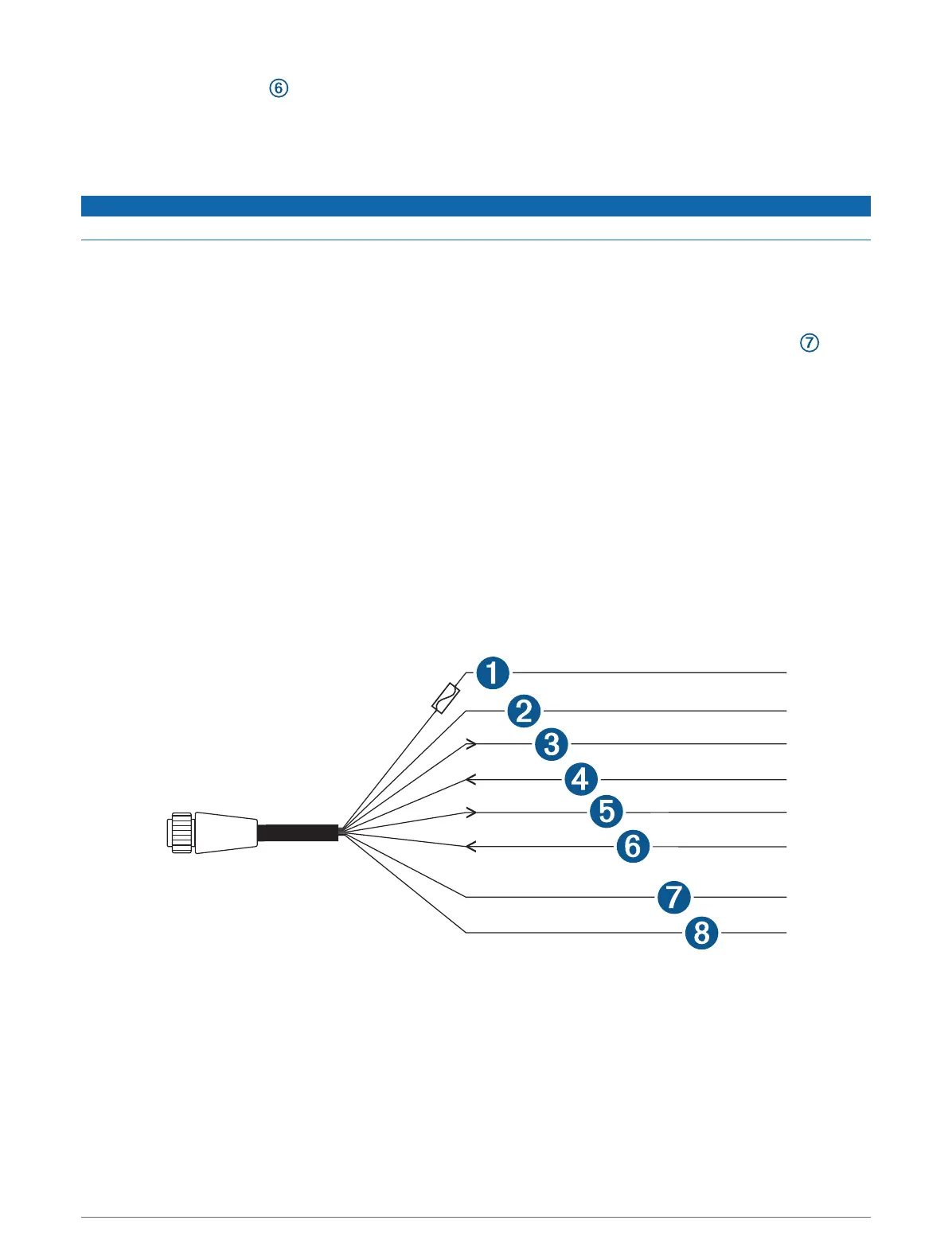
Power/NMEA 0183 Cable
• The wiring harness connects the device to power, NMEA 0183 devices, and a lamp or a horn for visible or
audible alerts.
• If it is necessary to extend the power and ground wires, you must use a wire gauge appropriate for the length
of the extension (Power Wire Extensions, page11).
• If it is necessary to extend the NMEA 0183 or alarm wires, you must use 22AWG (.33mm²) wire.
• This cable provides one differential NMEA 0183 input and output port.
9


 To Next Page