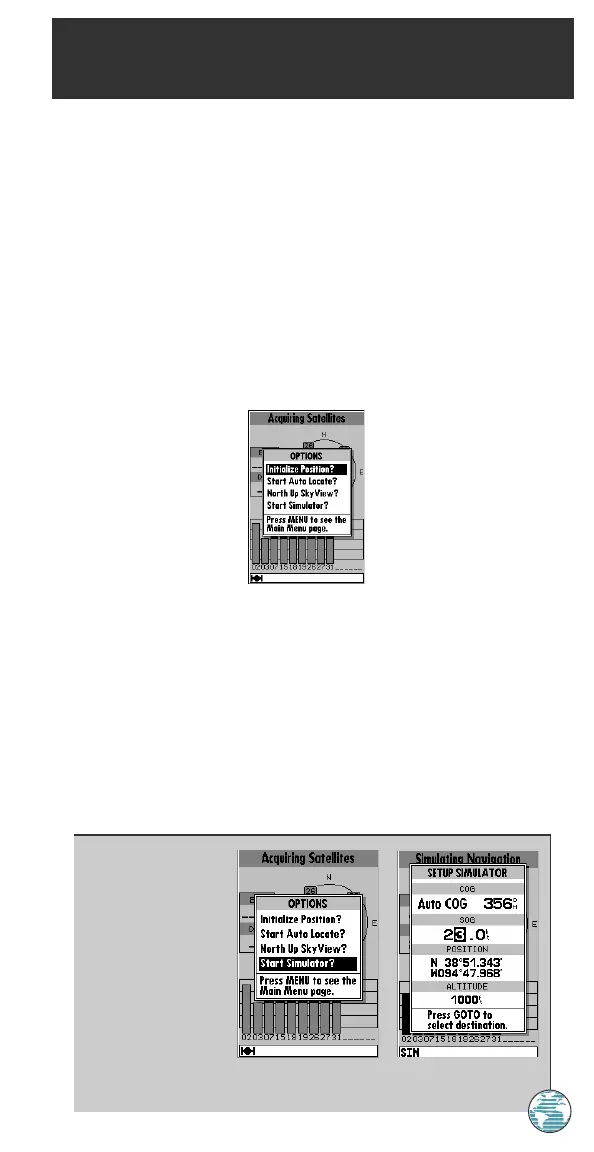
The GPSMAP 175’s status page features a context-sensitive options
page that provides access to functions and features relating to the status
page.
To display the status page options:
1. Press O.
To select a menu option:
1. Highlight the desired option and press T.
The following options are available:
• Initialize Position?— allows you to initialize the receiver on the map
or by text. See pages 6-8 for instructions on initialization.
• Start AutoLocate?— allows the receiver to locate your position
automatically.
• Either Track Up/North Up SkyView?— allows you to select
between a north up or track up sky view display.
• Either Setup/Start Simulator?— allows you to define speed, course
and position values while in simulator mode. See the Getting Started
Tour for more on using simulator mode.
STATUS PAGE
Options
1
A. Whenever the
GPSMAP 175 is in
simulator mode, the
‘Setup Simulator?’
option will appear
on all the main
pages.
B. The simulated
heading, speed,
position and altitude
may be changed at any time.
25
175 Manual 7/31/98 3:56 PM Page 25














 To Next Page